
Making the switch to VoIP typically slashes your phone bills by 40-60% versus old-school landlines—but here’s the catch: those savings evaporate fast if you pick wrong. You’ll end up trapped in a contract with dropped calls during sales presentations, billing surprises that make your CFO cranky, and a migration process that feels like root canal without anesthesia.
Here’s what makes this tricky: you’re now shopping in a market with 300+ vendors, everything from rebranded consumer apps to industrial-strength platforms that power Fortune 500 call centers. Some handle three employees beautifully but collapse at thirty. Others won’t even talk to you unless you’re deploying 1,000 seats.
I’ve watched companies make this decision dozens of times. The ones who nail it? They ignore the marketing fluff and test real-world performance. That’s what we’re covering here—the actual evaluation process that separates providers who deliver from those who just talk a good game.
What Makes a VoIP Provider Reliable
Forget the idea that reliability means one simple thing. It’s actually three things working together: how they built their network, what they promise in writing, and what happens when stuff breaks (because it will).
Uptime guarantees look great in PowerPoints until you read what they actually cover. Take 99.9% uptime—sounds bulletproof, right? Do the math: that’s 8.7 hours of dead air per year. Your phones could go silent for an entire business day, and they’d technically meet their SLA. The serious players promise 99.99% (52 minutes of downtime annually) or even 99.999% (just 5 minutes). They also write you a check when they miss those numbers.
But watch out—I’ve seen SLAs with escape clauses you could drive a truck through. “Scheduled maintenance” doesn’t count. “Third-party network issues” don’t count. “Acts of God” definitely don’t count. One provider I reviewed excluded anything happening between midnight and 6am. Guess when their servers kept crashing?
Network infrastructure decides whether your call to the office next door actually stays local or takes a scenic tour through three states first. The top providers own their fiber networks—actual buried cables connecting 30, 40, sometimes 50 cities. Your call originates nearby and stays on their network the whole trip.
Budget providers? They’re renting bandwidth from whoever’s cheapest that month. Your San Francisco-to-Oakland call might route through a saturated node in Dallas because that’s where their carrier had capacity. Ask point-blank: “Where’s your closest Point of Presence to our office?” and “Do you peer directly with AT&T, Verizon, and Lumen, or do you use intermediaries?”
Redundancy architecture separates the amateurs from the pros, and it’s not subtle. Real redundancy means separate data centers in different earthquake zones, on different power grids. Virginia floods? Your service shifts to Oregon in 30 seconds. Some providers maintain N+1 redundancy (one backup for each production server). Others run N+2. The paranoid ones—often the best ones—run full active-active, where every single component has an identical twin already handling traffic.
Session redundancy matters more than most realize. When a server hiccups, do your active calls drop, or does the system keep them alive during failover? Cheap providers dump your calls and make you dial again. Enterprise systems maintain the connection without your callers noticing a blip.
Customer support responsiveness varies so wildly it’s almost funny. Budget vendors give you a ticket system—submit your problem, then wait 24-48 hours while your phones stay broken. Mid-tier services offer phone support during business hours, which is great unless your problem happens at 7pm. Enterprise contracts include a dedicated human who knows your setup, answers in 15 minutes max, and has a direct line for 3am emergencies.
Here’s a pre-buying test: submit a technical question through their support system right now. Something specific like “What codecs do you support, and can I prioritize G.722 for executive handsets?” Time their response. If it takes three days or you get a canned answer that doesn’t address the question, keep shopping.
SLA commitments should cover way more than just uptime. What about call completion rates—how many calls actually connect versus getting fast-busy signals? What about jitter and latency thresholds? What about support response times? A provider promising 99.99% uptime but taking four days to answer tickets hasn’t committed to reliability. They’ve just insured the easy part while ignoring everything else.

Key Features to Compare Across VoIP Providers
Every vendor claims they offer “call recording” and “mobile apps,” but that’s like saying every car has wheels. Implementation quality differs so dramatically you’re basically comparing bicycles to Ferraris.
Call quality comes down to three technical factors most buyers ignore: codec support, packet prioritization, and jitter buffering. G.722 codec delivers HD voice—clearer than landlines ever were. G.711 provides standard quality, perfectly acceptable for most business use. Opus adapts dynamically to network conditions. Some budget providers still use G.729, an old codec that trades quality for bandwidth savings. Fine if you’re running warehouse walkie-talkies. Terrible for client-facing sales calls where you need to hear subtle voice cues.
Ask about QoS (Quality of Service) tagging and DSCP marking. These technologies tell your network “prioritize this phone traffic over that guy streaming Netflix in the break room.” Without them, your crystal-clear call quality lasts exactly until someone downloads a large file.
Scalability sounds straightforward—”add users anytime!”—until you actually try it. Can you spin up 50 new users tomorrow without filing a ticket and waiting for manual provisioning? Does your per-user cost drop at volume tiers (maybe $30 per user for 50 seats, but $24 per user at 500 seats), or does pricing stay stubbornly flat regardless of volume?
Watch for hidden capacity limits. Some providers cap total users per account at 250 or 500. You hit that ceiling, and they force you to split your company across multiple accounts with separate billing, separate admin panels, and separate dial plans. That’s not scalability—that’s administrative torture.
Integrations make or break VoIP value for most businesses. Native integrations with Salesforce, HubSpot, Zendesk, or Microsoft Dynamics embed call controls right inside the software your team already lives in. Click a contact’s phone number—the call starts. Inbound call arrives—customer data pops on screen automatically. Call ends—system logs everything without manual entry.
Zapier connections work, technically. But they introduce lag, they break when either platform updates their API, and they require someone to maintain the “zap.” I’ve seen companies spend $5,000 paying developers to build and maintain Zapier integrations that could’ve been native features with a different provider.
Mobile apps range from embarrassingly broken to “why would I ever use a desk phone again?” Some providers clearly built their mobile app as an afterthought—it makes outbound calls but can’t receive inbound calls to your business number. That defeats the entire purpose. Others deliver full desktop feature parity: video calling, call transfer, three-way conferencing, visual voicemail with transcription, the works.
Test this during your trial: give the mobile app to your most tech-challenged employee. Can they figure it out, or do they need a tutorial? That’s your answer.
International calling costs vary by factors of 10 for identical destinations. Provider A charges $0.02 per minute to UK landlines. Provider B charges $0.25 per minute—same destination, same quality. You make 100 hours of international calls monthly? That’s $120 versus $1,500—a $16,560 annual difference.
Don’t trust “average international rates” in marketing materials. Pull their actual rate card and highlight your specific destinations. Averages hide the expensive outliers. Maybe their European rates look great, but calling Mexico (your biggest international destination) costs triple the industry norm.
Advanced features like auto-attendant, call recording, analytics, and queue management separate basic phone service from actual business platforms. Your auto-attendant should handle multi-level menus (press 1 for sales, press 2 for support, press 3 within support for technical issues…), route calls differently during business hours versus evenings, and recognize holidays without manual switching.
Call recording needs legal-grade storage with tamper-evident logs and granular retention. “We record all calls” isn’t enough. Can you set retention by department (keep sales calls 3 years, HR calls 7 years)? Can you prove in court that recording X wasn’t edited? These details matter during lawsuits and compliance audits.
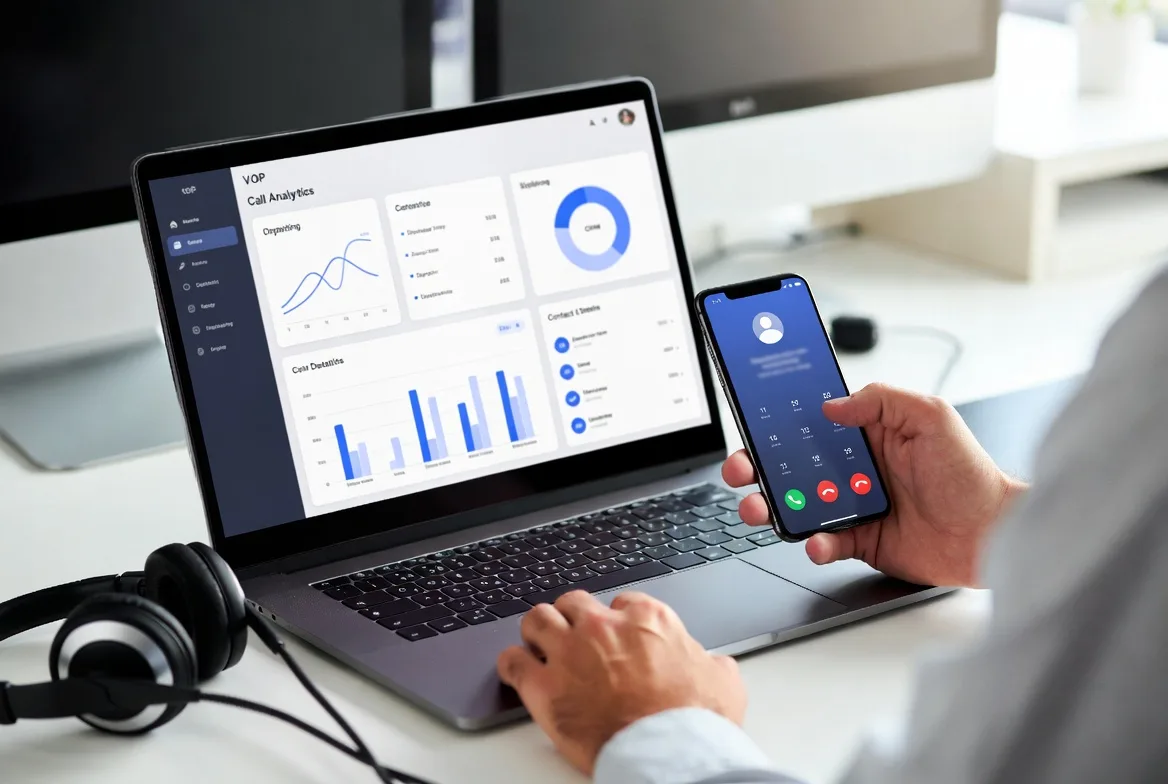
Analytics should tell you why customers hang up before reaching an agent, not just how many calls you received. Abandoned call rates by time of day. Average wait times by queue. Agent performance comparing handle time and customer satisfaction. If your analytics just count total calls, you’re flying blind.
VoIP Providers Ranking by Business Size and Need
The best VoIP provider for a three-person startup has basically nothing in common with the best choice for a 500-seat call center. Your needs diverge around how much complexity you’ll tolerate, what you can budget, and which features actually move your business forward.
Small Business VoIP Solutions
You’ve got 2-50 employees, and IT administration is maybe 10% of someone’s job—probably yours. You need this to work without becoming a second career.
What to prioritize:
– Administration through a web browser, zero specialized training required
– Bundled pricing where all standard features come included—no surprise charges for call recording or voicemail transcription
– Phone setup that actually works out of the box (scan QR code, phone registers automatically, done)
– Month-to-month or annual contracts max—three-year lock-ins are absurd for businesses your size
– Support via chat or phone without needing an enterprise contract first
Typical scenarios: Retail locations wanting a professional auto-attendant so you sound bigger than you are. Remote teams needing mobile apps that actually work. Service businesses wanting CRM integration so you see customer history before answering.
Trade-offs you’ll accept: Less customization than enterprise platforms. Shared infrastructure, meaning your call quality occasionally suffers when other customers spike usage. Limited API access if you want custom integrations. Support queues during peak hours—you’re waiting behind enterprise customers who pay 10x more.
Small business providers typically charge $20-35 per user monthly, unlimited domestic calling included. Watch that “unlimited” asterisk though. Some cap you at 5,000 minutes per user, then flag your account for “excessive usage review”—corporate speak for “we’re not making enough margin on you.”
Enterprise-Grade VoIP Systems
You’re running 200+ employees across multiple locations. Phone systems are infrastructure—they need to just work, 24/7, no excuses.
What to prioritize:
– 99.99% or better uptime SLAs with actual financial penalties when they miss targets
– Dedicated account teams who know your setup and priority support queues that bypass standard wait times
– Single Sign-On integration with Okta, Azure AD, or whatever identity platform you’re already running
– Security that passes audits: SRTP encryption, role-based access controls, comprehensive audit logs
– API access for custom integrations and automated provisioning
– Geographic redundancy and disaster recovery that you can actually test
Typical scenarios: Multi-location companies needing unified dial plans so employees can transfer calls between offices seamlessly. Contact centers requiring skills-based routing and real-time dashboards. Regulated industries needing call recording with long-term archival that survives legal discovery.
Trade-offs you’ll accept: Higher per-user costs ($30-50+, sometimes much higher with specialized features). Longer implementation timelines—6 to 12 weeks for complex deployments with multiple offices and legacy system integrations. Contracts requiring 1-3 year commitments, though everything’s negotiable at enterprise scale. Complexity requiring dedicated IT resources or managed service providers.
Enterprise providers rarely show real pricing publicly. Those “$35/user” starting prices represent the beginning of a negotiation, not the actual cost. User count, feature requirements, contract length, and your negotiation skills all affect final numbers significantly.
VoIP Pricing Models and Hidden Costs
That advertised per-user rate you saw on their website? That’s maybe half the actual story. Total cost of ownership includes setup, hardware, usage overages, and exit fees that mysteriously appear when you try to leave.
Per-user versus flat-rate pricing: Most providers charge per user monthly ($20-50 each), scaling linearly—10 users cost $200, 100 users cost $2,000. Clean math, easy budgeting. Flat-rate pricing ($500 monthly for “unlimited” users) benefits larger teams but usually includes usage caps that trigger overage fees when you exceed them. Calculate your breakeven point: flat-rate costs $500, per-user costs $25, you break even at 20 users. Below that, per-user wins. Above it, flat-rate saves money assuming you don’t hit usage limits.
Setup fees range from zero (increasingly common for small business accounts) to $50 per user for basic configurations. Custom implementations are different animals entirely. Importing thousands of users from Active Directory, configuring complex multi-location call flows, integrating with your legacy PBX during a phased migration—that triggers professional services charges of $150-250 per hour. Get written quotes for implementation costs before signing anything. I’ve seen “free setup” turn into $8,000 in unexpected professional services bills.
Hardware costs depend entirely on whether you’re using softphones (apps on computers and phones), desk phones, or conference room equipment. Budget desk phones run $80-120 each. Executive models with color touchscreens and Bluetooth connectivity hit $250-400. Conference room systems start around $500 for basic speakerphones and climb past $5,000 for camera-enabled video units with echo cancellation and automatic speaker tracking.
Some providers subsidize hardware in exchange for multi-year contracts—”free phones” that actually cost you $10 per user monthly for 36 months, built into your rate. Others charge full retail but allow month-to-month contracts. Run the math both ways before deciding.
International rates stack per-minute charges on top of your base subscription. Rates vary wildly by destination: Canada might cost $0.01 per minute, basically free. Calling certain African or Pacific Island nations? Try $1.50 per minute. Pull their international rate sheet and highlight your actual calling destinations. Calculate monthly exposure before committing.
Contract terms affect total cost through early termination fees that protect the provider’s investment. Three-year contract at $25 per user saves you $5 monthly versus month-to-month pricing—nice savings. But you pay $150 per user to exit early. Sign up 50 users, cancel after 18 months, and the ETF hits $7,500. That erases all savings and costs you money. Only lock into multi-year contracts when you’ve thoroughly tested the provider and you’re confident in the relationship.
Cancellation fees sometimes hide outside the user-based ETF structure. Buried in professional services clauses, providers argue they invested in custom integrations or porting your phone numbers. Early termination triggers $500-2,000 in “recovery fees” separate from per-user penalties. Read the entire contract, especially sections titled “professional services” and “termination.”
Hidden costs that consistently surprise businesses: number porting fees ($5-15 per number to move your existing numbers in), toll-free number charges ($20-30 monthly per number plus per-minute usage fees), SMS and MMS messaging (often excluded from “unlimited” plans entirely), E911 service fees ($1-2 per user monthly for emergency calling), regulatory compliance fees (2-5% of total bill for FCC and state telecom taxes), and overage charges when you exceed included minutes on “unlimited” plans that aren’t actually unlimited.
Companies consistently underestimate how VoIP reliability impacts productivity and customer experience. A provider advertising 99.9% uptime sounds perfectly adequate until you calculate the annual downtime: 8.7 hours that might occur during your peak sales period or exactly when a major client tries reaching you. The gap between 99.9% and 99.99% uptime isn’t just a decimal point—it’s the difference between occasional frustration and dependable reliability. Focus your evaluation on operational track records and third-party verification, not marketing promises and sales presentations.
Michael Chen, Senior Telecommunications Analyst at Enterprise Communications Research Group
How to Evaluate VoIP Providers Before Signing Up
Marketing materials promise perfect reliability, crystal-clear calls, and 24/7 support. Evaluation processes reveal what you actually get.
Trial periods let you test with actual users doing actual work. Meaningful trials run 14-30 days minimum—long enough to experience their support responsiveness, encounter edge cases in your workflow, and validate that CRM integration works with real customer data. One-day trials or hour-long demos with sales engineers don’t expose operational problems. They show you the happy path, not the weird scenario where calls fail when transferring between offices.
During your trial, systematically test: call quality during peak internet usage (10am and 2pm when everyone’s on video calls), mobile app functionality on employee personal devices (not just the demo iPad in the conference room), CRM integration using actual customer records with messy data, support response by submitting an actual ticket about a configuration question, and international calling to your real destinations.
Testing call quality requires controlled comparisons, not just making a few calls and saying “sounds fine.” Make test calls to identical destinations using your current system and the trial system back-to-back. Call the same mobile number, the same landline, the same international office. Listen specifically for latency (delay between speaking and hearing response—anything over 150ms feels awkward), jitter (choppy or robotic audio from packets arriving out of order), and echo (hearing yourself slightly delayed, usually from acoustic issues on the far end but sometimes network-related).
Test during different times: morning when internet’s fresh, midday when usage peaks, late afternoon when everyone’s in meetings. Quality problems hide during off-peak hours.
Checking reviews means looking beyond aggregator sites where providers game their ratings through various schemes. Search “[provider name] downtime” or “[provider name] billing issues” or “[provider name] support problems” to find complaint patterns that never appear on review sites. Reddit’s r/VOIP, r/sysadmin, and WebHostingTalk forums surface unfiltered issues.
Look for patterns, not isolated incidents. Every provider has unhappy customers—someone’s angry right now about every company in existence. But recurring themes signal systemic problems. Five different people mentioning surprise billing over two years? Pattern. Fifteen complaints about unresponsive support across multiple forums? Pattern. Three mentions of a specific outage? Isolated incident.
Verifying support availability involves testing right now, before you’re a customer. Submit a pre-sales question through their support system and measure response time and quality. Don’t ask “do you support call recording?” Ask “can I configure call recording with different retention periods by department, and do your recordings include tamper-evident audit logs for compliance?” Specific technical questions expose whether support staff actually understand their product or just copy-paste from a script.
Call their support line at 8pm on a Tuesday. Do you reach a human, or does it roll to voicemail? Try again at 6am Saturday. Enterprise 24/7 support should mean actual humans, not “leave a message and we’ll call you Monday.”
Assessing migration assistance matters most when you’re porting numbers or moving from legacy systems. Ask providers directly: Do you handle number porting paperwork, or do I submit LOAs myself? What’s your typical porting timeline (varies from 2 days for simple transfers to 4 weeks for complex multi-location ports with multiple carriers)? Do you provide migration project management, or just hand me documentation and say good luck? Will you configure call flows to match my existing system, or do I rebuild everything from scratch?
The difference between good and bad migration support is 20 hours of your time and a weekend working instead of relaxing. Worth asking about.
Reviewing security certifications protects regulated industries and security-conscious organizations from nasty surprises during audits. Look for SOC 2 Type II (annual third-party security audits covering controls), HIPAA compliance for healthcare (with willingness to sign a Business Associate Agreement), PCI DSS if you process payments over the phone (rare but critical for some businesses), and ISO 27001 (international security management standard).
Certifications prove third-party validation, not just marketing claims. “We take security seriously” means nothing. “Here’s our current SOC 2 Type II report” means they let auditors examine their controls and passed.

Common VoIP Provider Mistakes to Avoid
Companies make the same mistakes repeatedly, costing themselves money and productivity in predictable ways.
Choosing based on price alone ignores total cost of ownership and usually backfires within 12 months. That provider charging $15 per user looks attractive compared to $30 alternatives—until you add international calling overages because nothing’s included, support charges for basic configuration changes they should handle free, and hardware markups that triple retail prices. The “cheap” provider often costs more after a year. Plus you’re stuck with them contractually.
Ignoring bandwidth requirements causes quality problems that aren’t actually the provider’s fault—they’re your network’s fault. VoIP needs roughly 100 kbps per concurrent call, both upload and download. You have 20 employees but only 10 typically talk simultaneously? Need 1 Mbps dedicated to VoIP, plus 20% overhead for packet headers and network variability—1.2 Mbps minimum.
Shared internet connections, especially cable or DSL with asymmetric speeds (100 Mbps download but only 10 Mbps upload), struggle when uploads saturate. Your kid at home starts uploading a school project while you’re on a client call, and suddenly you sound like a robot. That’s not the VoIP provider—that’s insufficient bandwidth. Test your connection under load before blaming them.
Overlooking contract lock-ins traps you with underperforming providers for years. Three-year contracts made sense in 2015 when VoIP was novel and pricing volatile. In 2026, it’s a mature market with heavy competition. Unless you’re receiving substantial discounts (20%+ off month-to-month rates) or significant hardware subsidies, multi-year contracts just lock you in with minimal benefit.
Skipping integration compatibility checks wastes VoIP’s primary advantage—workflow integration that eliminates manual steps. Verify your provider offers native integrations (not just “we have an API, you can build it yourself”) for your specific CRM, helpdesk, and collaboration tools. Zapier connections work but introduce latency, add monthly costs, and break when either platform updates. Test integrations during trials with real data, not sanitized demo accounts that never expose edge cases.
Underestimating internal change management causes adoption failures completely unrelated to provider quality. Employees resist new systems, especially when call quality differs even slightly from familiar tools or the interface changes. Some will refuse to use mobile apps. Others will complain that speed dial doesn’t work the same way.
Budget time for training beyond “here’s how to make a call.” Create quick-reference guides for common tasks. Identify power users who catch on quickly and can assist colleagues. Change management determines whether your expensive new VoIP system gets used or sits idle while people route calls through their cell phones.
VoIP Providers Comparison Table
| Provider Category | Monthly Rate | Uptime Promise | Core Capabilities | Ideal Customer | Agreement Options | Trial Window |
|---|---|---|---|---|---|---|
| Budget Options | $15-20/user | 99.9% | Unlimited US calling, simple auto-attendant, mobile access | 2-10 employees, basic requirements | Monthly or annual | 14-day test |
| Small Business Focused | $25-30/user | 99.95% | CRM connections, call archiving, video meetings, text messaging | 10-50 staff, scaling quickly | Annual preferred, monthly available | 30-day evaluation |
| Mid-Market Platforms | $30-40/user | 99.99% | Analytics dashboards, smart call routing, SSO support | 50-500 employees, several locations | 1-2 year typical | 14-30 day trial |
| Enterprise Solutions | $40-60+/user | 99.99%+ | Custom API builds, dedicated support team, multi-region failover | 500+ seats, mission-critical operations | 2-3 years negotiable | Custom proof of concept |
| Contact Center Specialized | $80-150/user | 99.99% | Omnichannel queues, workforce scheduling, live monitoring | Inbound/outbound call centers | 1-3 year contracts | 30-day pilot |
| Global Business Oriented | $35-45/user | 99.95% | Bundled international minutes, worldwide infrastructure, local numbers in 50+ countries | International teams and clients | Annual agreements | 14-day trial period |
Rates shown reflect typical 2026 market pricing for standard configurations. Volume discounts and custom requirements significantly alter actual costs.
FAQs
Reliability means different things depending on your definition—are you measuring uptime percentage, support responsiveness, or call quality consistency? For businesses under 50 users, focus on providers delivering 99.95% or better uptime guarantees, phone support during business hours (not just email tickets), and month-to-month contracts so you’re not trapped if things go wrong. Don’t trust marketing claims—test reliability during a 30-day trial under your actual usage patterns. The most reliable provider for a retail storefront differs from the most reliable for a remote consulting team based on factors like mobile app quality and specific integration requirements.
Yes, through number porting—a regulated process transferring your numbers from the old carrier to your new provider. Simple ports (single location, handful of numbers) take 2-10 business days. Complex scenarios involving multiple locations, hundreds of numbers, or toll-free numbers can stretch to 4 weeks. You’ll need your current provider’s account number and PIN, and you must keep service active with the old provider until porting completes. Critical warning: don’t cancel your existing service before the new provider confirms successful porting, or you’ll lose the numbers permanently. Most providers include porting assistance, but verify this before signing.
Most providers offer monthly billing options, though you’ll pay $5-10 more per user versus annual or multi-year commitments. Small business-focused providers typically default to monthly billing with no pressure. Enterprise providers push hard for annual or multi-year contracts but will negotiate monthly terms for the right customers, especially if you’re bringing significant user count. Month-to-month makes sense during initial evaluation periods or when business conditions are uncertain. Lock into longer contracts only after validating the provider through several months of real-world use and only when receiving meaningful discounts (15%+ savings minimum).
Request a trial period of 14-30 days with actual user accounts and real phone numbers, not just a sales demo. During this trial period: make calls to identical destinations using both your current system and trial system back-to-back for direct comparison; test specifically during peak internet usage times (mid-morning and early afternoon) when quality issues become visible; have remote employees test mobile apps on their own devices and home internet connections; run conference calls with 5-10 participants to evaluate audio mixing and clarity; call your business from outside and navigate the auto-attendant system as customers would experience it. Document any problems you encounter and assess whether they’re configuration issues (fixable) or fundamental limitations (deal-breakers). Quality varies dramatically across providers—don’t skip testing.
Selecting the right VoIP provider comes down to matching technical capabilities with your specific operational needs, not chasing rock-bottom pricing or being dazzled by feature lists that mostly duplicate across vendors. Reliable providers combine network infrastructure, contractual guarantees, and support responsiveness—three elements that marketing glosses over but trial periods expose clearly.
Start by defining your non-negotiables: required uptime percentage, must-have integrations, support availability windows, and contract flexibility you need. Test shortlisted providers through meaningful trials revealing real-world performance under your network conditions, with your actual users, during your peak usage hours. Compare total cost of ownership across 12-36 months including all the extras: hardware, setup, usage overages, and those exit fees they hope you won’t ask about.
The right VoIP provider becomes invisible infrastructure that just works—calls connect clearly every time, features integrate seamlessly into existing workflows, support responds quickly on the rare occasions you need them. The wrong provider consumes IT time troubleshooting quality issues, generates surprise bills that anger finance, and frustrates users daily. Investing evaluation time upfront prevents much larger costs later.