
- What Makes VoIP Different from Traditional Phone Systems
- Standard VoIP Phone Service Features Every System Includes
- Advanced VoIP Features That Improve Business Operations
- How VoIP Call Forwarding Works Across Devices
- VoIP Voicemail Capabilities Beyond Basic Messages
- Comparing VoIP Feature Tiers by Business Size
Your phone rings. Is it the customer who’s been waiting three days for a callback? A vendor confirming tomorrow’s delivery? Or another spam call about your car’s extended warranty?
Traditional phones can’t tell the difference. VoIP systems can—and that’s just the beginning. By converting voice into data packets (the same way your email travels), these systems tap into capabilities that would’ve cost $50,000+ in specialized PBX hardware just ten years ago. We’re talking intelligent call routing that recognizes repeat customers, voicemail transcripts delivered to your inbox, and analytics showing exactly when your phones get slammed so you can staff accordingly.
But here’s the thing: not every business needs every feature. A three-person law office has different requirements than a 200-seat call center. The trick is figuring out which voip phone service features actually solve your problems versus which ones just look impressive in sales demos.
Let’s say you’re a property manager fielding maintenance emergencies. You need reliable call forwarding that follows you from office to truck to home. Fancy IVR menus that let callers “press 1 for leasing, press 2 for maintenance”? Maybe less critical. A medical practice, though, absolutely needs compliant call recording and secure voicemail. Different worlds, different needs.
What Makes VoIP Different from Traditional Phone Systems
Remember those beige phone closets filled with blinking circuit boards? That’s how businesses handled “advanced” features before. Want call forwarding? Install a module. Need voicemail? Different module. Conference calling? You guessed it—another physical component that cost thousands and required a technician to configure.
Those old systems ran on copper pairs—dedicated wires carrying analog signals from your phone to the central office. One wire, one conversation. Done. The architecture itself limited what was possible. Adding features meant swapping circuit boards, not clicking checkboxes.
VoIP phone service works completely differently. Your voice becomes digital data flowing across the same internet connection you’re using to read this. No dedicated circuits. No physical limitations on how many simultaneous conversations you can handle (well, bandwidth becomes the limit, but that’s a different discussion).
The real magic? Every call carries metadata—information about who’s calling, where they’re calling from, how many times they’ve called before, whether they’re in your CRM, and dozens of other data points. Traditional phone lines just carried voice. VoIP carries context.
This opens up possibilities that sound almost futuristic: “If this number calls, check our database. Have they purchased in the last 90 days? Yes? Route to account management. No? Send to new sales team. Calling after 6 PM? Forward to the on-call mobile.” Try programming that logic into a 1990s PBX cabinet.
The voip phone capabilities expand because you’re working with software, not soldered circuits. Your provider can roll out visual voicemail to everyone next Tuesday via a simple update. Can’t do that when voicemail lives on a physical module in your phone closet.

What matters for business selection? Match the features to real workflow problems. An HVAC company needs technicians to answer business calls on personal phones without broadcasting personal numbers to customers. A nonprofit needs volunteer receptionists working from home to access the same call-handling tools as office staff. Different challenges, but both solvable through VoIP’s flexibility.
Standard VoIP Phone Service Features Every System Includes
Every legitimate provider includes the basics—the stuff that should never appear as “premium add-ons” or cost extra. If someone’s charging separately for these, run.
Call hold works exactly like you’d expect. Mid-conversation, you need to grab a file or ask a coworker something. Put the caller on hold. They hear music (or silence, if you prefer). Resume when ready. Simple stuff, but you’d be surprised how many ultra-cheap services bungle even this.
Call transfer comes in two flavors. Blind transfer dumps the caller straight to another extension—you’re done with the conversation, they need someone else, boom. Announced transfer (sometimes called “warm transfer”) lets you brief the recipient first: “Hey Sarah, I’ve got Mrs. Johnson on line one asking about her February invoice. Can you grab it?” She says yes, you complete the transfer. Much more professional for complex situations.
Mute silences your microphone. Essential for conferences when your dog decides to bark at the mailman, or when you need to quickly tell your coworker something without the caller hearing. Every device should support this—desk phone, mobile app, computer softphone.
Caller ID displays who’s calling before you answer. Most systems let you customize the labels beyond just the phone number. That frequent supplier? Tag them as “Office Depot – Account #12847” so you know whether to answer or let it roll to voicemail based on what’s happening that day.
Call logs track everything. Missed calls from this morning when you were in that meeting. Outbound calls you made yesterday (with timestamps and duration). That number that called at 3:47 AM last Tuesday—probably spam, but you can check. Click any entry to redial.
Here’s where it gets interesting: multi-device support. Your extension isn’t tied to a physical phone anymore. Someone calls your work number, and it rings on your desk phone, your computer, and your smartphone simultaneously. Answer on any device. Mid-call, you can seamlessly transfer yourself from desk to mobile as you walk to your car. The caller has no idea you just switched devices.
Basic voicemail stores messages when you’re unavailable. Record a greeting (or use the robot voice if you’re feeling antisocial). Callers leave messages. You retrieve them via phone, web portal, or mobile app. A little light on your desk phone indicates waiting messages.
These voip call features are table stakes. Every provider handles them. Some do it more elegantly than others, but functionality-wise, they’re all competent. Your decision shouldn’t hinge on whether a system has call transfer—of course it does. Focus on what differentiates the options.
Advanced VoIP Features That Improve Business Operations
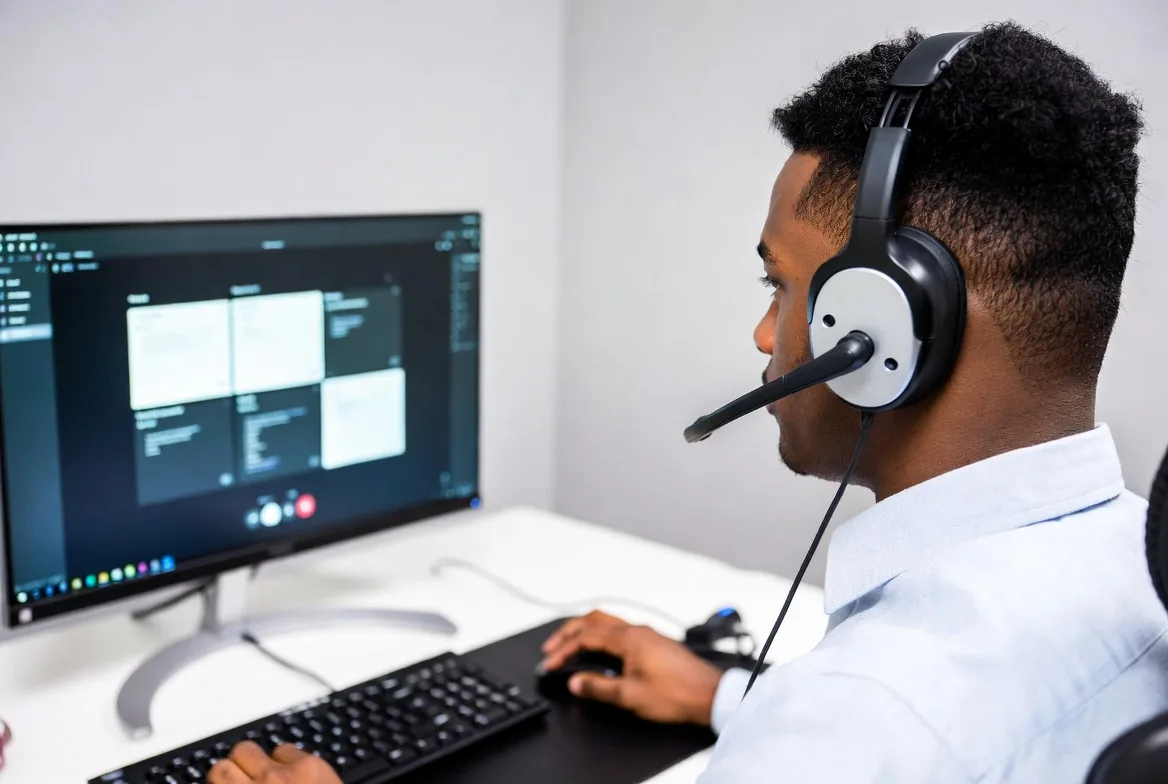
This is where business voip features separate the systems that just make phone calls from the ones that actually improve how your company operates.
Auto-attendant answers your main line with a menu. “Thanks for calling Acme Industries. For sales, press one. For support, press two. For billing, press three.” Callers route themselves to the right department without tying up a human receptionist.
You can nest these several levels deep, though be careful—nobody wants to navigate five menus just to reach a human. A client of mine (small law firm) set up: main menu splits between “existing clients” and “new inquiries,” then existing clients choose their attorney by name, then new inquiries get different options depending on practice area. Works great because each menu has max three choices. Keep it simple.
Time-based rules switch the menu automatically. Business hours? Full menu. After 5 PM? Different greeting that says “Our office is closed. For emergencies, press one to reach our answering service. Otherwise, press two to leave a voicemail and we’ll return your call tomorrow morning.”
IVR systems take this further by connecting to your databases. Customers call in, punch in their account number, and the system looks up their information. “Your last order shipped yesterday via FedEx. Tracking number 7-8-3…” All automated. Nobody picked up a phone on your end.
One medical office uses IVR for appointment confirmations. The system calls patients two days before appointments: “You have an appointment with Dr. Wilson on Thursday at 2 PM. Press 1 to confirm, press 2 to reschedule.” Reduced no-shows by about 30%, and the front desk staff aren’t spending three hours daily making reminder calls.
Call queuing manages the chaos when more people are calling than you have staff available. Instead of busy signals (which feel very 1987), callers enter a queue. They hear hold music, periodic announcements about their position (“You’re currently third in line”), and estimated wait times.
Smart queuing lets callers request callbacks instead of holding. They keep their place in line, but hang up and do something productive. When an agent becomes available, the system calls them back automatically. Game-changer for customer satisfaction.
Ring groups blast a call to multiple extensions at once. First person to answer gets the call, everyone else’s phones stop ringing. Perfect for sales teams where you don’t care who takes the call, just that someone answers quickly.
Hunt groups try extensions sequentially. Call rings at extension 101 for 20 seconds. No answer? Try 102 for 20 seconds. Still nothing? Move to 103. Eventually someone answers or it dumps to voicemail. Useful when you have a preferred order—try the specialist first, then the backup, then the manager.
Conference calling connects multiple people on one call. Basic systems handle 5-10 participants with dial-in numbers and PIN codes. Nothing fancy, but it works.
Advanced conferencing adds host controls. Mute everyone while you’re presenting. Unmute specific participants for questions. Record the session for people who couldn’t attend. Lock the room once everyone’s joined so random dialers can’t stumble in. Some providers throw in screen sharing, though at that point you’re basically talking about Zoom-style web conferencing versus pure voice.
Call recording captures conversations. Sometimes you want this for training—let new support reps hear how experienced ones handle difficult customers. Sometimes it’s compliance—financial services firms often must record and archive client conversations.
Configuration options matter here. Record everything automatically on certain extensions? Record only when the user presses a button mid-call? Store recordings for 30 days or seven years? Who can access them—just managers, or the reps too? The voip advanced features include granular controls for all this.
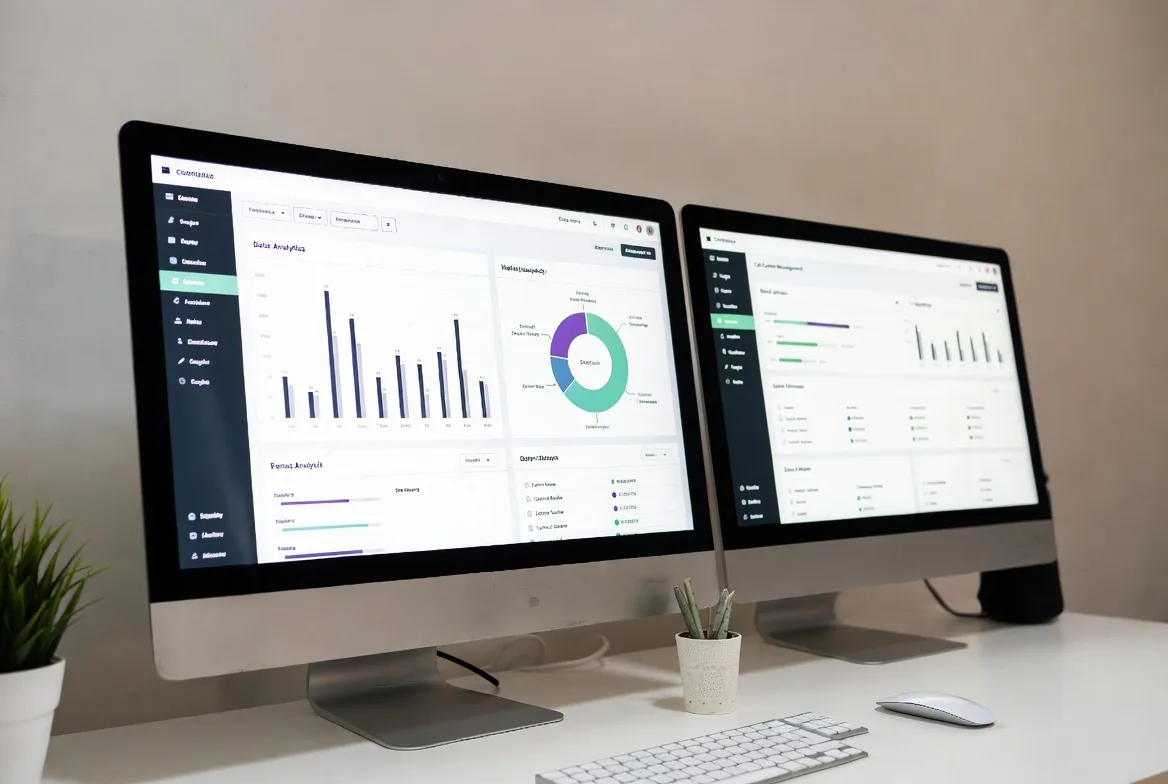
CRM integrations changed everything for sales teams. Customer calls, and their Salesforce record pops on your screen before you answer. You see their purchase history, open support tickets, and notes from the last three conversations. No more “let me look that up” delays.
Going the other direction, click any phone number in your CRM and the system dials it automatically through your VoIP phone. Call ends, and the system logs duration and outcome to that customer’s timeline. Saves ridiculous amounts of manual data entry.
Analytics dashboards show you patterns you couldn’t see before. Your phones get slammed every Tuesday afternoon between 2-4 PM? Now you know to schedule extra coverage then. Average call length is 8 minutes for most reps, but Travis averages 18 minutes? Maybe he needs coaching, or maybe he’s handling the complex issues everyone else escalates—you’d need to dig deeper.
Export data to spreadsheets for deeper analysis. Track which marketing campaigns drive phone calls by assigning unique numbers to each channel. Calculate first-call resolution rates to identify training opportunities.
The mistake most businesses make? Activating everything because it’s included. Then staff get overwhelmed by features they don’t need, and nobody uses any of it properly. Start with the voip features list items that solve known problems. Add complexity only when you’ve mastered the basics.
How VoIP Call Forwarding Works Across Devices
VoIP call forwarding is why I can run my business from a coffee shop, my home office, or a client site without missing important calls. Traditional phone systems chained you to your desk. This doesn’t.
Simultaneous ring (sometimes called “find me/follow me”) forwards incoming calls everywhere at once. Someone dials your work extension, and your desk phone rings. Your computer rings. Your smartphone rings. Your home office phone rings. Answer anywhere. The others stop ringing once you pick up.
Sounds chaotic, and it can be. I tried this setup for about two weeks before switching to something less aggressive. If you’re in a meeting and forgot to set your status to “busy,” all your devices start screaming at once. Not ideal.
But for certain roles? Perfect. The on-call IT person who might be anywhere when an emergency hits. The sales rep who can’t afford to miss a hot lead because they were grabbing coffee. You get the idea.
Sequential forwarding tries destinations in a specific order with configurable delays. My current setup: desk phone rings for 15 seconds. If I don’t answer (because I’m not at my desk or I’m on another call), my mobile rings for 25 seconds. Still no answer? Voicemail.
This feels less frantic than simultaneous ringing while still ensuring I catch calls when I’m available. The timing matters—too short and you’re always scrambling to answer, too long and callers hang up before reaching voicemail.
Conditional forwarding applies rules based on context. I’ve got mine set up like this: During business hours, calls from VIP clients ring both desk and mobile simultaneously—I always want to catch those. Everyone else goes to the sequential pattern. After hours, only VIPs ring my mobile; other calls go straight to voicemail with a message saying I’ll respond next business day.
You can get fancy with this. “If I’m marked as ‘in a meeting,’ send all calls to voicemail except emergency contacts.” Or “Monday/Wednesday/Friday I’m remote, so skip the desk phone entirely and start with mobile.”
Real estate agents use this brilliantly. They set up different forwarding patterns for weekdays versus weekends, since their availability completely changes. Construction project managers route calls to their mobile during site visits but to the office line during admin time.
The mobile app question trips people up. When a VoIP call forwards to your mobile, does it use your cellular minutes? Depends on how you answer. If you answer using the provider’s mobile app and you’re on WiFi or cellular data, it’s a VoIP call—no minutes consumed, though it uses data. If you answer like a regular phone call, it uses cellular voice minutes.
Most apps let you choose. Poor WiFi signal? Use cellular voice for better quality. Strong WiFi? Use VoIP and save minutes. Some people don’t realize they have the option and end up burning through limited cell plans unnecessarily.
Setting up forwarding rules usually happens through a web portal. Better providers offer mobile apps where you can adjust settings on the fly. Heading into a focused work session? Flip on “do not disturb” and calls go straight to voicemail. Done with the meeting? Tap “available” and normal forwarding resumes.
You can schedule rules in advance, too. I set mine up Sunday evening to activate “vacation mode” on my first PTO day and revert automatically when I’m back. One less thing to remember when I’m trying to disconnect.
VoIP Voicemail Capabilities Beyond Basic Messages
Voicemail used to mean calling in, listening to messages in order, and scribbling notes on whatever paper was handy. VoIP voicemail works more like email—random access, organized, searchable, and integrated with your actual workflow.
Voicemail-to-email transcription converts messages to text and sends them to your inbox. You’re in a meeting, phone buzzes with a new voicemail, and you glance at the transcript: “Hi, this is Karen from Midwest Supply, calling about the March 15 order. Can you call me back at 555-0147?” Now you know whether it’s urgent or can wait until after the meeting.
Transcription accuracy varies wildly. Clear audio with good speakers? Maybe 95% accurate. Heavy accent plus background noise plus poor cell connection? You’ll get something, but it might read like autocorrect gone wrong. Even mediocre transcripts usually convey enough context to determine priority.
The audio file attaches to the email, so if the transcript is garbled, you can still listen. Best of both worlds—quick skim for most messages, full playback when needed.
Visual voicemail displays messages as a list instead of forcing linear playback. Your interface shows ten messages with caller ID, timestamps, and duration. Tap the one from your biggest customer to hear it first. Delete the obvious spam without listening. Mark important ones for follow-up.
Works identically to how your smartphone handles personal voicemail, except you’re accessing your business messages across any device. Desktop app at the office, mobile app in the field, web portal from your home computer.
Shared voicemail boxes serve teams instead of individuals. Calls to your general support line that hit voicemail deposit into a shared inbox accessible to all support reps. Everyone sees which messages have been handled and which need responses. No more “I thought you called them back” confusion.
This works great for after-hours messages. The overnight voicemails sit in the shared box, and whoever arrives first in the morning can start working through them instead of waiting for a specific person to retrieve their individual voicemail.
A property management company I know uses this for maintenance requests. Tenants call the emergency line after hours, leave details about the broken water heater or whatever. Messages go to a shared box that all maintenance coordinators check first thing. Fastest available person handles it.
Custom greetings let you record different messages for different situations. Standard business hours greeting. Lunch break greeting that says you’ll return calls after 1 PM. Vacation greeting that provides your return date and alternate contact information. Out sick greeting that routes urgent matters to a colleague.
Some systems support temporary greetings with auto-expiration. Record a message saying “I’m at a conference Tuesday through Thursday, for urgent matters press 0 to reach my assistant, otherwise leave a message and I’ll respond Friday.” The system automatically reverts to your normal greeting on Friday.
Or schedule greeting changes in advance. I set up a vacation greeting two weeks before I leave, schedule it to activate on my last day, and schedule the revert for my return. One less detail to handle when I’m rushing to leave.
Advanced routing lets callers escape voicemail if they need immediate help. Your greeting might say: “I’m either on another call or away from my desk. Leave a message and I’ll call back within two hours, or press 0 to reach our front desk.” Callers who can wait leave messages. Urgent matters get human help immediately.
The voip voicemail features matter most for people who spend significant time away from desks. Field technicians can scan transcripts between appointments without finding quiet places to listen. Executives can review message content during back-to-back meetings to identify anything requiring immediate callback.
Privacy note: transcription services process your messages through third-party engines (usually). If you’re discussing sensitive information—healthcare, legal, financial—verify that your provider’s transcription meets relevant compliance standards. Some providers offer transcription-free plans for this reason.

Comparing VoIP Feature Tiers by Business Size
Providers structure pricing around tiers aimed at different business sizes. The question: which features justify paying more, and which are overkill for your situation?
| Feature | Basic/Small Business | Professional/Mid-Market | Enterprise |
|---|---|---|---|
| Unlimited domestic calling | ✓ | ✓ | ✓ |
| Auto-attendant | Single-level (3-5 options) | Multi-level menus | Unlimited complexity + custom scripting |
| Call recording | On-demand only (manual start) | Automatic + on-demand | Automatic + compliance features + long-term storage |
| Conference calling | 5 participants max | 25 participants | 100+ with webinar tools |
| CRM integration | Maybe 1-2 platforms | 5-8 major platforms | Full API access + custom builds |
| Call analytics | Basic logs (who, when, duration) | Standard reports + CSV export | Live dashboards + predictive analytics |
| Ring groups | ✓ | ✓ with overflow routing | ✓ with skills-based routing |
| Voicemail transcription | Not included | ✓ | ✓ with sentiment analysis |
| Mobile app | Limited features | Full feature parity with desk phone | Full parity + offline capability |
| Business hours routing | One schedule for everyone | Different schedules per department | Location-specific + holiday calendars |
| Call queuing | Basic hold music | Queue callbacks + position announcements | Advanced queue rules + SLA monitoring |
| IVR system | Not available | Basic (up to 5 menu options) | Advanced with database integration |
| Support SLA | Email only, 24-48hr response | Phone support during business hours | 24/7 priority + dedicated account rep |
| User capacity | 1-20 users typically | 20-100 users | 100+ with volume discounts |
| Uptime guarantee | 99.5% | 99.9% | 99.99% + redundancy options |
Which features justify premium pricing? Totally depends on your operation. A 12-person marketing agency rarely needs automatic call recording or 25-person conferences. Paying for professional tier wastes money better spent elsewhere.
But a 40-person customer service operation? They absolutely need automatic recording for quality assurance, detailed analytics to spot training gaps, and advanced queue management to maintain service levels when call volume spikes. Professional or enterprise tier becomes an operational necessity, not a luxury.
Here’s what I see businesses get wrong: they either cheap out and buy inadequate systems that frustrate users, or they overbuy and pay for features nobody will ever use. A construction company with five office staff doesn’t need enterprise-grade analytics. They need solid mobile support and reliable call forwarding since everyone’s on job sites half the time.
Scalability considerations matter if you’re growing. Can you add enterprise features to specific users while keeping others on basic plans? Some providers force your entire organization to one tier. Others support hybrid configurations where your sales team gets CRM integration and recording while your warehouse staff have basic calling.
Mid-contract upgrades? Usually fine. Downgrades? Good luck. Most providers lock you into your tier through the contract period. Build in slight headroom—pick the tier that covers current needs plus a couple features you’ll likely need within six months.
We switched from a 15-year-old PBX to VoIP last year, and honestly, the advanced features changed everything about how our teams work. Call recording that automatically logs to our CRM eliminated probably four hours of manual note-taking per rep per week. The analytics dashboard showed us that 40% of support calls were coming in between 2-4 PM—we had no idea. Adjusted staffing, cut average hold times in half. You can’t improve what you can’t measure, and our old system gave us basically zero visibility into patterns.
Jennifer Martinez
That’s the thing about business voip features—the right ones solve real problems. The wrong ones just clutter your interface and confuse users.
FAQs
Most voip features list items work the same on mobile apps, desk phones, and computer clients. Call transfer? Check. Voicemail access? Yep. Call logs? Got it. Availability status toggles? Sure. You’ll run into limitations with complex admin functions—setting up new auto-attendant menus or diving deep into analytics usually requires the web portal on a real computer. That’s more about screen size and interface complexity than technical restrictions.
Before committing to a provider, actually download their mobile app and test it. Some providers have excellent mobile experiences. Others clearly designed for desktop and bolted on a mobile app as an afterthought. If half your team works remotely or in the field, the mobile app quality becomes critical, not optional.
All over the map, honestly. Basic stuff—call forwarding, voicemail, caller ID, call transfer—comes included in pretty much every plan. It’s the table stakes.
Advanced features like recording, CRM integration, and detailed analytics usually show up in mid-tier and enterprise plans at higher per-user monthly rates. You’re looking at maybe $15-20/month for basic, $25-35 for professional, $40+ for enterprise. Ballpark figures—actual pricing varies wildly.
Watch for add-on charges that pile up: international calling, extra toll-free numbers, premium support contracts. And some features charge by usage—call recording storage over certain limits, transcription services after X messages per month. That stuff can balloon if you’re not paying attention.
Request a detailed feature matrix during evaluation. Not the marketing brochure. The actual grid showing exactly which capabilities are included versus upsells.
Auto-attendant routes calls based on what the caller presses. “Press 1 for sales, press 2 for support.” That’s it. A fancy automated receptionist directing traffic.
IVR connects to databases and does stuff with the information. Caller punches in their account number, system looks them up, retrieves order status, and reads back: “Your order shipped yesterday. Tracking number…” All automated. Nobody on your end touched anything.
Simple test: does it just route calls to humans, or does it provide information and complete transactions without human involvement? First case is auto-attendant. Second is IVR.
IVR obviously costs more and takes more setup effort. You’re integrating systems, not just recording menu prompts. Most small businesses don’t need it. Mid-size companies with repetitive information requests (order status, account balances, appointment confirmations) see huge efficiency gains.
Assuming your internet connection is solid, very reliable. The forwarding and voicemail logic runs on your provider’s servers, not your local equipment. So even if your office loses power, forwarding still works (as long as your internet stays up through battery backup or cellular failover).
Business-grade providers typically hit 99.9% or better uptime. That’s about 8 hours of downtime per year total. Often less.
The practical weak point? Forwarding to mobile phones in spotty coverage areas. Call might fail to connect or drop mid-conversation, but that’s the cellular network’s fault, not the VoIP system. Same issue you’d have with any call to that mobile number.
Almost nothing requires special hardware. Most voip phone capabilities work through software. Use your existing computer with a softphone app. Use your smartphone with the provider’s mobile app. Done.
That said, dedicated VoIP desk phones make certain users much more productive. Receptionists handling 50+ calls daily? They want programmable buttons for frequent contacts and transfers, comfortable headset jacks for all-day use, and displays showing multiple line statuses simultaneously.
Same for customer service teams and high-volume sales reps. The physical desk phone is just more efficient than clicking around a computer app while you’re also typing notes and looking up information.
Conference calling works fine from any device, though a dedicated conference phone with 360-degree microphones beats everybody crowding around a laptop speaker in meeting rooms.
The key: VoIP offers hardware flexibility. Choose based on user roles and preferences, not technical requirements.
Absolutely, and this is one of the biggest advantages over traditional phone systems. Configure features at user, department, or organization levels.
Sales team gets CRM integration and automatic call recording. Operations team uses basic calling features without the complexity. Customer service gets call queuing and advanced routing. Executives have simplified setups with extensive call forwarding options.
Ring groups, auto-attendant menus, business hours—all can vary by department. Your sales line might ring through to voicemail immediately if calling after 6 PM, while your IT support line forwards to on-call mobile numbers 24/7.
This granular control prevents feature overload. Users see only the capabilities relevant to their roles. Also optimizes licensing costs—assign premium features only where they provide value, basic plans for everyone else.
Most systems include role-based templates that speed up setup. “Customer Service Rep,” “Sales Executive,” “Executive Assistant”—pick the template closest to the role, tweak as needed, done.
Choosing a VoIP phone service based on features requires matching capabilities to actual business processes, not just accumulating impressive-sounding options. The most sophisticated IVR system adds zero value if your call volume doesn’t justify automation. Missing critical features like call recording creates compliance risks that could cost way more than you saved on cheaper service.
Start by documenting real communication pain points. Customers complaining about long hold times? You need call queuing with callbacks. Remote workers missing important calls? Simultaneous ring and mobile apps. No visibility into customer history during calls? CRM integration.
Map problems to specific features. Then test thoroughly before committing. Most providers offer 30-day trials or pilot programs. Have actual users evaluate the mobile app, call quality, and feature accessibility—not just IT staff who think about things differently than daily users.
Sarah from accounting needs voicemail transcription because she’s on the phone all day and can’t keep calling into voicemail. Mike from sales needs the CRM integration because he’s terrible at logging calls manually. These are the insights you get from real user testing that you’ll never discover reading spec sheets.
Plan for growth even if you’re small now. Your 15-person company works fine with basic features today, but if you’re planning to double in two years, can the system scale to 30 users while adding advanced capabilities? Switching phone systems mid-growth creates unnecessary disruption.
The VoIP feature landscape keeps evolving. AI now powers real-time transcription, sentiment analysis during calls, and automated call summarization. Some providers analyze conversations to flag dissatisfied customers or identify coaching opportunities for reps. These emerging features will increasingly separate basic communication tools from strategic business systems.
Choose a provider committed to ongoing innovation. Otherwise your cutting-edge system becomes outdated in three years, and you’re shopping for replacements again.