
- What Is VoIP and Why Small Businesses Use It
- Key Features to Look for in Small Business VoIP
- VoIP Pricing Models and Cost Factors
- Top VoIP Providers for Small Businesses Compared
- How Much Does VoIP Cost for a Small Business
- Common Mistakes When Choosing a VoIP System
- How to Switch from Traditional Phones to VoIP
Modern phone systems have evolved far beyond desk phones tethered to copper lines. VoIP technology now powers communication for millions of small businesses across the United States, offering flexibility that traditional phone systems simply can’t match. But with dozens of providers advertising similar features at varying price points, selecting the right system requires understanding what you actually need versus what sounds impressive in marketing materials.
This guide breaks down the practical considerations, real costs, and common pitfalls when choosing a VoIP system for your small business.
What Is VoIP and Why Small Businesses Use It
VoIP (Voice over Internet Protocol) converts voice calls into digital data packets that travel over your internet connection instead of traditional phone lines. Rather than maintaining separate networks for voice and data, businesses consolidate everything through their existing internet infrastructure.
The shift toward small business voip accelerated dramatically between 2020 and 2026, driven by remote work requirements and the need for distributed teams to maintain professional communication standards. A receptionist can answer calls from home using the same business number customers have always dialed. Sales reps traveling between client meetings handle calls through mobile apps without revealing personal phone numbers.
Small businesses adopting VoIP typically see 30-50% cost reductions compared to traditional phone systems within the first year, but the real value comes from operational flexibility—adding users in minutes rather than waiting days for phone company technicians.
Michael Torres, Telecommunications Analyst at Enterprise Connect Research.
Traditional phone systems require physical infrastructure: dedicated lines, on-premise equipment, and technician visits for any changes. VoIP for small business operates through software, meaning you can add a new employee in another state by simply creating a login and assigning a phone number. No hardware installation, no service calls, no waiting.
Scalability works both directions. Seasonal businesses that hire temporary staff don’t pay for unused lines during slow months. Most providers allow you to adjust user counts monthly, matching your actual needs rather than locking you into fixed capacity.
The technology also supports today’s hybrid work environments naturally. Employees receive calls on desk phones, mobile devices, or computers—whichever they’re using at the moment. Call forwarding, voicemail, and chat features follow users across devices without manual configuration.

Key Features to Look for in Small Business VoIP
Feature lists from providers often blur together into overwhelming walls of checkmarks. Focus on capabilities that solve actual business problems rather than collecting features you’ll never use.
Call management basics form the foundation: call forwarding, hold music, transfer, and three-way calling. These should be standard, not premium add-ons. If a provider charges extra for basic call forwarding, that’s a red flag about their pricing philosophy.
Auto-attendant (the automated “Press 1 for Sales” menu) matters for businesses that can’t afford a full-time receptionist or need after-hours call routing. Even simple implementations help customers reach the right person without playing phone tag. More sophisticated versions route calls based on time of day, caller ID, or current staff availability.
Voicemail-to-email transcription converts voice messages into text sent to your inbox. You can scan the content without listening to entire messages, prioritizing callbacks based on urgency. Some systems include audio attachments so you can still hear tone and context when needed.
Mobile applications determine whether your VoIP system actually supports remote work or just claims to. Test the mobile app before committing—some are polished extensions of the desktop experience, while others feel like afterthoughts with limited functionality. Can you access voicemail, check call logs, adjust forwarding rules, and participate in conference calls all from the mobile app?
Integrations with your existing software stack prevent double data entry and communication silos. CRM integration means customer information pops up automatically when they call. Calendar integration shows your availability status. Help desk integration logs calls alongside support tickets. The best voip for small business fits into your workflow rather than forcing you to adapt to its limitations.
Video conferencing capabilities vary wildly. Some providers include robust video meeting tools comparable to dedicated platforms. Others offer bare-bones screen sharing that barely qualifies as video conferencing. Determine whether you need video as a primary communication channel or occasional feature.
Call analytics and reporting help you understand communication patterns: peak call times, average wait duration, missed calls, and individual user activity. Growing businesses use this data to optimize staffing and identify training opportunities.
SMS/text messaging from business numbers increasingly matters as customers shift communication preferences. The ability to text a customer from the same number they call creates consistency and convenience.

VoIP Pricing Models and Cost Factors
VoIP small business cost structures follow patterns, but providers disguise total expenses through various pricing tactics. Understanding the components helps you compare accurately.
Per-user monthly pricing forms the baseline. Providers charge per active user (sometimes called “seat” or “extension”), typically ranging from $15 to $50+ monthly depending on features. Basic plans include core calling features. Mid-tier plans add video conferencing, advanced call routing, and better analytics. Premium plans include everything plus features like call recording, advanced integrations, and priority support.
Annual versus monthly billing usually offers 10-20% discounts for annual commitments. A provider charging $25/month per user might drop to $20/month if you prepay annually. That’s $60 per user in yearly savings—$600 saved on a 10-person team. But annual contracts reduce flexibility if your needs change or the service disappoints.
Setup and activation fees range from zero to several hundred dollars. Some providers waive these entirely, especially for businesses porting multiple numbers or committing to annual contracts. Others charge $50-150 per user for initial configuration. Always clarify setup costs during price comparisons.
Hardware expenses depend on your approach. Many small businesses use “softphones”—applications on computers and smartphones—avoiding hardware costs entirely. If you prefer desk phones, budget $75-250 per device. Some providers sell phones at cost or include them with long-term contracts. Others mark up hardware significantly as a profit center.
Phone number costs typically include one number per user, but additional local numbers, toll-free numbers, or vanity numbers may incur $5-15 monthly fees each.
International calling rates matter for businesses with overseas clients or suppliers. Unlimited plans usually cover US and Canada only. Calls to other countries cost per-minute rates varying by destination—anywhere from $0.02 to $0.50+ per minute.
Hidden fees and gotchas appear in fine print. Regulatory recovery fees, E911 service charges, number porting fees, early termination penalties, and support fees can add 10-25% to advertised prices. Request a complete cost breakdown including all fees before signing.
Small business voip pricing transparency varies dramatically between providers. Some offer straightforward all-inclusive pricing. Others nickel-and-dime with add-on charges for features you’d assume were standard.
Top VoIP Providers for Small Businesses Compared
| Provider | Starting Price | Key Features | Best For | Contract Terms | Standout Feature |
|---|---|---|---|---|---|
| RingCentral | $20/user/month | Unlimited calls, team messaging, video meetings, mobile app | Growing businesses needing comprehensive features | Month-to-month or annual | Extensive third-party integrations |
| Nextiva | $19/user/month | Unlimited calling, voicemail transcription, auto-attendant, CRM tools | Businesses prioritizing customer service | Annual contracts (monthly available at higher cost) | Built-in CRM functionality |
| 8×8 | $15/user/month | Unlimited US/Canada calling, video meetings, chat, analytics | Budget-conscious teams needing basics | Month-to-month available | Generous international calling allowances |
| Ooma Office | $19.95/user/month | Virtual receptionist, mobile app, call recording, ring groups | Very small businesses (under 10 users) | Month-to-month | No annual contract required for full features |
| Vonage Business | $19.99/user/month | Unlimited calls, SMS, team messaging, integrations | Businesses heavily using SMS | Month-to-month or annual | Strong SMS/text messaging capabilities |
| Grasshopper | $29/month (not per-user) | Call forwarding, voicemail transcription, business texting | Solopreneurs and micro-businesses | Month-to-month | Flat-rate pricing for 1-3 users |
| Dialpad | $23/user/month | AI-powered transcription, unlimited calling, SMS, video | Tech-forward businesses wanting AI features | Month-to-month or annual | Real-time AI call transcription and coaching |
Each provider targets slightly different business profiles. RingCentral and Nextiva serve businesses expecting to scale significantly, offering enterprise-grade features at small business prices. Their platforms handle 10 users or 1,000 users equally well.
Budget-focused options like 8×8 and Ooma Office deliver solid core functionality without premium pricing. They work well for businesses with straightforward communication needs that don’t require extensive customization.
Grasshopper takes a different approach entirely, charging per business rather than per user. For a solo entrepreneur or small partnership, paying one flat rate regardless of how many people need access simplifies budgeting.
Dialpad represents the newer generation of voip plans small business, incorporating AI features that transcribe calls in real-time, analyze sentiment, and suggest responses. These capabilities matter more to some businesses than others—a sales team might love AI coaching features, while a construction company probably doesn’t need them.

How Much Does VoIP Cost for a Small Business
Real-world costs depend on team size, feature requirements, and usage patterns. Here’s how expenses typically break down across budget tiers.
Budget options under $20/user monthly work for businesses with basic needs: making and receiving calls, voicemail, simple call forwarding, and mobile apps. A 5-person team might spend $75-100 monthly including fees. A 15-person team would pay $225-300 monthly. These affordable voip small business plans handle core communication without advanced features like call analytics, sophisticated auto-attendants, or extensive integrations.
Expect some limitations: fewer concurrent video meeting participants, basic (or no) call recording, limited customer support hours, and simpler mobile apps. For many small businesses, these trade-offs are perfectly acceptable.
Mid-tier plans ($20-35/user monthly) add capabilities that growing businesses appreciate: better video conferencing, voicemail transcription, advanced call routing, basic analytics, and more integrations. That same 5-person team now pays $100-175 monthly, while 15 people cost $300-525 monthly.
This tier typically includes features that improve professionalism and efficiency: custom hold music, ring groups, time-based routing, and better mobile apps. Support quality usually improves with faster response times and more available channels.
Premium plans ($35+/user monthly) deliver enterprise features at small business scale: unlimited call recording, advanced analytics dashboards, priority support, dedicated account managers, and extensive customization options. Five users cost $175-250+ monthly. Fifteen users run $525-750+ monthly.
Few small businesses need premium tiers unless they operate in regulated industries requiring call recording, have complex multi-location routing needs, or depend heavily on advanced integrations with specialized software.
ROI considerations extend beyond monthly fees. Calculate savings from eliminating traditional phone lines, reducing long-distance charges, avoiding hardware maintenance contracts, and improving productivity through better communication tools. Most businesses find budget voip small business solutions pay for themselves within 3-6 months compared to traditional phone systems.
A 10-person business spending $300 monthly on a mid-tier VoIP system ($3,600 annually) typically saves $2,000-4,000 compared to traditional business phone service while gaining significantly more functionality.
Low cost voip small business options don’t necessarily mean cheap quality. Many budget providers deliver reliable service—they simply offer fewer bells and whistles. Match your actual needs to the appropriate tier rather than assuming more expensive automatically means better.
Common Mistakes When Choosing a VoIP System
Businesses frequently overlook practical considerations while focusing on features and pricing, leading to implementation problems and buyer’s remorse.
Ignoring internet bandwidth requirements causes the most immediate problems. VoIP quality depends entirely on internet connection stability and capacity. Each concurrent call requires roughly 100 kbps (kilobits per second) of bandwidth in each direction. A 10-person office where half the team might be on calls simultaneously needs at least 1 Mbps dedicated to voice traffic, plus bandwidth for regular internet usage.
Businesses operating on minimal internet connections—particularly in rural areas—experience choppy audio, dropped calls, and frustrating delays. Test your internet speed during peak usage times before committing to VoIP. If results are borderline, upgrade your internet service before switching phone systems.
Overlooking contract terms and cancellation policies traps businesses in unsuitable services. Some providers advertise month-to-month flexibility but bury annual commitment requirements for promotional pricing in fine print. Others charge substantial early termination fees—sometimes hundreds of dollars per user—if you cancel before contract expiration.
Read the entire service agreement, not just the pricing page. Understand minimum commitment periods, cancellation notice requirements, and any penalties for reducing user counts or ending service.
Not testing customer support responsiveness before signing up reveals itself as a mistake during your first technical issue. Call the provider’s support line during your business hours. How long until someone answers? Are support agents knowledgeable and helpful, or reading from scripts without understanding your questions?
Check whether support costs extra. Some low-cost providers charge for phone support or limit assistance to email tickets with multi-day response times. If your business depends on phone communication, paying slightly more for responsive support makes sense.
Underestimating user training needs causes adoption problems. Employees accustomed to traditional desk phones need guidance on mobile apps, softphone interfaces, call forwarding options, and voicemail access. Without proper training, staff revert to workarounds that defeat the purpose of implementing a modern system.
Budget time for training sessions, create quick-reference guides for common tasks, and identify power users who can help colleagues with questions.
Choosing based solely on price without evaluating fit leads to switching providers within a year. The cheapest option that lacks features you actually need costs more in the long run than paying appropriately for suitable service initially.
Failing to verify number porting compatibility causes business disruption. Most businesses want to keep existing phone numbers when switching to VoIP. While number porting is standard, some numbers (particularly older toll-free numbers or numbers from certain carriers) face complications. Verify your specific numbers can be ported before canceling existing service.
How to Switch from Traditional Phones to VoIP
Transitioning to small business voip requires planning but isn’t technically complex if you follow a logical sequence.
Assess your current communication needs. Document how many users need phone service, which features you use regularly, whether you need desk phones or can use softphones, and any special requirements like call recording or specific integrations. List your current phone numbers that must be ported.
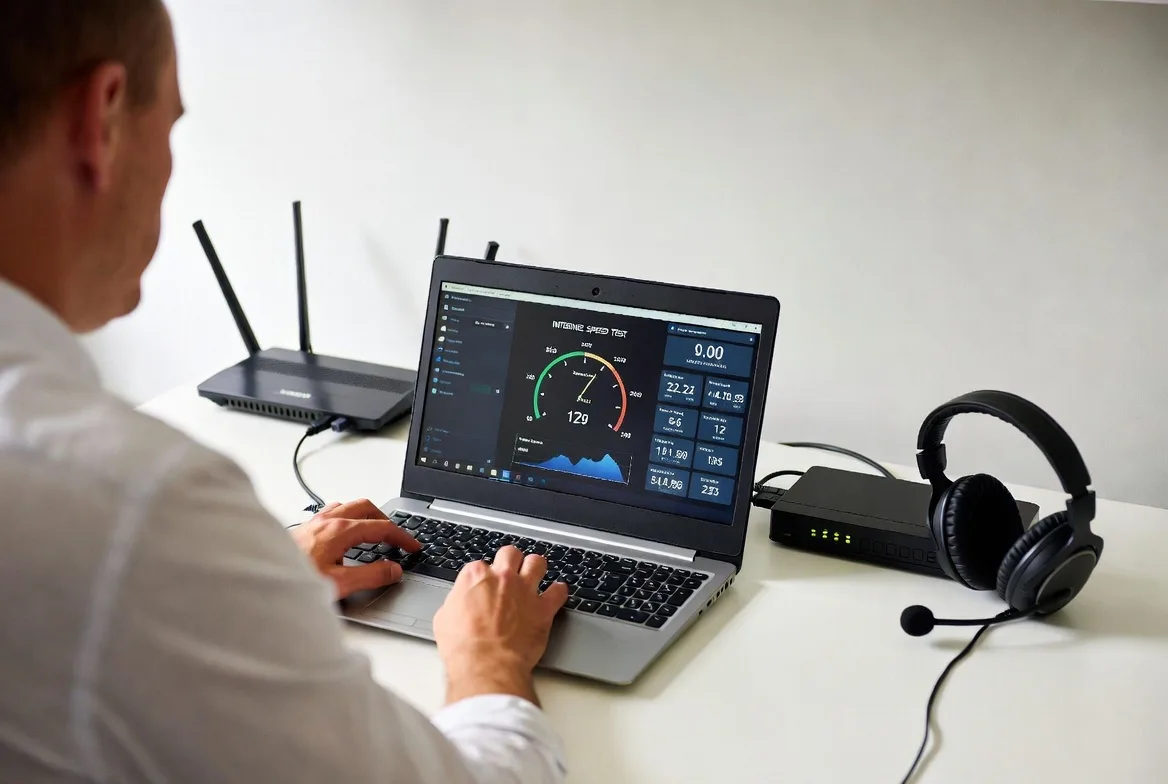
Check internet speed and quality. Run speed tests at different times of day using services like Speedtest.net. Results should show consistent speeds meeting VoIP requirements (at least 100 kbps per concurrent call) with low latency (under 50ms) and minimal jitter. If your internet is marginal, upgrade before proceeding.
Choose your provider and plan. Use your needs assessment to narrow options, then test 2-3 providers if they offer free trials. Most VoIP companies provide 7-30 day trial periods. Actually use the service during trials—make calls, test mobile apps, try forwarding configurations, and contact support with questions.
Initiate number porting. Once you’ve selected a provider, start the number porting process. You’ll need information from your current phone service: account number, PIN/password, billing address, and authorized contact name. Number porting typically takes 7-14 business days. Don’t cancel your old service until porting completes—canceling beforehand can make numbers unportable.
Configure your system. While waiting for numbers to port, set up user accounts, configure auto-attendant menus, establish call forwarding rules, record greetings, and customize settings. Most providers offer setup assistance, either through dedicated onboarding specialists or detailed guides.
Order and configure hardware if using desk phones. Many phones support automatic provisioning—they download configurations automatically when connected to your network. Others require manual setup entering server addresses and credentials.
Train your staff. Schedule training sessions before going live. Cover basic operations: making/receiving calls, accessing voicemail, transferring calls, using mobile apps, and adjusting personal settings. Provide written quick-reference materials.
Test the system thoroughly. Before cutover day, test everything: inbound calls, outbound calls, call forwarding, voicemail, auto-attendant menus, and emergency 911 service. Make test calls from mobile devices and different locations.
Complete the transition. Once numbers port successfully, your old phone service stops working and calls route through your new VoIP system. Monitor closely during the first few days, addressing any issues quickly. Keep your old provider’s final bill as documentation that service ended properly.
Gather feedback and optimize. After a week or two, collect staff feedback about what’s working well and what needs adjustment. VoIP systems are highly configurable—take advantage of that flexibility to refine settings based on actual usage patterns.
VoIP service stops working when you lose power and internet connectivity, unlike traditional landlines that often continued functioning during outages. Mitigate this limitation several ways: Use an uninterruptible power supply (UPS) to keep your internet modem, router, and phones powered during brief outages. Configure call forwarding to mobile phones when primary systems go down—most VoIP systems allow you to set up automatic failover rules. Keep the mobile app installed so you can make/receive business calls through cellular data if office internet fails. For businesses where phone access during emergencies is critical, maintain one traditional line as backup, though this is increasingly rare as mobile phones provide reliable alternatives.
FAQs
Pricing starts around $15 per user monthly with providers like 8×8, Ooma Office, and Vonage offering competitive entry-level plans. However, “cheapest” shouldn’t be the only consideration—verify the low-cost plan includes features you actually need. Some ultra-budget options lack mobile apps, limit call minutes, or charge extra for basic features like call forwarding. For solopreneurs or very small teams, Grasshopper’s flat-rate pricing around $29 monthly (covering multiple users) can be cheaper than per-user pricing if you have 2-3 people.
Yes, through a process called number porting. You can transfer local numbers, toll-free numbers, and even mobile numbers to most VoIP providers. The process takes 7-14 business days typically. You’ll need information from your current phone carrier: account number, PIN, and billing details. Critical: Don’t cancel your existing phone service until porting completes. Canceling beforehand can make numbers unportable. Some very old numbers or numbers from certain carriers occasionally face porting complications, so verify portability with your new VoIP provider before committing.
Modern VoIP systems achieve 99.9%+ uptime, matching or exceeding traditional phone reliability. Call quality depends primarily on your internet connection. Businesses with stable, adequate internet experience clear calls indistinguishable from traditional lines. Reliability concerns usually stem from inadequate internet service rather than VoIP technology itself. Most providers operate redundant data centers across multiple locations, so provider-side outages are rare. For maximum reliability, consider internet connection redundancy—a backup connection (even cellular-based) that takes over if your primary internet fails.
VoIP service stops working when you lose power and internet connectivity, unlike traditional landlines that often continued functioning during outages. Mitigate this limitation several ways: Use an uninterruptible power supply (UPS) to keep your internet modem, router, and phones powered during brief outages. Configure call forwarding to mobile phones when primary systems go down—most VoIP systems allow you to set up automatic failover rules. Keep the mobile app installed so you can make/receive business calls through cellular data if office internet fails. For businesses where phone access during emergencies is critical, maintain one traditional line as backup, though this is increasingly rare as mobile phones provide reliable alternatives.
Selecting the right VoIP system for your small business comes down to matching capabilities with actual needs rather than chasing feature lists or choosing based solely on price. Start by honestly assessing how your team communicates: Do you need robust mobile access for remote workers? Are call analytics important for managing customer service? Will basic calling features suffice, or do you require sophisticated auto-attendants and integrations?
Test providers during trial periods—actually use the service rather than just reviewing feature lists. Pay attention to call quality, mobile app usability, and how quickly support responds to questions. These practical factors matter more than whether a provider technically offers 47 features versus 52.
Budget appropriately for your situation. A 5-person team with straightforward needs might thrive on a $15/user plan, while a growing 20-person business benefits from investing in a $25/user mid-tier plan with better features and support. Calculate total costs including fees, hardware, and setup charges rather than comparing advertised starting prices.
The transition from traditional phones to VoIP is straightforward when you follow a logical process: verify internet adequacy, choose a suitable provider, port numbers properly, configure the system thoughtfully, and train staff effectively. Most businesses complete the switch within 2-3 weeks and wonder why they didn’t migrate sooner.
VoIP technology has matured to the point where small businesses gain enterprise-grade communication capabilities at accessible prices. The flexibility to add users instantly, support remote work naturally, and integrate with other business tools provides operational advantages that traditional phone systems simply can’t match. Choose wisely, implement carefully, and your VoIP system becomes an asset that grows with your business rather than a limitation holding you back.