
Digital training has replaced three-ring binders and conference room seminars at most companies. The same shift happened in schools—lecture halls now share space with online portals where students submit work and check grades. Behind this transformation? Learning management systems handling the heavy lifting.
If you’re trying to figure out whether your organization needs one (or which one to pick), you’ll want to know what these platforms actually do beyond the marketing speak.
LMS Definition and Core Purpose
LMS stands for Learning Management System. Think of it as mission control for any kind of structured learning—whether that’s onboarding new sales reps or teaching Biology 101.
The LMS definition breaks down to software that delivers training content, tracks who’s doing what, and spits out reports showing progress. But here’s what that actually means: instead of emailing PDF files around and hoping people read them, you upload materials once. People log in, work through the content, and the system records everything automatically.
What does LMS stand for in practical terms? A central hub where someone in Seattle and someone in Singapore access identical training materials, take the same quiz, and both appear in your completion report—without you manually tracking any of it.
Most companies don’t wake up one day wanting an LMS. They hit a wall first. Maybe HR can’t prove everyone completed sexual harassment training before the audit. Or new hires in different offices learn completely different processes because nobody standardized onboarding. Perhaps the compliance team needs to track 500 employees across twelve certifications with different renewal dates.
That’s when organizations start hunting for a solution. The right platform turns chaos into something manageable.

Key Features of a Learning Management System
When someone asks for a learning management system explained without the jargon, focus on what the software actually does daily.
Course creation tools let you build training from scratch or upload existing materials. Drop in a video, add a quiz, attach a PDF checklist—the platform organizes everything into a logical sequence. Better systems include templates so you’re not starting from a blank screen every time. You might structure content as “Complete Module 1 before unlocking Module 2” or let people jump around freely.

User management sounds boring until you’re manually creating 200 accounts. Bulk upload a spreadsheet of employee emails, assign them to departments, and enroll entire groups in relevant training with a few clicks. Set permissions so managers see their team’s progress but can’t edit course content. Remove access when someone leaves the company.
Progress tracking runs continuously in the background. Jamal watched 18 minutes of that compliance video, scored 75% on the quiz, and hasn’t logged in for two weeks. Sarah finished everything in three days. The system captures all of it without you lifting a finger—no more chasing people down to ask if they completed training.
Reporting tools turn that raw data into something useful. Pull a report showing completion rates by department. Find out which quiz question everyone gets wrong (probably means the training needs work). Generate a list of people who haven’t started required courses so you can send reminders.
Communication features keep learners from feeling like they’re shouting into the void. Discussion boards let people ask questions. Messaging systems connect them with instructors. Announcements push updates to everyone at once. Some platforms integrate with Zoom or Teams for live sessions.
Certification management handles the administrative nightmare of expiring credentials. The system issues certificates automatically when people finish courses, tracks expiration dates, and emails reminders 30 days before renewal deadlines. Critical if you work in healthcare, finance, or any industry where regulators care about current certifications.
One thing often missing from an LMS overview: mobile access now matters as much as desktop. Field technicians won’t log into a computer lab for training—they need to complete modules from their phones during downtime. Most modern platforms handle this, but verify before buying.
How an LMS Works in Practice
The learning management system overview looks different depending on whether you’re taking a course or running one.
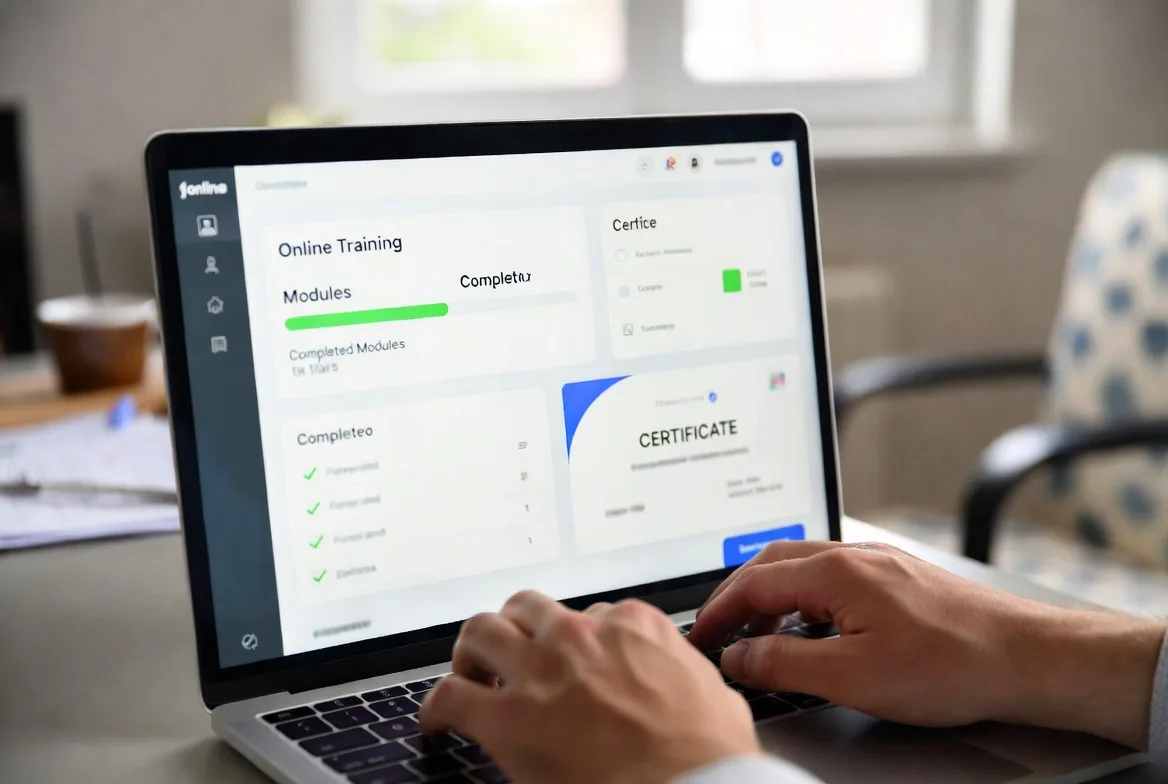
Learners log in and see a dashboard—think of it like a personalized homepage. Assigned courses appear front and center, usually with progress bars showing 60% complete or “Not Started.” Click into a course and you’re looking at modules, often locked in sequence until you finish prerequisites.
Work through the content at your own pace (unless it’s a live session with set times). Watch videos. Read documents. Take quizzes that grade themselves instantly. Some courses require 80% to pass—fail that and you’re retaking the section. Others just need you to click through and mark complete.
The system tracks everything silently. Finish all requirements and a certificate pops up for download. Procrastinate too long and reminder emails start showing up, sometimes escalating to your manager.
Administrators deal with more complexity. Creating a course means uploading content, arranging it logically, setting completion rules, and building assessments. You might spend two hours creating a 20-minute course the first time, then reuse that structure for future training.
Enrollment happens individually (“Add John to Cybersecurity Basics”) or in bulk (“Upload this spreadsheet of 300 new hires and auto-enroll them in the onboarding path”). Many admins set up automatic rules: new marketing employees get enrolled in brand guidelines training on their start date without anyone clicking buttons.
Reports become your daily check-in. Monday morning might mean pulling completion rates for last week’s product launch training, identifying the seven people who haven’t started, and forwarding their names to department heads. Quarter-end requires generating compliance reports proving everyone completed required courses before the audit.
Integration multiplies the value. Connect your LMS to your HR system and new employees appear automatically. Link it to your CRM and sales rep certification status updates in real-time. Push completion data to payroll so people get paid for training hours. These connections eliminate the duplicate data entry that makes admins want to quit.
One mistake shows up constantly: treating the LMS like Dropbox for training files. Just uploading documents wastes most of the platform’s capability. The real power comes from automation—courses that assign themselves, reminders that send automatically, reports that generate on schedule.
LMS in Education vs LMS for Business
Same technology, completely different priorities. What works at a university frustrates corporate trainers, and vice versa.
Educational Institutions
Schools use learning management systems to run actual courses—semester-long classes with lectures, assignments, discussions, and exams. Students stick around for years, taking dozens of courses across multiple professors.
What matters most in education: complex gradebooks that handle weighted categories (homework 30%, midterm 25%, final 35%, participation 10%). Plagiarism detection catching copied papers. Peer review tools for collaborative assignments. Calendar integration showing due dates across six classes. Discussion boards where students work through concepts together, not just ask questions to the instructor.
Professors need flexibility mid-semester. Extend a deadline for the student with a medical emergency. Adjust the syllabus when you realize you’re running behind. Create different versions of assignments for students with learning accommodations.
Success looks like students actually understanding material well enough to apply it later, not just passing tests. Engagement metrics matter—are students participating in discussions or vanishing after watching required videos? Institutions track graduation rates and course completion, but also satisfaction scores and whether students feel connected to the learning community.
Corporate Training and Development
Companies need employees trained fast and tracked carefully. The relationship typically lasts years but involves dozens of short training bursts rather than semester-long courses.
What matters most for business: compliance tracking with audit trails showing exactly when each person completed required training. Integration with HR systems and performance review tools. Mobile learning for warehouse workers and field technicians who never sit at desks. Microlearning that delivers information in 5-10 minute chunks people squeeze between meetings. Detailed reporting proving training completion to regulators.
Corporate content runs short and focused. Twenty minutes on the new expense policy. Fifteen minutes demonstrating the updated software interface. Three hours broken into twelve modules for product knowledge training. Nobody wants semester-long courses when you’re trying to onboard someone quickly.
Success means measurable business results: new hires productive faster, fewer safety incidents after training updates, higher sales after product certification, lower costs from eliminating in-person seminars. Companies calculate ROI by comparing training costs against performance improvements.
Pick a platform designed for your context. A university-focused LMS probably lacks the compliance audit tools a pharmaceutical company needs. Corporate-focused systems might feel restrictive to professors used to customizing everything about their courses.
Common Types of Learning Management Systems
The market offers several deployment models, each with tradeoffs worth understanding before you commit.
Cloud-based (SaaS) systems live on the vendor’s servers. You access everything through a web browser—no software to install or servers to maintain. The vendor handles updates, security patches, backups, and infrastructure. You pay monthly or yearly based on users or features.
This model dominates now because you can start using it immediately. Some organizations go live within a week of signing the contract. No waiting for IT to provision servers or install software.
On-premise systems install on your own servers. You control everything—data stays on your hardware, customization has no limits, and security follows your exact specifications. You also handle all maintenance, updates, and troubleshooting.
This approach requires internal IT expertise and costs more upfront, but appeals to organizations with strict data residency requirements (like government agencies) or those wanting unlimited customization capability.
Open-source platforms provide source code you can modify freely. Download Moodle or Canvas, customize to your heart’s content, and never pay licensing fees. But you’ll pay for hosting, customization work, and technical support—either internal staff time or consultants.
Total cost depends heavily on your technical capabilities. Organizations with strong development teams might spend less than a commercial platform. Those without in-house expertise often spend more once they factor in hosting and customization.

Proprietary systems keep code locked and charge licensing fees, but provide professional support, regular updates, and accountability. You trade customization flexibility for reliability and vendor responsibility when things break.
Here’s how these options stack up:
| Type | Works Best For | How You Pay | Technical Needs | Examples |
|---|---|---|---|---|
| Cloud-based (SaaS) | Organizations wanting fast deployment without IT overhead | $2-$15 per user monthly or flat monthly fee | Minimal—internet connection and web browser | TalentLMS, Docebo, Absorb LMS |
| On-premise | Large enterprises needing complete data control with internal IT teams | High upfront license cost plus annual maintenance | Significant—servers, database admins, security specialists | SAP SuccessFactors (on-prem), Oracle Learning Cloud |
| Open-source | Organizations with developers wanting maximum customization freedom | Free licensing but hosting and customization costs add up | High—requires developers and system administrators | Moodle, Open edX, Chamilo |
| Proprietary (various deployment) | Organizations prioritizing vendor support and proven stability | License fees plus support contracts | Depends on whether cloud or on-premise | Cornerstone OnDemand, Blackboard Learn |
These categories blur increasingly. Moodle offers paid cloud hosting through partners despite being open-source. Many proprietary vendors now provide both cloud and on-premise deployment options. The market keeps shifting.
When evaluating platforms, calculate total cost across three to five years—not just the sticker price. Include implementation time, staff training, customization work, ongoing support, and potential migration costs if you outgrow the system.
Benefits and Limitations of Using an LMS
Organizations adopt these systems because advantages usually outweigh downsides, but expectations need grounding in reality.
Why companies and schools love them: Everything lives in one place instead of scattered across shared drives, email attachments, and people’s individual computers. Everyone accesses the current version of training materials, not the outdated PDF from two years ago still floating around.
Tracking becomes automatic. No more spreadsheets manually updated after checking with each person about whether they finished training. The system records everything and reports populate themselves.
Scalability changes economics. Train 5,000 employees as easily as 50 once content exists. An instructor teaches unlimited students asynchronously without proportionally increasing workload. People in different time zones learn when convenient rather than coordinating live sessions across continents.
Standardization guarantees consistency. Everyone receives identical information about the new safety protocol, reducing the “well, my manager told me something different” problem. Compliance training particularly benefits—you can prove everyone saw identical content and passed the same assessment.
The shift to learning management systems has fundamentally changed our ability to demonstrate training effectiveness. We moved from hoping people read policy documents to proving they completed training, passed assessments, and understood the material—documentation that becomes critical during audits.
Sarah Chen, Director of Learning and Development at Meridian Financial Group
Data reveals patterns invisible in traditional training. Administrators see exactly which topics confuse people most, which learners struggle, and whether training correlates with performance improvements. Evidence replaces guesswork.
The frustrations deserve equal attention. Implementation takes significant time and resources upfront. Migrate existing content, train staff on the new system, often redesign courses for digital formats. This transition disrupts normal operations for weeks or months.
Technology dependence means outages prevent access to critical training. Your system goes down the day before a compliance deadline and suddenly you’re scrambling. Some learners lack technical comfort—particularly older employees who’d rather attend an in-person seminar.
Content creation requires new skills most organizations lack internally. Converting effective classroom training into engaging digital courses needs instructional design expertise. Poor quality content—boring text documents with no interaction—leads to people clicking through without learning anything.
Digital learning feels impersonal without deliberate community-building. Learners report feeling isolated from instructors and peers. Completion rates often tank when courses lack engaging elements or human connection.
Costs extend beyond subscription fees. Budget for content development, ongoing administration, technical support, and regular updates keeping materials current. ROI takes time to materialize—expect pressure from stakeholders wanting immediate results.
Choosing wrong creates expensive problems. A system too complex frustrates users who abandon it. One lacking critical features forces workarounds that defeat centralization benefits. Careful requirements gathering before selection prevents these mismatches.
FAQs
LMS stands for Learning Management System. You’re looking at software that delivers educational content, tracks who’s completed what, and manages the administrative side of training programs. Organizations use these platforms to centralize learning activities instead of juggling materials across multiple systems.
Not exactly. Online course platforms (Udemy, Coursera, Teachable) focus on delivering courses to external learners—anyone who signs up and pays. They emphasize marketplace features, payment processing, and public catalogs. An LMS serves internal needs: training your employees, educating enrolled students, developing partners. The audience already belongs to your organization. Some platforms combine both, but traditional LMS systems prioritize administration and tracking over marketplace features.
As a learner? No. If you can browse websites and check email, you’re fine. As an administrator creating courses and running reports? You need moderate technical comfort—nothing requiring coding knowledge, but you should feel comfortable navigating software interfaces and troubleshooting basic issues. Most modern platforms use intuitive designs. Advanced customization, system integrations, or technical troubleshooting usually require IT support. Plan for initial training when implementing a new system.
Modern systems integrate extensively with other tools. Common connections include HR systems automatically creating user accounts for new hires, video conferencing tools hosting live sessions inside the LMS, content libraries expanding available materials, single sign-on systems simplifying login, CRM platforms tracking customer training status, and analytics tools providing deeper insights. Most platforms offer APIs enabling custom integrations. When evaluating systems, verify compatibility with your existing technology to avoid creating data silos requiring manual work bridging gaps.
Learning management systems fundamentally changed how organizations deliver training by centralizing content, automating administrative work, and generating data showing what actually works. Whether you’re exploring what an LMS means for the first time or comparing vendors for purchase, understanding core capabilities and practical applications beats relying on marketing promises.
Context determines the right choice—universities prioritize different features than corporations, small teams need different capabilities than global enterprises. Cloud-based solutions offer quick deployment with minimal technical overhead, while on-premise or open-source options provide greater control for organizations with technical resources.
Success requires more than selecting and implementing software. Invest in quality content creation, train users and administrators properly, and continuously refine based on data and feedback. Technology enables effective learning, but human expertise in instructional design and subject matter determines whether potential becomes reality.
Digital learning continues evolving, but learning management systems remain the foundation making training scalable, measurable, and accessible regardless of location or schedule. Understanding how these platforms work lets you leverage capabilities fully while avoiding common pitfalls limiting return on investment.