
The corporate training landscape looks nothing like it did a decade ago. Walk into most company server rooms today and you won’t find training software humming on local hardware. Organizations from Fortune 500s to 50-person startups now run their learning programs through browser windows, accessing systems maintained somewhere in distributed data centers they’ll never see.
What Are Hosted LMS Solutions?
Think of hosted LMS solutions as training software you rent rather than own. Instead of purchasing server equipment and installing applications in your building, you subscribe to a service where another company runs everything. They own the servers. They handle the headaches. You just log in and train your people.
Here’s what actually happens behind the scenes: A hosted learning platform lives on infrastructure your vendor maintains—typically across multiple locations for reliability. Your training managers and employees connect through standard web browsers or mobile apps. Data processing, storage, user authentication, reporting calculations—all of it happens on someone else’s equipment. Your monthly or annual payment covers access to this system plus ongoing maintenance.
Traditional on-premise deployments work differently. Your IT team purchases physical servers or racks space in a data center. They install the LMS software themselves, configure databases, set up backup systems, harden security, apply patches, and upgrade versions on whatever timeline they choose. It’s ownership with all the associated responsibilities.
Most hosted platforms use what’s called multi-tenant architecture. Picture an office building where dozens of companies rent suites. Everyone shares the elevator, HVAC, and security desk, but each company’s space remains private. Your training data never mingles with another organization’s, even though you’re all using the same fundamental infrastructure. Some vendors offer single-tenant setups—essentially your own private suite—though you’ll pay substantially more for that privilege.
The access pattern is simple: internet connection required, credentials validated, you’re in. No VPN configurations. No “call IT because the training server is down again.” The vendor worries about uptime while you focus on actually training people.

Types of LMS Hosting Options
When someone says “hosted LMS,” they might mean one of several distinct arrangements. The lms hosting options differ in cost, control, and complexity. Choosing poorly here creates friction for years.
SaaS LMS Platforms
Software-as-a-Service platforms dominate the market for good reason. A saas lms platform gives you a ready-made system shared by dozens or thousands of other customers. Sign up Tuesday, configure your branding Wednesday, launch courses Thursday.
Look at TalentLMS or Absorb LMS. You can’t touch their source code. You don’t decide when updates deploy. Features ship when the vendor’s engineering team releases them, not when you request them. That lack of control bothers some IT directors, but it’s precisely why these platforms cost so little and work so reliably.
Standardization drives down prices dramatically. A small consulting firm can access the same infrastructure quality as a 5,000-person corporation—just scaled to their user count. You might pay $300 monthly for 50 users on a system that would’ve cost $100,000 to build yourself five years ago.
The limitation? Configuration, not customization. You can toggle features on and off, adjust workflows within defined parameters, and connect approved integrations. Want something genuinely different? You’re probably out of luck unless it’s already on the product roadmap. For 80% of training scenarios—compliance courses, onboarding programs, skills development—these constraints rarely matter.

Managed LMS Solutions
Imagine hiring someone to maintain your car versus leasing one from a company that handles everything. A managed lms solution resembles the latter, but with more control than pure SaaS.
The vendor still owns and operates the infrastructure. They patch servers, monitor performance, handle backups, manage security. But you get input on software configuration that SaaS customers don’t. Maybe you need custom code to integrate with proprietary manufacturing systems. Perhaps you want to delay a major version update until after your busy season. Managed hosting accommodates these requests.
This middle ground appeals to organizations with specific requirements but insufficient IT staffing. I’ve seen healthcare systems use managed solutions to implement custom HIPAA-compliant workflows while avoiding the burden of maintaining HIPAA-compliant infrastructure themselves. The vendor handles the technical complexity; the healthcare IT team focuses on clinical training needs.
Expect to pay 50-100% more than comparable SaaS, sometimes significantly higher. Setup takes weeks or months instead of days because the vendor is essentially building you a semi-custom environment. You’re sacrificing some of SaaS’s efficiency for increased flexibility.
Private Cloud Hosting
Private cloud deployments give you dedicated infrastructure—servers allocated exclusively to your organization, typically in the vendor’s data center or through AWS, Azure, or Google Cloud.
This matters primarily for compliance and performance isolation. A defense contractor with security clearance requirements can’t share multi-tenant infrastructure. A financial services firm subject to strict regulatory audits wants absolute certainty about data residency and access controls. Private cloud provides that certainty at a price.
You gain control over security configurations, network topology, and where data physically resides. The hosting provider maintains the hardware, but you’re not competing with other tenants for resources. Performance remains consistent regardless of what’s happening elsewhere.
The cost premium is substantial. You’re essentially renting dedicated servers whether you fully utilize them or not. Unlike multi-tenant SaaS where resources pool and share dynamically, you’ve reserved capacity. For organizations with genuine compliance needs, it’s money well spent. For those who just like the idea of “private,” it’s expensive preference.
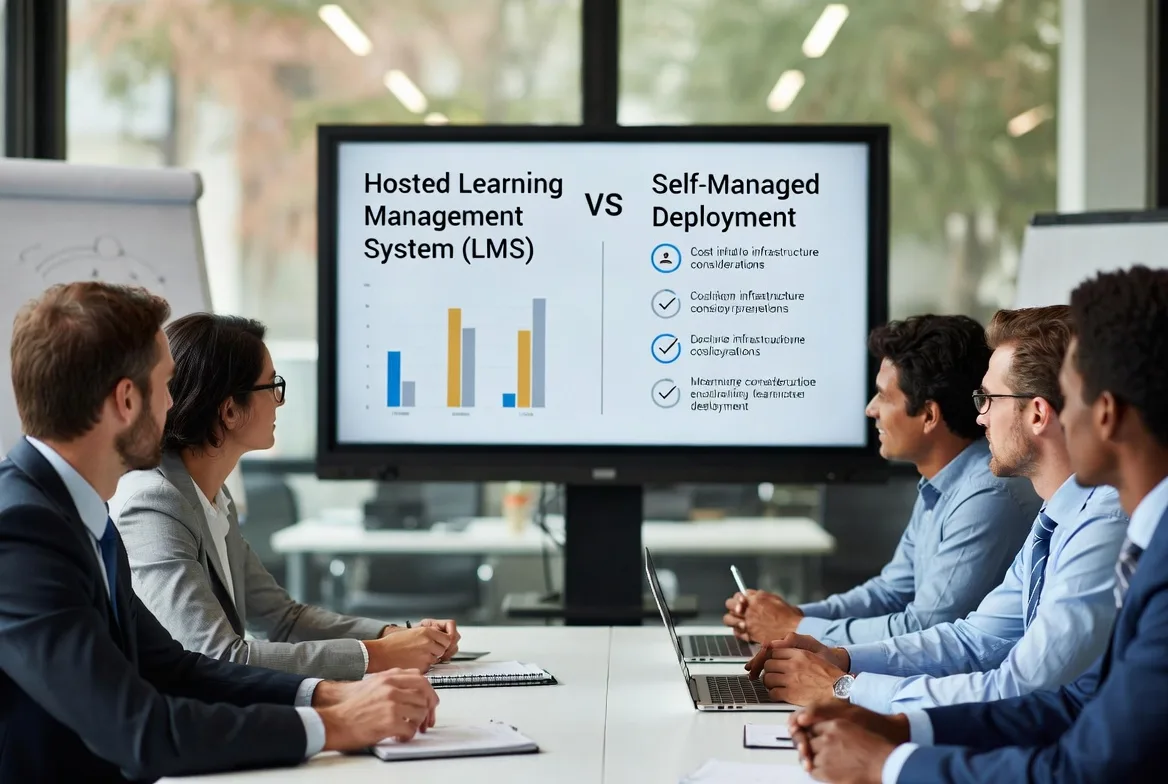
Cloud Hosted LMS vs Self-Hosted: Key Differences
The deployment decision ripples through your budget, staffing, and operational approach for years. These models differ in ways that extend well beyond server location.
| Comparison Factor | Cloud-Based Solution | Self-Managed System |
|---|---|---|
| Upfront investment | Subscription fees only | Hardware purchase, software licenses, installation |
| Ongoing technical work | Provider maintains everything | Internal IT handles all maintenance |
| Adding capacity | Immediate—update user count | Requires planning, possible hardware additions |
| Technical staff needed | Basic administration only | System admins, database specialists, security experts |
| Security responsibilities | Provider secures infrastructure layers | Your team secures entire stack |
| Software updates | Automatic deployment | IT team schedules and implements |
| Modification capabilities | Configuration within vendor limits | Full access to modify source code |
| Launch timeline | Days to a few weeks | Several months minimum |
Let’s talk about money honestly. Cloud hosted lms arrangements convert large upfront purchases into predictable monthly expenses. Rather than writing a $75,000 check for servers and licenses, then budgeting annual maintenance, you might pay $800 monthly. For accountants, this shifts spending from capital expenditure to operational expense—easier to predict and, in some cases, offering tax advantages.
Self-hosted systems offer perpetual licenses. Buy once, use forever (that specific version, anyway). Stop paying and you still own it, though you’ll lose support and updates. Cloud subscriptions never stop—cancel payment and you immediately lose access to everything.
Organizations are realizing that running LMS infrastructure themselves means betting their IT team can match specialized vendors’ security, uptime, and innovation. For most companies, especially under 5,000 employees, that’s increasingly a bet they’d rather not make.
Dr. Sarah Chen, Chief Technology Officer at EdTech Advisors
Customization represents the real philosophical divide. Standard training needs—course assignments, completion tracking, basic reporting—work perfectly on cloud platforms. But what if you need learner pathways that adapt in real-time based on manufacturing line performance? Or integration with specialized equipment in research facilities? Self-hosted flexibility might justify all the overhead.
I’ve watched organizations struggle with this decision. One manufacturing company stayed self-hosted for three years after their IT director retired because “we’ve got custom features.” When they finally audited those features, employees were using three of them regularly. They migrated to SaaS within six months.
How Cloud LMS Infrastructure Works
Understanding lms cloud infrastructure removes the mystery about how these systems deliver training to 10,000 simultaneous learners without melting down.
Major vendors operate geographically distributed data centers—typically East Coast, West Coast, maybe European and Asian facilities for global customers. When you sign up, your account lands in whichever region makes the most sense for your user base. Seattle employees connect to Western data centers with millisecond latency. New York staff hit Eastern infrastructure. Geographic distribution reduces network delays that frustrate learners.
Content delivery networks cache large files—video lectures, PDF workbooks, software downloads—at edge locations worldwide. A learner in Miami streaming a training video pulls it from a Florida server, not California. This prevents the “buffering” experience that kills engagement. Videos start instantly, downloads complete quickly, user satisfaction stays high.
Redundancy exists at every level imaginable. Multiple servers handle identical tasks, so if one fails, others seamlessly absorb the load. Data replicates across separate storage systems continuously—hard drive failure doesn’t mean data loss because copies exist elsewhere. Network connectivity runs through multiple internet providers. If AT&T has problems, traffic routes through Verizon automatically.
Database architecture uses clustering techniques where multiple database servers work in coordination. This provides both performance benefits (queries distribute across servers) and failover protection (if one database server crashes, others continue serving data). Large vendors also implement sharding—splitting data across servers strategically to prevent bottlenecks.
Security layers stack like an onion. Perimeter firewalls block malicious traffic. Intrusion detection systems monitor for suspicious patterns. Data travels encrypted (TLS/SSL certificates you’d recognize from banking sites). Stored data uses military-grade encryption (typically AES-256). Vendors undergo regular third-party audits—SOC 2 Type II annually—where independent security firms verify controls actually work as claimed.
Uptime guarantees mean something specific. A 99.9% SLA allows about 43 minutes of downtime monthly. Vendors typically exceed their promises substantially, but the guarantee determines what compensation you receive (usually service credits) when things go wrong. Read the fine print—some SLAs exclude scheduled maintenance windows.
How to Choose the Right LMS Deployment Option
Matching lms deployment options to your actual situation requires honest assessment of several factors. Get this wrong and you’ll either overpay for flexibility you don’t need or lock yourself into inadequate systems.
Size matters more than you’d think. Companies under 100 people should almost exclusively use SaaS. The cost advantage is overwhelming and you likely lack dedicated IT staff anyway. Between 100-1,000 employees, SaaS still dominates unless you face unusual circumstances. Above 1,000 users, managed and private cloud options become financially competitive, particularly if customization needs exist.
Calculate total ownership costs over three to five years, not just monthly fees. Self-hosted systems require server hardware (replaced every 3-4 years—budget $15,000-$50,000), software licenses, IT staff time (minimum half a person’s full-time effort, realistically more), backup solutions, security tools, and periodic upgrade projects. For cloud solutions, multiply monthly subscription by 36-60 months, add implementation costs, and factor in price increases as you add users. The actual numbers frequently surprise people.
IT resource availability often decides everything. One mid-sized manufacturer attempted self-hosting with a single system administrator. When he left suddenly, they spent six weeks scrambling after a server failure because documentation was incomplete. Nobody else understood the backup procedures. They switched to a managed lms solution within three months and the CFO called it “expensive education.”
Compliance requirements sometimes eliminate options entirely. HIPAA, FERPA, or government security clearances can mandate specific data handling procedures. Most major SaaS vendors now offer HIPAA-compliant configurations with Business Associate Agreements, but highly regulated industries often choose private cloud or managed hosting simply for audit transparency and additional control.
Customization versus speed creates constant tension. Every organization wants the perfect system. But perfection delays actual training. Here’s a practical approach that works: choose a SaaS platform meeting 80% of requirements, launch quickly, then evaluate after six months whether the missing 20% justifies migration to something more customizable. Often you’ll discover that workarounds for “essential” features work fine once people are actually using the system.
Scalability means both user growth and feature expansion. Cloud platforms scale users effortlessly—add 500 people, pay proportionally more, done. Self-hosted systems require capacity planning. If you’re running at 80% capacity with 1,000 users, you can only add 250 more before needing hardware upgrades. I’ve watched IT teams explain to executives why training expansion requires a $30,000 server purchase “even though we already have servers.”

Common Mistakes When Selecting a Hosted Learning Platform
Organizations repeatedly make the same errors when evaluating hosted learning platforms. Recognition helps you avoid expensive corrections later.
Underestimating switching costs after building content. Once you’ve developed 200 courses, uploaded thousands of user records, and integrated with your HR system, changing vendors becomes a major project costing months and thousands of dollars. Before signing anything, verify data export capabilities. Can you extract all course content in standard formats like SCORM or xAPI? Do you get complete user data including historical records? Some vendors deliberately make export difficult to trap customers.
Assuming “integration” means what you think it means. Vendors claiming they “integrate with everything” sometimes mean they have a basic API requiring custom development work. Verify that pre-built, maintained connectors exist for your critical systems—particularly HRIS platforms, video conferencing tools, and content libraries. Ask for implementation timelines from similar organizations, not vendor estimates. Add 50% to whatever they tell you.
Focusing on feature count instead of user experience. A platform advertising 200 features sounds better than one offering 50, but if learners can’t figure out how to access assigned courses without calling IT, you’ve failed. Request trial access for actual end users—not just administrators—and observe them attempting common tasks without guidance or training. Confusion during trials predicts poor adoption after launch. I’ve seen companies choose feature-rich platforms their employees hated using.
Overlooking costs beyond the advertised subscription price. Setup fees, data migration charges, premium support tiers, additional storage beyond base allocations, API call limits, per-integration fees, and customization charges accumulate quickly. A $10,000 annual subscription can become $18,000 after these extras appear. Demand a detailed cost breakdown for your specific use case, including reasonable growth over three years. Get it in writing.
Believing automatic updates are universally beneficial. SaaS platforms update on the vendor’s schedule, occasionally breaking integrations or changing workflows your team relies on. One training director told me their reporting dashboard stopped working after an unannounced update, and it took the vendor three weeks to fix it—meanwhile, compliance reporting was overdue. Ask about update policies: how much advance notice do you receive? Can you delay updates? Is there a sandbox environment to test changes before they hit production?
Ignoring vendor financial stability and longevity. The LMS market sees frequent acquisitions, mergers, and occasional failures. If your vendor gets acquired, new ownership might change pricing dramatically, discontinue features you rely on, or force platform migrations. Research the vendor’s financial backing, customer base size, and market position. A five-year-old startup with 50 customers carries substantially more risk than an established player with thousands of deployments and documented financial stability.
Waiting until crisis to evaluate support quality. Everyone advertises “24/7 support,” but response time and resolution effectiveness vary wildly. During evaluation, submit actual support tickets with real questions and observe: How fast do they respond? Is the answer helpful or copy-pasted from documentation? Do they follow through? Join user communities or forums to see what existing customers say about support experiences during critical issues. Support quality becomes crucial at 2 AM when training is down and you’ve got learners waiting.
FAQs
Most people use these terms interchangeably and for practical purposes that works fine. Technically, “hosted” is broader—any LMS running on servers you don’t personally own qualifies, whether that’s public cloud infrastructure like AWS, private data centers, or hybrid arrangements. “Cloud” specifically refers to platforms built using cloud-native architectures with elastic scaling, distributed data centers, and internet-based access. In today’s market, nearly all hosted solutions use cloud infrastructure, so the distinction rarely matters when you’re actually shopping for platforms.
Yes, though complexity depends on your current system and target platform. User records, course structures, and enrollment data usually migrate smoothly—these follow standardized formats most platforms understand. Course content migration works well if you built using SCORM or xAPI standards. Custom content, proprietary formats, and complex integrations require substantially more effort. Historical completion data, certificates, and reporting archives often need manual intervention or custom migration scripts. Budget 2-6 months for enterprise migrations including proper testing. Most vendors offer migration services, but verify exactly what’s included versus what costs extra. Plan for parallel operation periods where both systems run simultaneously during transition—you can’t afford training downtime.
Managed solutions split the difference—you get more customization than standard SaaS provides without the operational burden of running infrastructure yourself. You can implement custom features your specific situation demands, control when major updates deploy, integrate with proprietary internal systems, and configure security policies to match your requirements exactly. Meanwhile, the vendor handles server maintenance, backups, security patching, and infrastructure scaling. This arrangement works well for organizations with specific needs that SaaS can’t accommodate but limited IT resources for full infrastructure management. The trade-off? Higher cost—typically 50-150% more than comparable SaaS platforms—and longer implementation timelines because of customization work. You’re paying for flexibility while avoiding the full burden of ownership.
Not for infrastructure management—that’s precisely why cloud hosting exists. However, you’ll need someone handling administrative tasks: user account management, course assignments, reporting, integration maintenance, and user support. For small deployments under 100 users, this might consume 10-20% of one person’s time. Medium organizations with 500-2,000 users typically need 0.5-1.0 full-time equivalent for LMS administration. Large deployments may require dedicated teams. The skills needed shift dramatically from server administration and database management to system configuration, user experience design, and training content strategy. Most organizations find this transition reduces technical requirements substantially while increasing focus on learning effectiveness rather than technical troubleshooting.
Choosing between hosted and self-hosted LMS deployment represents a strategic decision affecting your training capabilities, budget allocation, and IT resource requirements for years. Cloud hosted lms solutions have matured substantially—they now offer enterprise-grade security, reliability, and scalability that once demanded substantial infrastructure investments.
For most organizations, particularly those under 5,000 employees, SaaS platforms deliver the optimal combination of functionality, cost-efficiency, and rapid deployment. The standardization that limits customization also accelerates implementation and reduces ongoing maintenance burden substantially. Larger enterprises or those with specific compliance requirements may benefit from managed solutions or private cloud hosting that provide additional control while maintaining the operational advantages of vendor-managed infrastructure.
Self-hosted deployment still serves organizations with exceptional customization requirements, strict data sovereignty mandates, or existing infrastructure investments they want to leverage. However, total cost of ownership—including hidden expenses like IT staff time, security tools, and upgrade projects—often exceeds cloud alternatives when calculated honestly over multi-year periods.
Success with any deployment option depends less on the hosting model itself and more on clear requirements definition, realistic vendor evaluation, and honest assessment of your organization’s technical capabilities and long-term training strategy. Start with your learners’ needs and work backward to the platform and hosting model that serves them most effectively within your constraints. The technology should disappear into the background while training happens in the foreground.