
Think of an e-learning management system as your organization’s digital training headquarters. It’s where course materials live, where employees log in to learn new skills, and where managers track who’s completing what. The software handles everything from uploading a video tutorial to issuing certificates when someone finishes a compliance course.
Here’s what actually happens when you use one: An instructor creates a training module—maybe a series of videos about workplace safety. They upload it to the platform, which converts the files into formats that play smoothly on any device. Next, they decide who can access it. New warehouse employees? Everyone in manufacturing? The system applies those permissions automatically.
Electronic learning management works differently than sending everyone to a conference room with a printed manual. Your sales team in Boston takes the same product training as your team in Seattle, but they do it on their own schedules. No travel costs. No printing 500 copies of a binder that’ll be outdated in six months.
The platform tracks everything. Did someone watch only half the safety video? The system knows. Did they ace the quiz on the first try or need three attempts? That’s recorded too. Quiz scores, time spent on each module, forum participation—it all gets logged. Try getting that level of detail from a classroom signup sheet.
Three main pieces make these systems work: storage for your content, the interface where learners interact with courses, and dashboards showing administrators what’s happening across the organization. Administrators set up courses and add users. Instructors build curriculum and watch engagement metrics. Learners work through materials and complete assignments.
Organizations that implemented comprehensive e-learning management systems in 2025 reported 34% faster employee competency development compared to traditional training methods, primarily due to personalized learning paths and immediate performance feedback.
Dr. Rachel Winters, Director of Corporate Learning Research at the American Training and Development Institute
One manufacturing company I researched trains employees at twelve different facilities using identical sequences. Everyone gets the same information, presented the same way. Before their LMS? They flew instructors around or pulled employees off the floor to attend regional training centers. You can imagine the logistics headaches.
Core Features of Modern E-Learning Platforms
The difference between a basic elearning platform and a sophisticated one isn’t about having different features—it’s about how well those features actually work.
Content Management and Delivery

Content management means getting your training materials into the system and organizing them so people can find what they need. Modern elearning system features handle SCORM packages, xAPI content, and HTML5 modules. You can upload files from Articulate Storyline, Adobe Captivate, or custom-built courses.
Once content’s uploaded, you organize it. Create folders by department, tag everything with searchable keywords, build prerequisite chains. Module B doesn’t unlock until someone finishes Module A. Makes sense for sequential learning.
Delivery happens through streaming video (the system adjusts quality based on connection speed), downloadable PDFs, interactive simulations, and live webinar integrations. Here’s a mistake I see constantly: someone uploads a 4K training video without compressing it. Result? Buffering nightmares for anyone not on enterprise fiber internet. Stick with 720p for standard content. Save 1080p for situations where visual detail genuinely matters—medical procedures, equipment repair demonstrations.
User Tracking and Analytics
Every login gets recorded. How long someone spent on Module 3. Their quiz scores. Whether they finished the entire course or bailed halfway through. Advanced platforms segment this data by department, location, or hire date.
Basic tracking tells you what happened last month. Better systems predict what’ll happen next month. Let’s say someone scores 65% on their first three quizzes in a ten-module course. Predictive analytics flag that person for intervention before they bomb the final certification exam. You can assign them a mentor or supplementary materials.
The analytics dashboard at one financial services company revealed something interesting: their Northeast sales reps completed compliance training 18% faster than average. Why? Turned out they had an unofficial study group sharing tips. The company formalized it and rolled the approach out nationally.

Assessment and Certification Tools
Assessments range from simple multiple-choice quizzes to complex scenario-based simulations. Question banks store thousands of items tagged by topic and difficulty level. When generating an exam, the system pulls random questions from the bank. Each learner gets a unique test, but everyone’s assessed on the same competencies.
Certification happens automatically when someone meets your criteria. Finished all required modules? Check. Scored above 80% on assessments? Check. Completed the course evaluation? Check. The system generates a PDF certificate with a unique verification code.
Expiration tracking sends renewal reminders ninety days before credentials lapse. Critical for industries where certifications expire annually—healthcare, finance, aviation.
| Feature Category | Essential Features | Advanced Features |
|---|---|---|
| Content Delivery | Video hosting, document storage, basic quizzes | Interactive simulations, AR/VR modules, adaptive learning that adjusts to performance |
| User Management | Manual enrollment, basic admin/learner roles, profile setup | Automated provisioning from HR systems, granular permissions by department, single sign-on |
| Reporting | Completion percentages, test scores, login frequency | Predictive analytics, competency gap analysis, ROI calculators with actual dollar figures |
| Communication | Announcement board, automated email notifications | Threaded discussion forums, peer-to-peer messaging, integrated live chat |
| Mobile Access | Responsive design that works on phones | Offline sync for downloaded content, mobile-first course creation, push notifications |
Types of E-Learning Management Systems
The e-learning lms market splits several different ways. Each approach has real trade-offs.
Cloud-based platforms run on the vendor’s servers. You access everything through a web browser—no software to install locally. Most vendors charge per active user per month. A company with 500 employees might pay anywhere from $4 to $12 per person monthly, depending on which feature tier they choose. The vendor handles server maintenance, security patches, updates, scaling infrastructure when you add users.
On-premise installations run on your own servers in your data center. You buy perpetual licenses or pay annual maintenance fees. Then your IT team manages everything: server hardware, operating system updates, database administration, security hardening. This makes sense if you’ve got strict data sovereignty requirements or you’ve already invested heavily in on-site infrastructure you want to leverage.
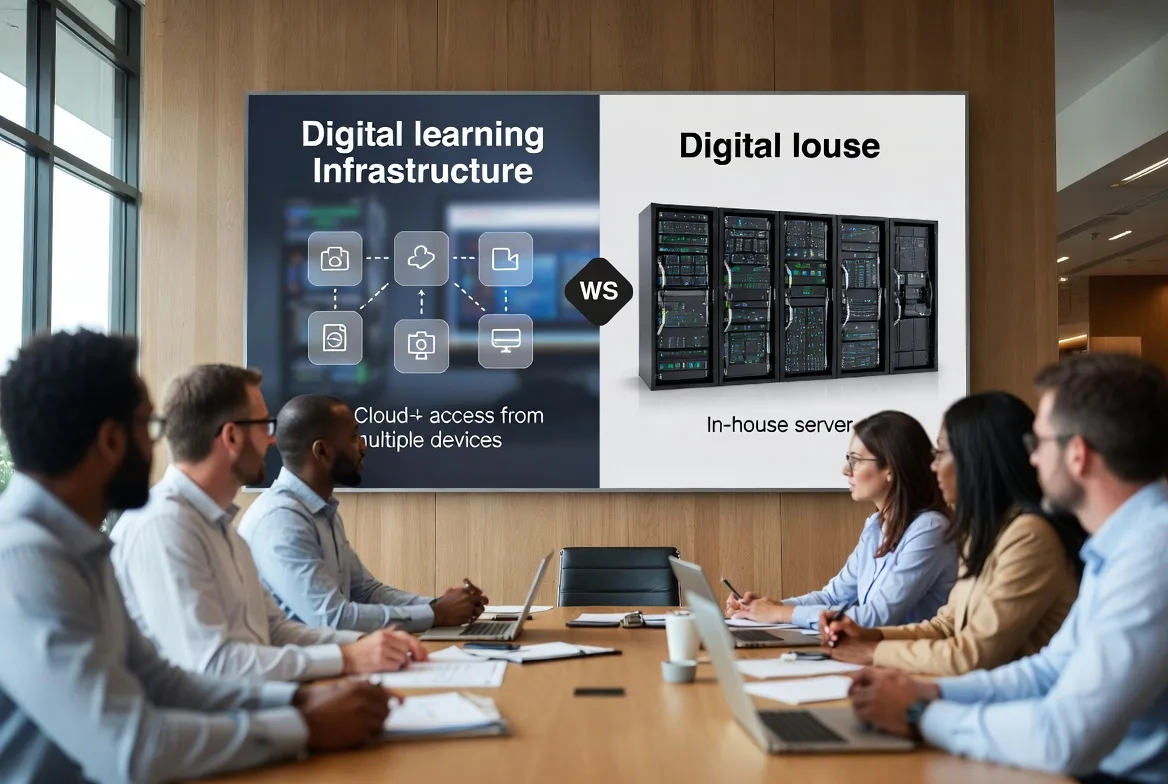
| Feature | Cloud-Based | On-Premise |
|---|---|---|
| Cost Structure | Monthly or annual subscriptions calculated per active user | Upfront license purchase plus annual maintenance (typically 18-22% of license cost) |
| Maintenance | Vendor manages updates, patches, infrastructure | Your IT team handles all maintenance and troubleshooting |
| Scalability | Add users instantly through subscription tier changes | Requires purchasing additional hardware and licenses |
| Security | Vendor implements security (verify their certifications) | You control every aspect of security configuration |
| Accessibility | Requires internet connection for access | Can operate entirely on internal network |
| Updates | Automatic rollout of new features | Manual installation of updates on your schedule |
Open-source solutions like Moodle and Open edX give you the source code. No licensing fees. Unlimited customization if you’ve got developers who can write code. A university with a programming department might love this flexibility. A retail chain with no technical staff? They’d struggle badly.
Proprietary systems from vendors like Cornerstone, SAP Litmos, and Docebo offer polished interfaces and comprehensive support funded by subscription revenue. Customization happens through configuration menus instead of editing code. Less flexibility than open-source, but you don’t need a software engineer on staff.
Industry-specific platforms come pre-configured for particular sectors. Healthcare LMS platforms include HIPAA compliance features, continuing medical education tracking, and clinical competency assessments built in. General-purpose digital learning management systems work across industries but require more configuration to match specialized workflows.
Benefits of Implementing Digital Learning Management
A logistics company I studied replaced five annual safety training sessions with online course management. Previously, employees traveled to regional centers for in-person training. After implementing their LMS: $340,000 saved in year one. Eliminated travel expenses accounted for about 60% of that. The rest came from reduced productivity loss—people weren’t spending entire days away from work.
Scalability changes your cost structure completely. Training ten employees costs essentially the same as training ten thousand. Classroom training scales linearly—double your headcount, double your training costs. Digital doesn’t work that way. When a restaurant franchise expanded from 80 to 200 locations, their online learning management system absorbed the new employees with only incremental subscription increases.
Accessibility opens training to people who couldn’t participate before. Night shift workers take modules during downtime. Remote employees complete onboarding without visiting headquarters. Global teams access content translated into their languages. A 24/7 customer service center eliminated their training backlog by letting agents complete modules between calls instead of waiting for scheduled classroom sessions.
Consistency ensures everyone receives identical information. Classroom instruction varies. One instructor’s energetic and thorough. Another’s having an off day and skips a section. Digital delivery presents the same video, same quiz questions, same resources to every single participant. Reduces compliance risk significantly.
Cost savings accumulate in ways you might not expect initially. A financial services firm calculated $180,000 annual savings from discontinued printed compliance manuals, eliminated training room rentals, and reduced third-party instructor fees. They’d been paying consultants $2,500 per day to teach courses they now deliver digitally.
Data-driven insights reveal what’s actually working. When analytics showed employees skipping safety videos averaging twelve minutes but watching six-minute segments completely, the training team restructured long modules into shorter units. Completion jumped from 67% to 94%. You can’t get that feedback from classroom attendance sheets.
How to Choose the Right E-Learning System for Your Organization
Budget calculations need to include way more than monthly subscription costs. Factor in implementation fees, content development, integration charges, and ongoing administration time. That $15 per user monthly platform looks affordable until you add $25,000 for initial setup, $40,000 for custom course development, and $8,000 annually for connecting it to your HR system. Calculate total cost of ownership over three years instead of fixating on monthly fees.
User capacity matters because platforms price in tiers. Common thresholds: 100, 500, 1,000, 5,000 users. If you’ve got 480 employees and expect 15% annual growth, you’ll hit 550 users within a year. Worth evaluating whether pricing justifies jumping straight to the 1,000-user tier versus upgrading later and paying migration costs.
Integration needs determine whether your e-learning lms connects smoothly with existing systems. HR databases, single sign-on providers, video conferencing tools, business intelligence platforms. Native integrations through pre-built connectors make implementation straightforward. Custom API development adds $5,000 to $50,000 depending on complexity. Verify critical integrations exist before signing contracts, especially automated user provisioning from HR systems.
Support options range dramatically. Email-only assistance with 48-hour response times? Or dedicated account managers providing phone support during business hours? Organizations without internal technical expertise should prioritize comprehensive support. Technically sophisticated teams might accept limited support in exchange for lower costs.
Customization requirements include obvious things like branding with your logo and colors. Also consider custom fields for tracking department-specific data and workflow modifications matching your internal processes. Highly configurable platforms accommodate unique needs through administrative settings. Rigid systems force you to adapt processes to fit the software’s constraints.
Mobile compatibility matters differently depending on your workforce. Responsive design adjusts layouts for smaller screens—that’s baseline. True mobile optimization includes offline content downloads, touch-friendly navigation, reduced data consumption. Field technicians without reliable connectivity need offline capabilities that office workers with constant WiFi can skip.

Common Challenges and How to Overcome Them
User adoption fails when employees see e-learning as extra work piled onto their regular responsibilities. Combat this by securing executive sponsorship. Have leadership publicly participate in training. One manufacturing company’s CEO completed modules on camera and discussed lessons during town hall meetings. Voluntary course enrollment increased 210%.
Embed completion requirements into performance reviews. Highlight career advancement tied to certifications. Make the “what’s in it for me” crystal clear.
Content migration from legacy systems involves exporting courses, converting file formats, restructuring navigation, validating everything works in the new environment. SCORM packages usually transfer smoothly. Proprietary formats? You’re often rebuilding from scratch. Allocate three months for migration testing. Don’t attempt go-live immediately after export. Discovering broken links and missing media after launch destroys user confidence.
Technical issues undermine trust in the platform fast. Browser compatibility problems, authentication failures, slow loading times. Establish a pilot group testing under real-world conditions before full deployment. When a healthcare network piloted their LMS with 50 nurses, they discovered firewall rules blocking video streaming. Fixed it before rolling out to 2,000 employees who would’ve flooded the help desk.
Measuring effectiveness requires defining success metrics before implementation. What does success look like in six months? Completion rates show engagement but not learning. Assessment scores show knowledge acquisition but not behavior change. Manager surveys reveal perceived improvements but lack objectivity. Combine leading indicators like quiz scores with lagging indicators like reduced error rates or improved customer satisfaction measured quarterly.
FAQs
The terms overlap significantly in practice. LMS (Learning Management System) traditionally emphasized administrative functions—enrollment, tracking, reporting. E-learning platform sometimes referred more broadly to any digital learning delivery, including content libraries without robust management features. Modern systems combine both capabilities, making the distinction mostly semantic. When vendors use either term, ask specifically about tracking, reporting, and administrative features to understand what you’re actually getting.
Absolutely. Small businesses often gain proportionally larger benefits from training consistency and reduced travel costs. Platforms designed for smaller organizations offer simplified interfaces at lower price points. Some vendors provide free tiers for under 50 users. A 30-person consulting firm reduced new hire onboarding from six weeks to three weeks using a basic LMS costing $200 monthly. The time savings alone justified the investment within the first quarter.
Healthcare, financial services, manufacturing, retail, and technology lead adoption. Healthcare organizations need continuing education credits and clinical competency tracking. Financial services firms deliver mandatory compliance training on regulations that change constantly. Manufacturing companies provide safety certification and equipment operation training. Retail chains train store associates across hundreds of locations with high turnover. Technology companies onboard new hires quickly in fast-changing technical environments.
Modern cloud-based systems require minimal technical knowledge for daily administration. Creating courses, enrolling users, and generating reports work through point-and-click interfaces similar to email or document management. Advanced functions like API integrations, single sign-on configuration, and custom reporting might need IT involvement, but vendors often handle these during implementation. Designate an LMS administrator, but the role doesn’t require programming skills. Look for platforms with intuitive interfaces and good documentation.
E-learning management systems have moved beyond simple content repositories. Today’s platforms personalize learning experiences, predict performance outcomes, and demonstrate measurable business impact. Organizations that select and implement these systems strategically develop skills faster, reduce training costs, and gain data insights that continuously improve program effectiveness.
Success comes from matching platform capabilities to your actual needs, not chasing feature-rich solutions that exceed requirements. A 100-person startup needs different functionality than a 50,000-employee multinational. Vendors serve both markets with appropriately scaled offerings. Prioritize integration with existing systems, support quality matching your internal technical capabilities, and pricing models that accommodate growth without prohibitive increases.
The shift toward digital learning management accelerates as remote work becomes standard, skill requirements change faster, and organizations recognize training as strategic investment rather than compliance checkbox. Platforms that seemed adequate in 2024 now appear limited. Artificial intelligence enables adaptive learning paths. Virtual reality creates immersive simulations. Mobile-first design accommodates learning during the workday rather than pulling people offline for scheduled sessions.
Organizations implementing systems in 2026 should evaluate vendors’ development roadmaps and commitment to innovation. Your platform investment needs to remain relevant as learning technologies continue advancing. Ask vendors what they’ve released in the past twelve months and what’s coming in the next twelve. Their answers reveal whether you’re buying today’s solution or tomorrow’s.