
Choosing a learning management system means committing to a platform that will shape how thousands of students learn, how teachers organize instruction, and how administrators track progress. Schoology positions itself as a comprehensive solution built specifically for K–12 environments, though it serves higher education institutions as well. This guide examines what Schoology actually delivers, where it excels, and where districts have encountered friction.
What Is Schoology and Who Uses It?
Schoology is a cloud-based learning management system owned by PowerSchool, one of the largest education technology companies in North America. PowerSchool acquired Schoology in 2019, integrating it into a broader suite of student information systems, assessment tools, and enrollment platforms used by more than 45 million students across 14,000 districts.
The LMS Schoology operates primarily in K–12 settings—roughly 80% of its user base consists of elementary, middle, and high schools. The remaining 20% includes higher education institutions, corporate training programs, and professional development organizations. Unlike Canvas, which dominates the university market, Schoology learning management focuses on the specific workflows of district administrators who need tight integration with student information systems, parent portals, and state reporting requirements.
Districts typically adopt Schoology when they want a single platform for course delivery, grading, communication, and analytics. Small private schools with 200 students use it alongside sprawling urban districts serving 100,000+ learners. The platform scales reasonably well, though implementation complexity grows significantly with district size.

Core Schoology Features and Functionality
Schoology features center on three pillars: course management, assessment infrastructure, and communication channels. Understanding how these components work together helps clarify whether the platform matches your instructional model.
Course Creation and Content Management
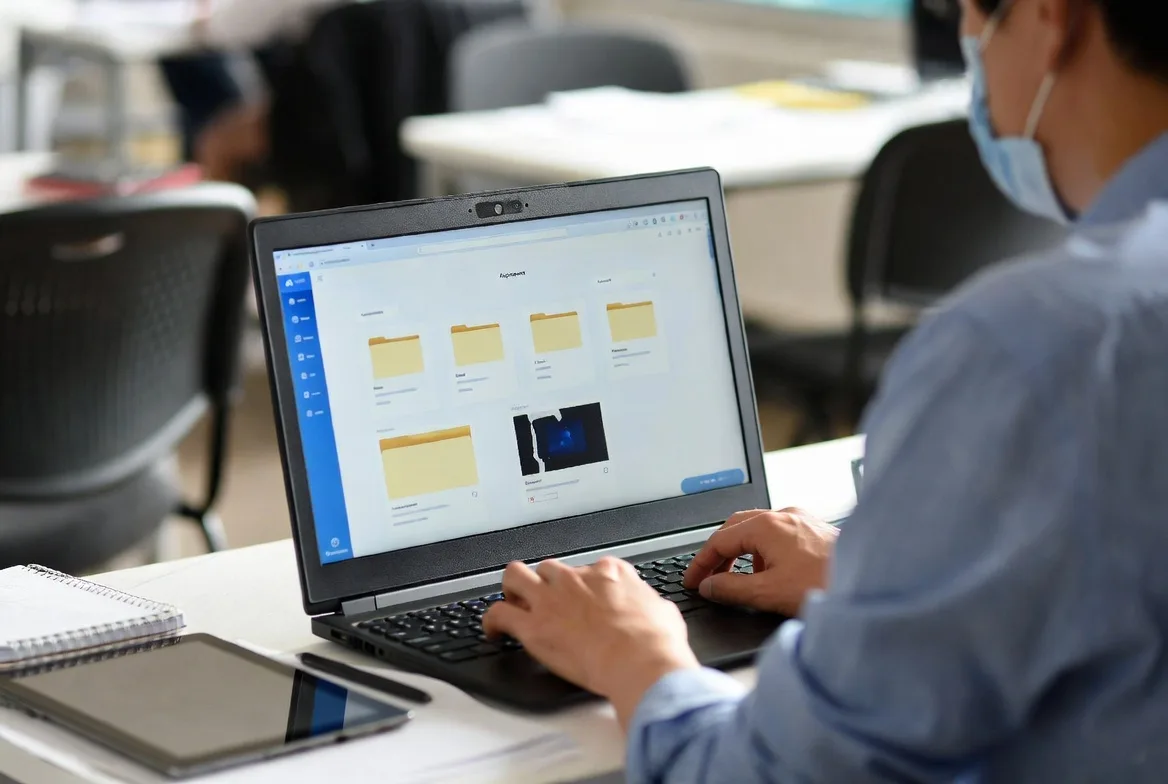
Teachers build courses using a folder-and-file structure that mirrors Google Drive or Dropbox. You create units, add assignments, embed videos, attach PDFs, and sequence materials in a linear or modular format. The interface supports drag-and-drop reordering, bulk copying between courses, and sharing entire course templates with colleagues.
The platform handles SCORM packages, LTI integrations, and embedded content from YouTube, Vimeo, and Google Drive. Teachers can set prerequisite conditions—students must complete Assignment A before accessing Quiz B—though this feature requires manual configuration for each dependency.
One practical strength: Schoology allows teachers to import content from Canvas, Blackboard, and Moodle using Common Cartridge files. Districts switching from another LMS can migrate existing courses without rebuilding everything from scratch, though formatting quirks often require cleanup.
The content library lets teachers store reusable resources—rubrics, discussion prompts, video lectures—and pull them into multiple courses. This saves time when teaching multiple sections of the same subject, but the search functionality frustrates users who accumulate hundreds of items without a robust tagging system.
Assessment and Grading Tools
Schoology’s gradebook mirrors traditional weighted categories: homework 20%, quizzes 30%, projects 50%. Teachers create assignment types, set point values, and apply different grading scales (points, percentages, letter grades, custom rubrics). The system calculates weighted averages automatically and flags missing assignments with color-coded alerts.
Quiz creation supports multiple-choice, true/false, short answer, essay, matching, and ordering questions. Teachers can build question banks, randomize question order, set time limits, and allow multiple attempts with different scoring rules. Auto-grading works well for objective questions but requires manual review for essays and short answers.
The mastery-based grading feature lets teachers assess standards instead of assignments. A student might demonstrate “multiplying fractions” across three different activities, and Schoology tracks progress toward mastery of that specific standard. This appeals to competency-based schools but requires significant upfront setup—mapping every assignment to state standards takes hours.
Integration with PowerSchool SIS means grades sync automatically to official transcripts, eliminating double-entry. Teachers enter scores once in Schoology, and they appear in the district’s student information system within minutes. This tight coupling reduces administrative burden but creates vendor lock-in; switching away from PowerSchool products becomes exponentially harder.
Parent and Student Communication
Schoology includes messaging tools, announcement feeds, and update notifications. Teachers post class-wide announcements that appear in student dashboards and trigger email notifications to parents who’ve activated their access codes. Individual messages work like email but stay within the platform, creating a searchable archive.
Parents access a dedicated portal showing their child’s grades, upcoming assignments, attendance records (if synced from SIS), and teacher comments. The parent experience varies widely depending on how thoroughly teachers populate the platform. In schools where teachers post detailed assignment descriptions and regular updates, parents appreciate the transparency. In schools where teachers use Schoology sporadically, the parent portal becomes a source of frustration—stale data and missing information erode trust.
The mobile app (iOS and Android) supports push notifications for new grades, upcoming due dates, and direct messages. Students can submit assignments, participate in discussions, and check their grades from phones or tablets. Teachers can grade on mobile devices, though typing detailed feedback on a phone screen proves tedious for longer assignments.
Schoology Pros and Cons Based on Real User Feedback
Independent reviews from EdSurge, Capterra, and district case studies reveal consistent patterns in how educators experience Schoology day-to-day.
Key Advantages
Deep PowerSchool integration ranks as the single biggest advantage for districts already using PowerSchool SIS. Attendance, demographics, course rosters, and grade passback happen automatically. Technology directors avoid building custom integrations or managing data syncs between disconnected systems.
Robust analytics and reporting give administrators visibility into course activity, assignment completion rates, and student engagement metrics. District leaders can identify which teachers actively use the platform, which courses have low submission rates, and where students struggle most. The analytics dashboard exports to CSV for further analysis in Excel or Tableau.
Strong standards alignment tools help teachers map assignments to state standards, track mastery progress, and generate standards-based report cards. This matters enormously in states requiring competency-based education or standards-referenced grading. Teachers can filter assignments by standard, view student progress toward specific benchmarks, and adjust instruction based on gaps.
Flexible content sharing between teachers accelerates curriculum development. A ninth-grade English team can build a shared course template, then individual teachers customize it for their sections. Updates to the master template can propagate to all sections, or teachers can fork their own versions. This collaborative approach works well in districts with strong professional learning communities.
API access and third-party integrations connect Schoology to tools like Turnitin, Pear Deck, Nearpod, Edpuzzle, and Khan Academy. The app center lists 200+ pre-built integrations, though quality varies. Some integrations embed seamlessly; others redirect to external sites and require separate logins.

Common Drawbacks and Limitations
Steep learning curve for new users frustrates teachers switching from simpler platforms. The interface packs numerous features into nested menus, and common tasks often require five or six clicks. Teachers accustomed to Google Classroom’s minimalist design find Schoology overwhelming during the first few weeks.
Inconsistent mobile experience creates problems for students relying on phones as their primary device. While basic tasks work—checking grades, viewing assignments—complex activities like uploading multi-file submissions or participating in threaded discussions prove clunky. The mobile app hasn’t kept pace with the web interface in terms of feature parity.
Limited customization for branding and layout disappoints districts wanting a personalized look. Unlike Canvas, which allows extensive CSS customization, Schoology offers minimal theming options. Schools can upload a logo and choose accent colors, but the overall layout remains fixed.
Gradebook complexity causes confusion, especially for elementary teachers new to weighted categories. The system defaults to percentage-based grading, which doesn’t align well with standards-based report cards common in primary grades. Teachers must manually configure custom grading scales and explain them to parents unfamiliar with the approach.
Support response times vary significantly. Enterprise contracts include dedicated account managers and priority support queues, but smaller districts report waiting days for responses to critical issues. The knowledge base contains helpful articles, but finding the right one requires patience and specific search terms.
Schoology serves districts well when they commit to comprehensive training and ongoing support. The platform’s depth becomes an asset only if teachers master the basics first. Too many districts rush implementation, assume teachers will figure it out, and then wonder why adoption stalls.
Dr. Emily Garrison, Director of Instructional Technology at the Consortium for School Networking,
How Schoology Compares to Canvas and Google Classroom
Choosing between LMS platforms requires understanding not just features, but how those features align with your district’s priorities, technical capacity, and instructional philosophy.
Schoology vs Canvas
Canvas dominates higher education but has made inroads in K–12, particularly in high schools preparing students for college-level coursework. The platforms overlap significantly in core functionality—both handle courses, assignments, grading, and discussions—but differ in philosophy and execution.
Interface and usability: Canvas presents a cleaner, more intuitive interface with fewer nested menus. Teachers new to LMS platforms generally find Canvas easier to learn. Schoology’s interface feels more cluttered but offers faster access to advanced features once you learn the layout.
Grading and assessment: Both platforms support weighted gradebooks, rubrics, and standards alignment. Canvas provides more flexible grading schemes out of the box, including learning mastery gradebooks that don’t require extensive configuration. Schoology’s standards tracking integrates more tightly with PowerSchool SIS, which matters for districts using that ecosystem.
Integration ecosystems: Canvas operates as a more open platform with robust API documentation and a larger developer community. Schoology’s integrations lean heavily toward PowerSchool products and K–12-specific tools. If your district uses Google Workspace, both platforms integrate well, though Google Classroom remains the tightest fit.
Pricing and contracts: Canvas pricing for K–12 typically runs higher than Schoology, especially for smaller districts. Schoology’s PowerSchool bundling creates cost advantages if you’re already using multiple PowerSchool products. Canvas offers more transparent pricing with fewer mandatory add-ons.
Best fit: Canvas suits districts prioritizing ease of use, higher education alignment, and platform flexibility. Schoology fits districts deeply invested in PowerSchool infrastructure, needing tight SIS integration, and willing to invest in training.
Schoology vs Google Classroom
Google Classroom represents the minimalist approach—a lightweight assignment distribution and collection tool that integrates seamlessly with Google Workspace. It’s free for schools using Google Workspace for Education, which gives it enormous market penetration.
Feature depth: Schoology offers substantially more functionality—comprehensive gradebooks, analytics dashboards, standards tracking, parent portals, and enterprise reporting. Google Classroom handles basic assignment workflows but lacks advanced grading, weighted categories, and administrative oversight tools.
Learning curve: Google Classroom takes minutes to learn; Schoology takes weeks. For elementary teachers managing simple assignment workflows, Google Classroom’s simplicity proves advantageous. For high school teachers managing complex grading schemes across multiple courses, Schoology’s depth becomes necessary.
Cost: Google Classroom comes free with Google Workspace for Education. Schoology requires per-student licensing fees. Districts must weigh whether Schoology’s additional features justify the cost difference.
Ecosystem lock-in: Google Classroom works exclusively within Google Workspace—Docs, Slides, Drive, Forms. Schoology supports Google, Microsoft, and third-party tools. Districts using Microsoft 365 find Schoology more accommodating than Google Classroom.
Scalability: Google Classroom works well for individual teachers and small schools but lacks the administrative controls, reporting infrastructure, and data governance tools that large districts require. Schoology scales to district-wide deployments with centralized management.
Best fit: Google Classroom suits budget-conscious districts, Google Workspace users, and schools prioritizing simplicity over depth. Schoology fits districts needing comprehensive LMS capabilities, advanced reporting, and integration with student information systems.
| Feature Category | Schoology | Canvas | Google Classroom |
|---|---|---|---|
| Gradebook Complexity | Weighted categories, standards-based, custom scales | Flexible grading schemes, learning mastery | Basic points and percentages only |
| Third-Party Integrations | 200+ apps, PowerSchool ecosystem focus | 400+ apps, open API, larger developer community | Limited to Google Workspace tools |
| Mobile App Quality | Functional but inconsistent feature parity | Strong mobile experience across platforms | Excellent mobile experience, feature parity |
| Parent Access | Dedicated parent portal with detailed visibility | Parent observer accounts with full access | Limited parent visibility, no dedicated portal |
| Pricing Model | Per-student licensing, PowerSchool bundles | Per-student licensing, transparent pricing | Free with Google Workspace for Education |
| Best For | K–12 districts using PowerSchool, standards-based grading | Higher ed and K–12 prioritizing ease of use | Budget-conscious schools, Google Workspace users |
Schoology User Experience for Teachers, Students, and Admins
The Schoology user experience varies dramatically depending on role, technical comfort, and how thoroughly your district implements the platform.
Teachers encounter the steepest learning curve. The dashboard presents courses, upcoming assignments, recent activity, and messages in a Facebook-style feed that some find intuitive and others find chaotic. Creating a course from scratch requires navigating multiple menus: materials, assignments, discussions, pages, and assessments each live in separate sections.
Experienced teachers appreciate the granular control—setting different due dates for different sections, creating assignment groups with varied weights, building question banks for randomized quizzes. New teachers feel overwhelmed by the options and often stick to basic assignment posting, underutilizing the platform’s capabilities.
The biggest teacher frustration involves inconsistent autosave behavior. Schoology autosaves some content types but not others. Teachers report losing lengthy assignment descriptions or quiz questions after browser crashes because they assumed autosave was active.
Students navigate a simpler interface focused on upcoming assignments, recent grades, and course materials. The dashboard highlights what’s due soon, what’s overdue, and what’s been recently graded. Students can filter assignments by course, sort by due date, and access submitted work through their personal archives.
Middle and high school students adapt quickly, especially those familiar with social media interfaces. Elementary students need more guidance, particularly around navigating between courses and understanding where to find specific assignments.
The submission process works smoothly for standard file uploads but becomes cumbersome for multi-step projects requiring multiple files, links, and text responses. Students must click through several screens to attach all required components, and there’s no clear indication of what’s been uploaded versus what’s still missing until final submission.
Administrators access district-wide dashboards showing adoption metrics, course activity, assignment completion rates, and user engagement. Technology directors can provision accounts, manage permissions, configure integrations, and monitor system health from a centralized console.
The administrative experience shines when Schoology integrates with PowerSchool SIS—course rosters sync automatically, enrollment changes propagate instantly, and grade data flows seamlessly. Districts using other SIS platforms must manage CSV imports, API connections, or manual updates, which introduces friction and potential errors.
Accessibility features include screen reader support, keyboard navigation, and high-contrast modes, though implementation remains inconsistent. The platform meets WCAG 2.1 Level AA standards for most features, but some third-party integrations introduce accessibility gaps.
Pricing, Implementation, and Support Considerations
Schoology doesn’t publish transparent pricing on its website, requiring districts to request custom quotes based on student count, contract length, and desired features. Based on publicly available district contracts and procurement documents, typical pricing ranges from $3 to $8 per student annually for K–12 districts.
Smaller districts (under 2,000 students) generally pay toward the higher end of that range. Large districts (over 20,000 students) negotiate volume discounts bringing costs closer to $3–4 per student. Districts bundling Schoology with other PowerSchool products—SIS, assessment platforms, enrollment systems—receive additional discounts.
Enterprise features like single sign-on, API access, premium integrations, and dedicated support cost extra. The base platform includes core LMS functionality, but districts wanting advanced analytics, custom branding, or priority support queues pay supplemental fees.
Implementation timelines vary based on district size and complexity. A small district with 1,500 students, basic PowerSchool SIS integration, and a dedicated implementation team can go live in 8–12 weeks. A large district with 50,000 students, complex integrations, custom workflows, and multiple stakeholder groups should plan for 6–9 months.
Critical implementation steps include:
- Data migration: Importing historical course data, user accounts, and grade information from legacy systems
- Integration configuration: Connecting Schoology to SIS, identity providers, rostering systems, and third-party tools
- Permission mapping: Defining roles, access levels, and data visibility for teachers, students, parents, and administrators
- Training development: Creating role-specific training modules, quick-start guides, and ongoing professional development
- Pilot testing: Running limited deployments with volunteer teachers to identify issues before district-wide rollout
PowerSchool provides implementation support through dedicated project managers, technical consultants, and training specialists. The quality of this support varies—some districts praise their implementation teams as responsive and knowledgeable, while others report communication gaps and missed deadlines.
Training resources include on-demand video tutorials, live webinars, certification programs, and in-person workshops. PowerSchool offers a “Schoology University” with self-paced courses covering basic navigation, advanced features, and administrative functions. Districts can purchase additional training hours or work with third-party consultants specializing in Schoology implementation.
The most successful deployments involve multi-tiered training: initial workshops for all staff, follow-up sessions targeting specific use cases, and ongoing “office hours” where teachers get help with real-time problems. Districts that treat training as a one-time event struggle with low adoption and persistent confusion.
Customer support operates through a ticketing system, phone support (for enterprise contracts), and community forums. Response times depend on contract tier and issue severity. Critical issues affecting district-wide access receive attention within hours; feature questions or minor bugs may wait days.
The community forums contain thousands of threads with teacher questions, feature requests, and workarounds. Active users contribute solutions, but official PowerSchool responses appear inconsistently. Teachers often find faster answers from peers than from official support channels.
FAQs
No. Schoology requires district-level licensing agreements—individual teachers cannot sign up for free accounts. Districts pay annual per-student fees, typically ranging from $3 to $8 per student depending on enrollment size and contract terms. PowerSchool discontinued the free “Schoology Basic” tier in 2022, requiring all users to operate under paid enterprise contracts.
Implementation timelines range from 8 weeks for small districts with simple requirements to 9 months for large, complex deployments. Key factors affecting timeline include district size, existing technical infrastructure, integration requirements, data migration complexity, and training scope. A typical mid-size district (5,000–10,000 students) with PowerSchool SIS integration should plan for 3–4 months from contract signing to full deployment. Rushing implementation without adequate training and testing leads to poor adoption and frustrated users.
PowerSchool provides multiple support channels: self-paced online courses through Schoology University, live webinars, video tutorials, documentation, community forums, and direct support via ticketing system or phone (for enterprise contracts). Districts can purchase additional professional development hours for on-site training or customized workshops. The quality and responsiveness of support varies by contract tier—enterprise customers receive dedicated account managers and priority support queues, while smaller districts rely primarily on self-service resources and community forums. Successful implementations invest in ongoing training rather than treating it as a one-time event.
Yes. Schoology maintains compliance with FERPA (Family Educational Rights and Privacy Act) and COPPA (Children’s Online Privacy Protection Act), the primary student data privacy regulations in the United States. PowerSchool signs Student Data Privacy Agreements with districts, commits to using student data only for educational purposes, and implements technical safeguards including encryption, access controls, and regular security audits. The platform also complies with various state-level student privacy laws. Districts remain responsible for configuring permissions appropriately, training staff on data handling practices, and monitoring third-party integrations that may introduce additional privacy considerations.
Schoology delivers a comprehensive learning management system built specifically for K–12 environments, particularly districts already invested in PowerSchool infrastructure. The platform’s strengths—deep SIS integration, robust analytics, standards alignment, and enterprise-grade features—matter most to larger districts managing complex instructional and administrative workflows.
The platform demands significant investment beyond licensing costs: implementation time, comprehensive training, ongoing support, and organizational change management. Districts treating Schoology as a simple software purchase rather than a multi-year instructional transformation project consistently struggle with adoption.
Smaller districts, schools prioritizing simplicity, or organizations with limited technical support capacity should carefully weigh whether Schoology’s depth justifies its complexity and cost. Google Classroom serves many schools perfectly well at no cost, while Canvas offers comparable functionality with a gentler learning curve.
The right choice depends less on which platform has the longest feature list and more on honest assessment of your district’s capacity, priorities, and existing technology ecosystem. Schoology works exceptionally well for the right districts—those with PowerSchool infrastructure, dedicated instructional technology staff, commitment to comprehensive training, and need for enterprise LMS capabilities. For everyone else, simpler alternatives may deliver better outcomes with less friction.