
- What Is a Help Desk Knowledge Base
- Why Help Desk Teams Need Knowledge Base Software
- Key Features to Look for in Help Desk Knowledge Base Software
- How to Build an IT Knowledge Base for Your Help Desk
- Self-Service Knowledge Base Best Practices
- Common Mistakes When Implementing IT Knowledge Management
- Measuring Knowledge Base Success
- Comparison of Knowledge Base Software Types
Picture your help desk team fielding the same password reset question for the fifteenth time today. One agent explains the process over the phone. Another writes out detailed instructions in an email. A third just resets it manually to save time. Nobody’s documenting anything because there’s always another ticket waiting.
This scenario plays out in IT departments everywhere. Support teams that build proper knowledge systems watch their first-contact resolution jump from 45% to 75% within months. Ticket queues shrink. Users find answers at 2 AM without waiting for business hours.
The gap between struggling support teams and efficient ones? How well they capture what they know and make it accessible when someone needs it.
What Is a Help Desk Knowledge Base
Think of this as your support team’s external brain—a searchable collection of everything your help desk knows about fixing problems. General documentation tells users how features work. Your knowledge base explains what to do when those features stop working.
Inside, you’ll find troubleshooting procedures arranged by symptom, not theory. Articles document specific error messages users encounter, complete with screenshots and resolution steps. Configuration guides walk through settings that commonly cause issues. Escalation maps show when to loop in specialized teams.
The content splits into distinct categories: quick fixes for routine problems (password lockouts, printer errors), detailed technical walkthroughs for complex situations (application conflicts, network diagnostics), catalogs of known bugs with temporary workarounds, and decision trees that guide agents through systematic troubleshooting.
Many organizations maintain dual sections. Public-facing articles help end-users solve common problems themselves. Internal documentation contains escalation contacts, vendor support numbers, infrastructure diagrams, and backend access procedures that shouldn’t be visible to everyone.
What makes this different from a SharePoint folder stuffed with Word documents? Structure, searchability, and accessibility. Your knowledge base delivers relevant information within seconds, not after digging through nested folders and outdated files.
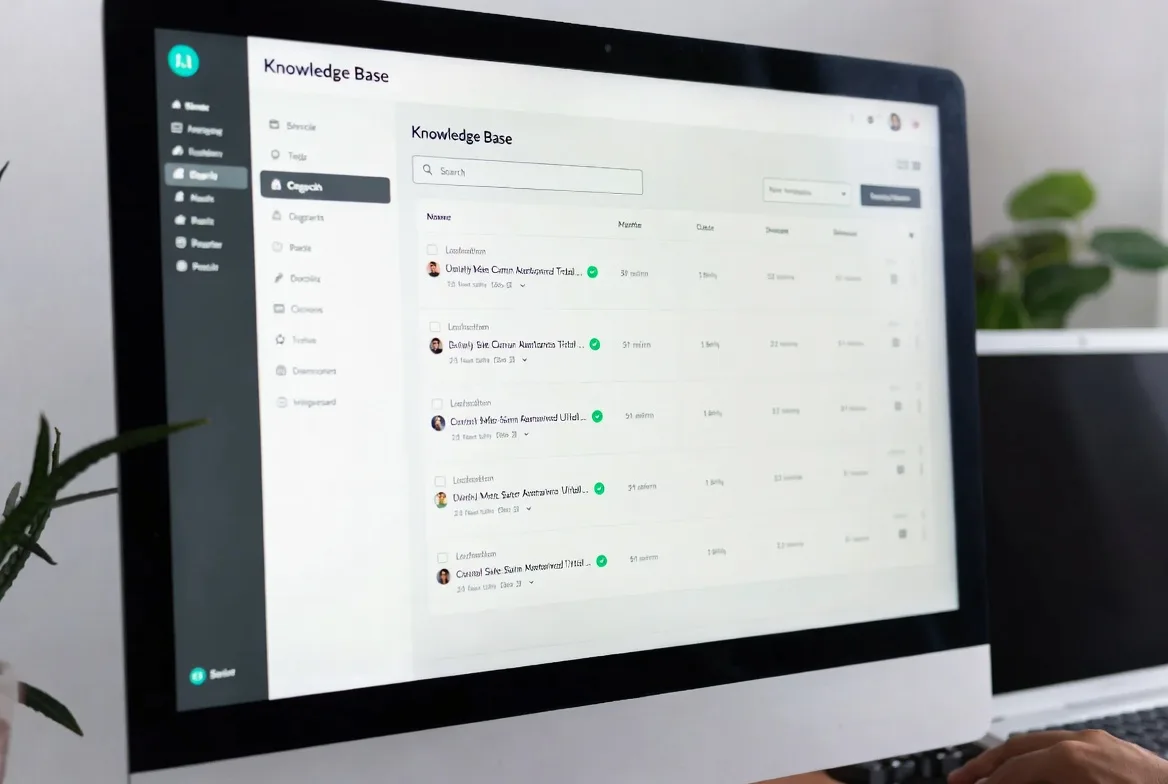
Why Help Desk Teams Need Knowledge Base Software
Here’s the reality: roughly two-thirds of your incoming tickets involve problems you’ve solved before. Without centralized documentation, each agent reinvents solutions from memory, personal notes scribbled in OneNote, or by interrupting the senior tech who’s been there longest.
Knowledge base software breaks this cycle. VPN won’t connect? The agent searches, pulls up your standard troubleshooting article, and walks through verified steps instead of guessing. New hires resolve issues with the same accuracy as veterans because they’re working from the same playbook.
End-users gain something more valuable than quick fixes—they gain independence. Instead of opening a ticket about MFA problems and checking email hourly for updates, they search your knowledge base, follow the reset procedure, and get back to work in three minutes. You’ve just converted a frustrated user into a satisfied one without consuming any agent time.
The efficiency multiplier effect kicks in over time. An agent spends forty minutes diagnosing an obscure Outlook add-in conflict. They document the solution. Now fifty other agents skip that investigation entirely. Your organization just banked 2,000 minutes of productivity from one article.
Analytics expose patterns invisible without centralized tracking. When you discover 180 monthly tickets about scanning failures from Building C, you’ve identified either a documentation gap worth filling or a hardware problem worth fixing. Either way, you’re making decisions based on data instead of hunches.

Key Features to Look for in Help Desk Knowledge Base Software
Search and Content Discovery
Your knowledge base lives or dies on search quality. Basic keyword matching—where the system only finds articles containing exact terms—creates frustration fast. Modern semantic search understands that “can’t send attachments” and “SMTP relay error” might address the same underlying problem.
Watch for systems that learn from behavior. When users consistently click the third search result instead of the first, the ranking should adjust. Auto-suggest that surfaces relevant articles as agents type ticket descriptions catches problems before they’re fully logged.
Search that returns 200 results is effectively broken. Quality systems use relevance algorithms, user behavior data, and content metadata to surface the three articles most likely to solve your specific problem. The difference between finding an answer in ten seconds versus three minutes determines whether agents actually use your knowledge base.
Browse functionality matters equally. Sometimes users don’t know the right search terms. Category navigation organized by product, issue type, or department lets them explore until they recognize their problem. A marketing employee shouldn’t wade through firewall documentation to find email signature instructions.
Article Creation and Management
The easier you make content creation, the more content you’ll get. WYSIWYG editors let agents write articles without learning HTML. Template systems enforce consistent structure—every “how to troubleshoot” article follows the same format, making information predictable and scannable.
Version control isn’t optional. When someone updates an article, you need to see what changed and who changed it. If a new procedure causes more problems than it solves, rolling back to the previous version takes seconds instead of trying to remember what worked before.
Collaborative editing prevents bottlenecks. The agent who discovers a workaround drafts initial content. A senior tech reviews for accuracy. A documentation specialist polishes the writing. All three contribute without emailing Word documents back and forth or overwriting each other’s changes.
Approval workflows protect quality. Junior agents should absolutely contribute knowledge—they’re closest to common problems—but their drafts need technical review before publication. Systems that route new articles through appropriate reviewers based on category automate this governance.
Integration with Help Desk Platforms
Switching between your ticketing system and a separate knowledge base application kills productivity. Tight integration means articles appear within ticket screens. Agents link solutions to tickets with one click. The system prompts article creation when tickets are resolved with novel solutions.
Bidirectional connections work both ways. When users read a knowledge base article that doesn’t solve their problem, they should submit tickets directly from that article. The resulting ticket should reference which article they tried, giving agents immediate context about what didn’t work.
Single sign-on eliminates authentication friction. Users shouldn’t need different credentials for your help desk portal versus your knowledge base. Permission inheritance means when someone joins the network team, they automatically gain access to infrastructure documentation without manual provisioning.
API availability enables custom integrations. Pull knowledge base search into Slack where your team already works. Embed articles in onboarding systems. Trigger automatic article reviews when monitoring systems detect new error patterns in production.
Analytics and Performance Tracking
Measurement separates useful knowledge bases from digital landfills. Track article views, search queries that return zero results, time spent reading, and user helpfulness ratings. This data reveals what’s working and what needs attention.
Zero-result searches expose documentation gaps. If eighty people monthly search “password complexity requirements” but no articles rank for that query, you either need new content or better optimization of existing articles. Don’t guess what to write—let user behavior guide you.
Article effectiveness metrics show whether content actually solves problems. An article with 800 views but 20% helpfulness ratings is broken. Users find it, try the solution, and it fails. High view counts with high satisfaction ratings? That’s content worth protecting and maintaining.
Usage pattern tracking over months identifies content lifecycle issues. Articles untouched for eight months probably address deprecated systems or outdated procedures. These candidates for archival prevent clutter from burying current, useful information.

How to Build an IT Knowledge Base for Your Help Desk
Planning Your Knowledge Base Structure
Pull six months of closed tickets. Export everything. Categorize by problem type, affected system, and resolution approach. This analysis shows exactly which topics deserve priority in your initial build. Don’t guess—use data.
Most organizations benefit from service-based hierarchies: infrastructure (networking, servers, security systems), applications (email platforms, collaboration software, business tools), and end-user support (device management, account access, permissions). Within each, create subcategories matching how users describe problems, not how your org chart divides responsibilities.
Assign clear ownership. The network team owns connectivity documentation. Application specialists maintain software guides. Service desk leads handle end-user content. Without assigned responsibility, articles become orphaned after the person who wrote them leaves the company.
Build a tagging taxonomy including issue categories, products, user roles, and urgency levels. Multiple classification paths mean users can navigate differently: browse by email category, search specific error codes, or filter high-priority issues. Same article, multiple access routes.
Writing Effective Knowledge Base Articles
Strong articles start with titles containing specific issues or error messages: “Outlook Crashes When Opening PDF Attachments” beats “Email Application Problems” every time. Users need to recognize their exact situation immediately.
Open with symptom confirmation. The first paragraph should describe what the user experiences so they know they’ve landed in the right place. Then lead with your most common solution—if clearing the cache fixes 80% of cases, put that first. Don’t bury simple fixes after complex registry edits.
Break procedures into numbered steps. One action per step. Avoid paragraphs explaining what to do—show them. Include screenshots with specific buttons or fields highlighted. Annotations matter because settings buried three menus deep are hard to describe in words alone.
Match technical depth to your audience. End-user articles shouldn’t throw around jargon. Internal IT documentation can assume baseline knowledge but needs precision and specificity. Articles titled “For Advanced Users Only” give people fair warning about complexity.
Document variations and edge cases upfront. If the fix works differently on Windows 10 versus Windows 11, show both. If certain user roles need special permissions, mention that before people waste time on procedures that won’t work for them.
Organizing Help Desk Documentation
Separate public self-service content from internal agent resources. End-users need simplified guides for common issues. Agents need comprehensive technical details, escalation procedures, and backend system documentation that shouldn’t be public-facing.
Build a “Getting Started” section for new users covering password policies, ticket submission process, available support channels, and basic self-help resources. These foundational articles reduce confusion and set clear expectations about how support works.
Implement naming conventions for articles including category codes and version indicators when maintaining multiple variants. “NET-015-VPN-Config-v2” beats “VPN setup updated version” for clarity when agents reference articles verbally or in ticket notes.
Use progressive disclosure for complex topics. Create a simple overview article handling 80% of common cases. Link to advanced articles for edge cases or deeper technical detail. This prevents overwhelming users while ensuring comprehensive information exists for those who need it.
Maintaining and Updating Content
Schedule quarterly reviews of your top 50 articles by traffic volume. Assign subject matter experts to verify procedures still work, screenshots reflect current interfaces, and linked resources remain valid. High-traffic content can’t be allowed to drift out of date.
Build feedback mechanisms letting users report problems. When someone rates an article as unhelpful, trigger a review workflow instead of just collecting negative ratings in a report nobody reads. Act on feedback, don’t just gather it.
Tag articles with expiration dates tied to software versions or temporary workarounds. When you upgrade from Office 2019 to Microsoft 365, old articles should get archived or updated automatically. Don’t leave obsolete procedures confusing users months after they’ve become irrelevant.
Monitor your ticketing queue for repeated issues lacking knowledge base coverage. If agents solve the same problem eight times in two weeks without linking to any article, you either don’t have documentation or it’s undiscoverable. Both problems require different solutions.
Self-Service Knowledge Base Best Practices
Accessibility starts with placement. Embed knowledge base search on your help desk portal, intranet homepage, and within applications where users commonly need assistance. Every additional click between encountering a problem and finding a solution reduces self-service adoption.
Optimize for scanning, not reading. Users skim looking for their specific situation. Descriptive headings, bullet lists, and bold text highlighting key points work. Dense paragraphs discourage engagement. Most people won’t read your carefully crafted prose word-for-word—design for how they actually behave.
Search optimization goes beyond algorithms. Use language your users actually speak, not IT terminology. If everyone calls it “the email program” but your articles only reference “Microsoft Outlook 365,” search fails. Review zero-result queries monthly and incorporate that natural language into your content.
Promote your self-service resources aggressively. When agents close tickets, include links to relevant articles in resolution notes. This educates users about where to find help next time. Auto-responses to new tickets saying “While you wait, check these resources” with smart suggestions based on ticket subject lines drive knowledge base adoption.
Measure deflection rates tracking how many knowledge base visitors don’t submit tickets. If you get 6,000 article views monthly and receive 1,200 tickets, you’re potentially deflecting 4,800 support requests. Track this ratio over time to gauge improvement and calculate ROI.
Monitor which articles get high views but also high associated ticket creation. If users read the article then immediately submit tickets anyway, the content isn’t actually solving the problem. These need rewrites or indicate issues requiring different approaches than documentation.
Organizations that successfully implement knowledge bases treat documentation as part of solving the problem, not extra work after the fact. The best teams I work with follow a simple rule: fixing the issue is step one, documenting the solution is step two. When this becomes standard workflow, your knowledge base grows naturally and stays current. Companies that separate documentation into a distinct project happening ‘when we find time’ inevitably end up with stale content nobody trusts. Knowledge management must be embedded in daily operations, not treated as occasional administrative overhead.
Marcus Chen
Common Mistakes When Implementing IT Knowledge Management
Outdated content destroys knowledge base credibility faster than you can rebuild it. When users follow documented procedures that fail because software changed three months ago, they stop trusting everything in your system. They’ll submit tickets for problems with perfect current articles because they’ve learned your documentation lies.
Poor organization takes multiple forms: duplicate articles contradicting each other, critical information categorized incorrectly, and no clear path from symptoms to solutions. If agents can’t locate information in under 30 seconds, they’ll abandon the search and rely on asking colleagues who remember things.
Without governance, you’ll accumulate knowledge base sprawl through duplicate articles, inconsistent formatting, and wildly varying technical depth. Establish editorial standards covering article structure, approval workflows, and archival criteria before you’re drowning in hundreds of articles needing remediation.
Inadequate training means agents don’t know how to search effectively, evaluate article quality, decide when to create new content versus update existing articles, or write clear documentation. Treat knowledge management as a core competency requiring training, not an administrative task anyone can figure out.
Treating knowledge base work as a one-time project guarantees failure. Initial enthusiasm creates dozens of articles in the first month. Then priorities shift, attention moves elsewhere, and content stagnates for eighteen months. Dedicate specific time weekly for knowledge base maintenance—even three hours per team keeps content current.
Chasing quantity over quality produces bloated systems full of marginally useful articles. Fifteen comprehensive, well-maintained articles about your highest-volume issues deliver more value than 120 hastily written articles about rare edge cases. Prioritize ruthlessly based on actual ticket data and user impact.

Measuring Knowledge Base Success
Core performance indicators include article views, search success rates, user satisfaction scores, and ticket deflection. Track monthly to spot trends and problems early.
Search success rate measures what percentage of searches result in users clicking articles. Low rates indicate either poor search functionality or content gaps. Target 70-80% of searches leading to article engagement.
Satisfaction ratings need collection immediately after users view content. Simple “Was this helpful?” prompts with yes/no buttons provide actionable data. Follow negative ratings with optional text asking what was missing or unclear—this feedback drives improvements.
Resolution time comparisons show whether your knowledge base actually speeds support. Calculate average resolution time for tickets where agents referenced articles versus tickets solved without documentation. The gap quantifies efficiency gains in concrete terms.
ROI calculation compares knowledge base costs against savings from reduced volume and faster resolution. A system costing $18,000 annually that deflects 3,500 tickets worth $28 each in agent time saves $98,000—a 5.4x return on investment. Run these numbers to justify continued investment.
Calculate per-ticket costs by dividing total annual support expenses by ticket volume. If you spend $600,000 yearly on a team handling 22,000 tickets, each costs $27.27. Every deflected ticket saves that amount. Self-service delivering 4,000 deflections annually saves $109,080.
User satisfaction tracking should include knowledge base-specific surveys plus overall support satisfaction metrics. When knowledge base implementation correlates with improved support scores, you’ve demonstrated value beyond pure efficiency gains.
Monitor article creation and update rates ensuring your system stays active. Healthy knowledge bases see regular contributions from multiple team members, not just one designated documentation person. If article creation hits zero for three months, your process has stalled and needs intervention.
Comparison of Knowledge Base Software Types
| Type | Key Features | Ideal Use Cases | Integration Capabilities | Pricing Models |
|---|---|---|---|---|
| Internal Knowledge Base | Agent-focused interface, detailed technical procedures, escalation workflows, vendor contact databases | IT support teams, technical staff, internal troubleshooting operations | Direct help desk platform connections, SSO authentication, Active Directory synchronization | Per-agent licensing, typically $15-40 monthly per agent |
| External Self-Service Portal | User-friendly design, simplified explanations, community feedback features, unrestricted public access | Customer-facing support, end-user self-help, reducing routine ticket volume | Website integration, chatbot connections, CRM platform links | Tiered plans based on articles or monthly page views, $100-500 monthly |
| Hybrid Solution | Distinct internal/external sections, granular role-based permissions, unified search across both, content sharing between sections | Organizations requiring both agent resources and customer-facing self-service simultaneously | Comprehensive connections to help desk, CRM, collaboration platforms, analytics systems | Combined pricing structures, $200-1,000 monthly depending on organization size |
FAQs
Help desk documentation encompasses everything: internal procedures, escalation contacts, vendor agreements, troubleshooting guides, and training materials. Your knowledge base is specifically the searchable, organized system housing this information for efficient retrieval. You could have documentation scattered across email, Word files, and personal notes—but without a knowledge base structure, finding specific information when you need it becomes nearly impossible. The knowledge base is the delivery mechanism, not the content itself.
Expect 6-8 weeks to create a functional system with 30-50 core articles covering your highest-volume issues, assuming 2-3 people dedicating serious time. However, calling a knowledge base “finished” misses the point—it requires ongoing expansion and maintenance. Plan for an initial build sprint followed by continuous improvement as a permanent part of operations. Most organizations start seeing meaningful ticket reduction within 90 days of launching their self-service portal.
Organizations typically see 15-25% fewer tickets within six months of implementing well-promoted self-service resources. The reduction concentrates in specific areas—password resets, basic access questions, and common application errors deflect at much higher rates than complex technical problems. Success requires making the knowledge base easily accessible and ensuring articles provide actual solutions rather than vague explanations. Poorly implemented knowledge bases that users can’t find or don’t trust deliver minimal deflection.
Start with high-volume, low-complexity issues identified through ticket analysis. Problems occurring frequently but not requiring specialized expertise to resolve—password resets, printer setup, basic software installation, common error messages—provide immediate ROI through self-service deflection. Next, document issues consuming significant agent time even if they’re less frequent, such as complex application troubleshooting or system configuration procedures that junior agents struggle with. Let your ticket data guide priorities, not assumptions about what users need.
High-traffic articles deserve quarterly reviews ensuring accuracy. Content tied to specific software versions needs updates with each deployment. Annual reviews of all content catch articles that have drifted out of date. Beyond scheduled reviews, implement systems where agents flag outdated content during ticket resolution, creating continuous improvement cycles. The answer varies by article—frequently used content about rapidly changing systems needs more attention than documentation about stable infrastructure that rarely changes.
Many modern help desk platforms include integrated knowledge base features covering basic requirements. Separate specialized software makes sense when you need advanced capabilities: sophisticated semantic search, extensive customization, multiple language support, or integration with various systems beyond your help desk. Evaluate your specific needs first. If your help desk platform’s built-in tools meet requirements, using them simplifies implementation and reduces maintenance overhead. Don’t overcomplicate if simpler solutions work.
Help desk knowledge bases convert support operations from constant firefighting into proactive problem-solving. The investment in structured documentation pays back through fewer tickets, faster resolutions, and happier users on both sides of support interactions.
Success requires more than purchasing software. Your knowledge base needs thoughtful architecture, clearly written articles, consistent maintenance, and deep integration into how your team actually works. Agents must view it as an essential tool rather than administrative burden, and users need confidence that information they find will genuinely solve their problems.
Begin small with high-impact articles addressing your most common issues. Measure results consistently. Expand based on actual usage patterns rather than attempting comprehensive documentation of every conceivable scenario. Perfection isn’t the goal—creating a living resource that makes support more efficient and users more self-sufficient is.
Organizations committed to knowledge management as ongoing practice rather than completed project see benefits compound over time. Each documented article, captured procedure, and recorded solution builds institutional memory persisting beyond individual team members. That accumulated expertise becomes a strategic asset improving support quality while controlling operational costs.