
When employees can’t log into their email, customers encounter product issues, or systems crash unexpectedly, someone needs to respond quickly and effectively. That’s where a help desk comes in—a centralized point of contact that handles technical problems, answers questions, and keeps operations running smoothly.
Organizations of all sizes rely on help desks to manage the constant stream of support requests that arise daily. Understanding what a help desk is, how it functions, and why it matters can help businesses choose the right support model and improve their overall IT operations.
Help Desk Definition and Core Purpose
A help desk is a resource designed to provide information and support to users experiencing problems with technology, products, or services. The helpdesk definition encompasses both the people who provide assistance and the systems they use to track, prioritize, and resolve issues.
The help desk meaning goes beyond simply answering questions. It represents a structured approach to problem-solving that ensures issues don’t fall through the cracks. When someone submits a request, the help desk creates a record (typically called a ticket), assigns it to the appropriate person, and tracks it through resolution.
Organizations use help desks for several critical reasons. First, they prevent chaos. Without a central system, users might email different people, call random IT staff, or post requests in group chats—creating confusion about who’s handling what. Second, help desks create accountability. Every request gets documented, assigned, and measured. Third, they build institutional knowledge. When technicians document solutions, future staff can reference those answers instead of solving the same problem repeatedly.
Help desk explained in practical terms: imagine a manufacturing company where 200 employees rely on specialized software. When that software malfunctions, productivity stops. A help desk ensures those 200 people know exactly where to report problems, guarantees someone will respond within a defined timeframe, and provides visibility into resolution progress. Without this structure, frustrated employees would interrupt whoever they could find, pulling multiple people away from their work to address issues that might already be solved or assigned.
The core purpose centers on minimizing disruption. Every minute an employee spends unable to work costs money. Every customer who can’t get help might choose a competitor. Help desks exist to reduce these losses by providing fast, organized, and effective support.

Key Functions of a Help Desk
What does help desk do on a daily basis? The help desk function encompasses several interconnected activities that keep support operations running efficiently.
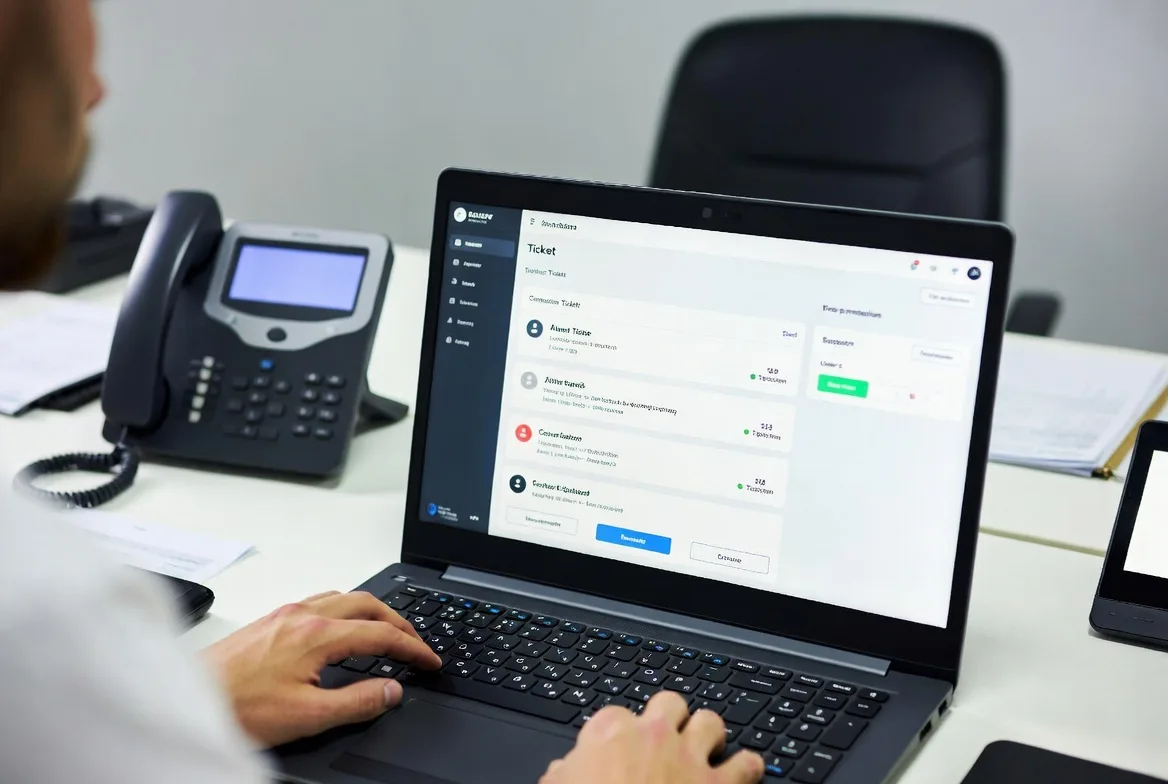
Ticket management forms the foundation. When users submit requests via email, phone, web form, or chat, the help desk converts each into a ticket with a unique identifier. This ticket contains details about the problem, the requester’s information, priority level, and status. Technicians update tickets as they investigate, document their findings, and ultimately close tickets when issues are resolved. This creates an auditable trail showing exactly what happened and when.
Troubleshooting and problem resolution represents the most visible function. Help desk staff diagnose issues by asking clarifying questions, reviewing error messages, checking system logs, and testing potential solutions. For common problems—password resets, printer configuration, software installation—experienced technicians often resolve issues within minutes. More complex problems require deeper investigation, testing multiple hypotheses before identifying root causes.
User support and communication keeps requesters informed throughout the process. Good help desks don’t just fix problems silently; they explain what went wrong, what they’re doing to fix it, and how long it might take. When a ticket sits in the queue longer than expected, proactive updates prevent frustrated follow-up calls.
Escalation management ensures problems reach the right expertise level. Not every technician can solve every problem. Help desks establish clear escalation paths: Level 1 handles routine requests, Level 2 tackles more technical issues, and Level 3 (often specialized engineers or vendors) addresses complex system problems. Knowing when to escalate—and to whom—prevents junior staff from wasting hours on issues beyond their capability.
Knowledge base maintenance turns individual solutions into organizational assets. When a technician solves an unusual problem, documenting it in a searchable knowledge base helps colleagues handle similar issues faster. Over time, this repository becomes invaluable for both staff and self-service users.
Reporting and analysis transforms ticket data into actionable insights. Help desks track metrics like average resolution time, tickets by category, recurring problems, and technician performance. A spike in password reset requests might indicate a confusing new authentication system. Repeated tickets about a specific application could justify replacement or additional training.
One often-overlooked function: preventing future problems. When help desks notice patterns—the same printer jams weekly, or specific software crashes after updates—they can alert IT management to address underlying issues rather than repeatedly applying temporary fixes.
Types of Help Desk Systems
Organizations structure their help desks differently based on who they serve, how they’re staffed, and what problems they handle. Understanding the types of help desk configurations helps businesses choose the right model.
| Type | Primary Users | Common Use Cases | Key Benefits |
|---|---|---|---|
| Internal Help Desk | Employees and internal staff | IT support, HR questions, facilities requests | Faster resolution through direct access; customized to company systems |
| External Help Desk | Customers, clients, end-users | Product support, technical assistance, account issues | Revenue protection; customer satisfaction; competitive differentiation |
| Tiered Support Model | Both internal and external | Complex environments requiring specialized expertise | Efficient resource allocation; faster resolution for routine issues |
Internal Help Desk
An internal help desk serves an organization’s own employees. When a sales representative can’t access the CRM, an accountant needs software installed, or someone’s laptop won’t connect to Wi-Fi, they contact the internal help desk.
These help desks understand the company’s specific technology stack, business processes, and organizational structure. A technician knows that the finance team uses particular software, that the warehouse has older equipment, and that executives need faster response times. This context speeds resolution.
Internal help desks often handle more than pure IT issues. Many expand to include HR questions (benefits enrollment, policy clarification), facilities requests (broken chairs, temperature complaints), and administrative support. This “single point of contact” approach simplifies life for employees who don’t need to remember separate numbers for different departments.
The main trade-off: internal help desks represent pure cost centers. They don’t generate revenue directly, so organizations constantly balance service quality against budget constraints.
External Help Desk
External help desks support customers who purchase products or services. Software companies provide help desks for users struggling with their applications. Hardware manufacturers support customers with defective devices. Service providers assist clients experiencing outages or billing issues.
These help desks directly impact revenue. A customer who receives fast, effective help is more likely to renew subscriptions, recommend the product, and tolerate occasional problems. Poor external support drives customers to competitors and generates negative reviews.
External help desks face unique challenges. Technicians support users with varying technical skill levels, diverse environments (different operating systems, network configurations, third-party integrations), and sometimes unrealistic expectations. They need patience, clear communication skills, and deep product knowledge.
Many external help desks operate 24/7 across multiple time zones, requiring shift work and global staffing. The cost gets built into product pricing or charged separately as premium support tiers.

Tiered Support Models
Tiered support structures divide help desk work by complexity and expertise. This it help desk overview of tiering shows how organizations optimize resource allocation:
Tier 1 (Level 1) handles initial contact and routine issues. These technicians follow established procedures, reset passwords, guide users through basic troubleshooting, and resolve 60-70% of tickets. They’re trained broadly but not deeply, making them cost-effective for high-volume, low-complexity work.
Tier 2 (Level 2) receives escalated issues requiring more technical knowledge. These staff members might reconfigure systems, diagnose software bugs, or coordinate with vendors. They handle perhaps 25-30% of total tickets but spend more time per issue.
Tier 3 (Level 3) consists of specialists and engineers who tackle complex problems: system architecture issues, custom development, major outages, or vendor escalations. They touch maybe 5-10% of tickets but solve problems no one else can.
Some organizations add Tier 0—self-service portals where users find answers in knowledge bases or use automated tools without human intervention. This reduces ticket volume and provides instant help for simple questions.
The tiered model works well when implemented correctly: clear escalation criteria, good documentation handoffs, and realistic expectations about what each tier handles. It fails when Tier 1 staff escalate too quickly (overwhelming higher tiers) or too slowly (frustrating users with prolonged resolution times).
Help Desk Role in IT Support and Operations
The helpdesk role in IT extends far beyond answering phones and resetting passwords. Modern help desks function as the nervous system of IT operations, detecting problems, coordinating responses, and maintaining service quality.
Help desks serve as the primary interface between users and IT infrastructure. Most employees and customers never interact with network engineers, database administrators, or security teams directly. They experience IT entirely through the help desk. This makes help desk quality a major factor in how users perceive the entire IT organization.
In broader IT operations, help desks act as early warning systems. When multiple users report similar problems, the help desk often detects issues before monitoring systems do. A sudden spike in “can’t access the file server” tickets might indicate a storage failure. Repeated complaints about slow application performance could signal capacity problems. Alert help desk managers escalate these patterns to infrastructure teams before minor issues become major outages.
The relationship between help desk and service desk confuses many people. A help desk focuses primarily on break-fix support—something’s broken, and they fix it. A service desk encompasses help desk functions but adds service request fulfillment (provisioning new equipment, granting access permissions) and proactive service management aligned with ITIL (Information Technology Infrastructure Library) frameworks. Service desks take a broader view of IT service delivery, while help desks concentrate on reactive problem-solving.
Many organizations start with help desks and evolve toward service desks as their IT maturity increases. A small company might only need break-fix support. As they grow, they add request fulfillment, then change management, then service catalog management—gradually transforming their help desk into a full service desk.
Help desks also play crucial roles in incident management and change control. When major incidents occur, the help desk coordinates communication, tracks affected users, and manages the incident ticket. During planned changes (software updates, system maintenance), the help desk fields questions and handles issues that arise from those changes.
For compliance and security, help desks enforce access control policies. When employees request system access, help desks verify authorization, document approvals, and provision appropriate permissions. This audit trail proves essential during security reviews and regulatory examinations.
The strategic value becomes clear during business disruptions. When systems fail, the help desk determines impact scope, prioritizes restoration efforts based on business needs, and keeps stakeholders informed. Organizations with mature help desk operations recover faster and maintain better communication during crises.
Common Help Desk Tools and Software
Help desk software transforms support from chaotic email threads and phone messages into organized, measurable processes. Modern platforms combine several capabilities that make support teams more effective.
Ticketing systems form the core. These tools automatically convert support requests from any channel—email, web forms, phone calls, chat—into structured tickets. Each ticket captures the requester’s information, problem description, priority, category, and assignment. Technicians update tickets with their actions, time spent, and resolution notes. Managers view dashboards showing open tickets, aging issues, and workload distribution.
Popular ticketing platforms in 2026 include Zendesk, Freshdesk, ServiceNow, Jira Service Management, and SolarWinds Service Desk. Choosing between them depends on organization size, budget, integration requirements, and whether you need help desk features alone or full service management capabilities.
Knowledge base systems store solutions, procedures, and documentation in searchable repositories. When users search “how to configure VPN,” they find step-by-step guides instead of submitting tickets. When technicians encounter unfamiliar problems, they search the knowledge base for similar past issues. The best knowledge base software integrates with ticketing systems, suggesting relevant articles based on ticket content and allowing technicians to create articles directly from solved tickets.
Automation features handle repetitive tasks without human intervention. Auto-assignment rules route tickets to appropriate teams based on category or keywords. Automated responses acknowledge receipt and set expectations. Escalation rules flag tickets approaching SLA deadlines. Some platforms use AI to suggest solutions or even resolve simple requests automatically.
Communication tools keep everyone informed. Email notifications alert technicians to new assignments. Customer portals let users check ticket status without calling. Chat integrations enable real-time conversations. SMS alerts notify users when their issues are resolved.
Reporting and analytics transform ticket data into insights. Standard reports show ticket volume trends, average resolution times, technician performance, and customer satisfaction scores. Custom reports might track specific problem categories, identify recurring issues, or calculate support costs per user.
Integration capabilities connect help desks to other business systems. Integration with Active Directory enables single sign-on and automatic user information lookup. Connections to monitoring tools automatically create tickets when systems fail. Links to asset management databases show what hardware and software each user has, speeding troubleshooting.
Mobile applications let technicians work from anywhere. Field technicians can update tickets, access knowledge bases, and communicate with users without returning to their desks.
One common mistake: choosing software based solely on features rather than usability. A platform with hundreds of capabilities means nothing if technicians find it confusing and users avoid it. The best help desk software balances functionality with intuitive design.
Another consideration: cloud-based versus on-premises deployment. Cloud solutions offer faster implementation, automatic updates, and lower upfront costs. On-premises systems provide more control and may be required for highly regulated industries. Most organizations now choose cloud platforms unless specific requirements dictate otherwise.

How Help Desks Improve Business Efficiency
Help desks deliver measurable value that extends far beyond IT departments. Organizations with effective help desk operations see improvements across multiple business dimensions.
Reduced downtime translates directly to productivity gains. When an employee’s computer fails, every minute without help represents lost work. A responsive help desk minimizes this waste. Consider a sales team where each person generates $500 in revenue per hour. If 10 salespeople experience a problem that takes two hours to resolve without a help desk versus 20 minutes with one, the difference is $300 in lost productivity per person—$3,000 total for a single incident.
Faster problem resolution comes from structured processes and accumulated knowledge. New technicians benefit from documented solutions. Experienced staff don’t waste time on problems they’ve already solved. Automated routing ensures issues reach qualified people immediately rather than bouncing between departments.
Employee productivity improves when people spend less time dealing with technical problems. Self-service knowledge bases let users solve simple issues instantly. Efficient ticket tracking means users don’t need to follow up repeatedly. Clear communication reduces uncertainty and frustration.
Customer satisfaction increases when external help desks respond quickly and effectively. Customers remember how companies handle problems more than they remember the problems themselves. A software bug that gets acknowledged within minutes and resolved within hours might actually strengthen customer relationships if handled well.
Cost control results from better resource allocation. Tiered support ensures expensive specialists work on complex problems while junior staff handle routine requests. Metrics reveal which issues consume the most resources, guiding decisions about training, automation, or system improvements.
Compliance and documentation satisfy regulatory requirements and support audits. Help desk tickets prove that security incidents were handled appropriately, access requests were properly authorized, and problems were addressed within required timeframes.
Strategic insights emerge from ticket data analysis. Recurring problems indicate training gaps or system deficiencies. Seasonal patterns help with capacity planning. User feedback highlights features that confuse people or processes that need simplification.
One manufacturing company discovered through help desk data that 30% of tickets related to a specific legacy application. This evidence justified replacing the application, eliminating hundreds of monthly support requests and improving user satisfaction. Without the help desk’s documentation and reporting, decision-makers wouldn’t have recognized the problem’s scope.
Help desks also improve efficiency by reducing context switching. When employees can’t work due to technical issues, they often start other tasks, then must shift back when their original problem gets resolved. This constant switching reduces overall productivity. Fast help desk response minimizes these disruptions.
The return on investment becomes clear when you calculate the cost of NOT having a help desk: lost productivity, frustrated employees, customer churn, and untracked problems that grow worse over time. Most organizations find that even modest help desk investments pay for themselves through reduced operational friction.
Organizations that invest in structured support systems reduce downtime and significantly improve overall operational efficiency.
Gartner
FAQs
A help desk focuses primarily on reactive support—fixing problems when they occur. A service desk includes help desk functions but adds proactive service management, request fulfillment, and alignment with ITIL frameworks. Service desks manage the entire service lifecycle, while help desks concentrate on incident resolution. Small organizations typically start with help desks and evolve toward service desks as their IT maturity grows.
Even small businesses benefit from help desk structure, though they might not need dedicated software initially. A shared email address that converts messages to tickets, basic documentation of common problems, and clear escalation paths provide help desk benefits without significant cost. As businesses grow beyond 20-30 employees, dedicated help desk software usually becomes worthwhile. The key question: can you afford the productivity lost when technical problems go untracked and unresolved?
Technical knowledge matters, but communication skills often prove more critical. Effective technicians translate technical concepts into plain language, remain patient with frustrated users, and ask good diagnostic questions. They need systematic troubleshooting approaches rather than just memorized solutions. For Tier 1 positions, customer service experience and willingness to learn often matter more than deep technical expertise. Higher tiers require specialized knowledge in networks, systems, applications, or security.
Pricing varies dramatically based on features and scale. Basic cloud platforms start around $15-30 per agent per month. Mid-range solutions with automation and reporting run $50-100 per agent monthly. Enterprise platforms with full service management capabilities can exceed $150 per agent per month. On-premises solutions involve larger upfront costs ($10,000-100,000+) plus ongoing maintenance. Many vendors offer free tiers for very small teams. Calculate total cost including implementation, training, and ongoing administration—not just license fees.
A ticketing system converts support requests into structured records called tickets. Each ticket receives a unique identifier and tracks the problem description, requester information, priority, assignment, status, and resolution history. Ticketing systems prevent requests from getting lost, create accountability for resolution, and generate data for performance measurement. They’re the fundamental technology that transforms informal support into organized help desk operations.
Partial automation works well; full automation rarely succeeds. Automated systems can route tickets, suggest solutions based on keywords, handle password resets, acknowledge requests, and escalate aging issues. AI-powered chatbots resolve simple, repetitive questions without human intervention. However, complex problems, frustrated users, and unusual situations still require human judgment and empathy. The most effective approach combines automation for routine tasks with skilled technicians for everything else. Organizations that over-automate often frustrate users and damage satisfaction scores.
Help desks represent far more than technical support teams—they’re essential infrastructure that keeps organizations running smoothly. By providing structured problem resolution, maintaining institutional knowledge, and delivering measurable efficiency improvements, help desks justify their costs many times over.
The right help desk configuration depends on your organization’s size, user base, technical complexity, and business model. Small companies might start with basic ticketing and a single support tier. Growing businesses add automation, knowledge bases, and tiered support. Large enterprises implement full service desk capabilities with advanced analytics and integration.
Success requires more than just software. Effective help desks combine appropriate tools, skilled staff, clear processes, and management commitment to continuous improvement. Organizations that invest in these elements see reduced downtime, higher productivity, better customer satisfaction, and lower overall support costs.
As technology becomes increasingly central to business operations, help desk quality directly impacts competitive advantage. Companies that resolve problems quickly and effectively enable their employees and customers to focus on value creation rather than technical frustration. That’s the real help desk meaning: removing obstacles so people can do their best work.