
Ever watched a support team drown in emails? One person responds to a customer twice because they didn’t see their colleague’s reply. Another request sits untouched for a week because everyone assumed someone else was handling it. Support tickets solve this mess.
These platforms turn every incoming request—whether it arrives by email, phone, chat, or carrier pigeon—into a trackable record with an owner, a deadline, and a complete history. The difference? Instead of 47 unread emails scattered across three people’s inboxes, you’ve got a queue where nothing falls through the cracks.
What Is a Ticketing System?
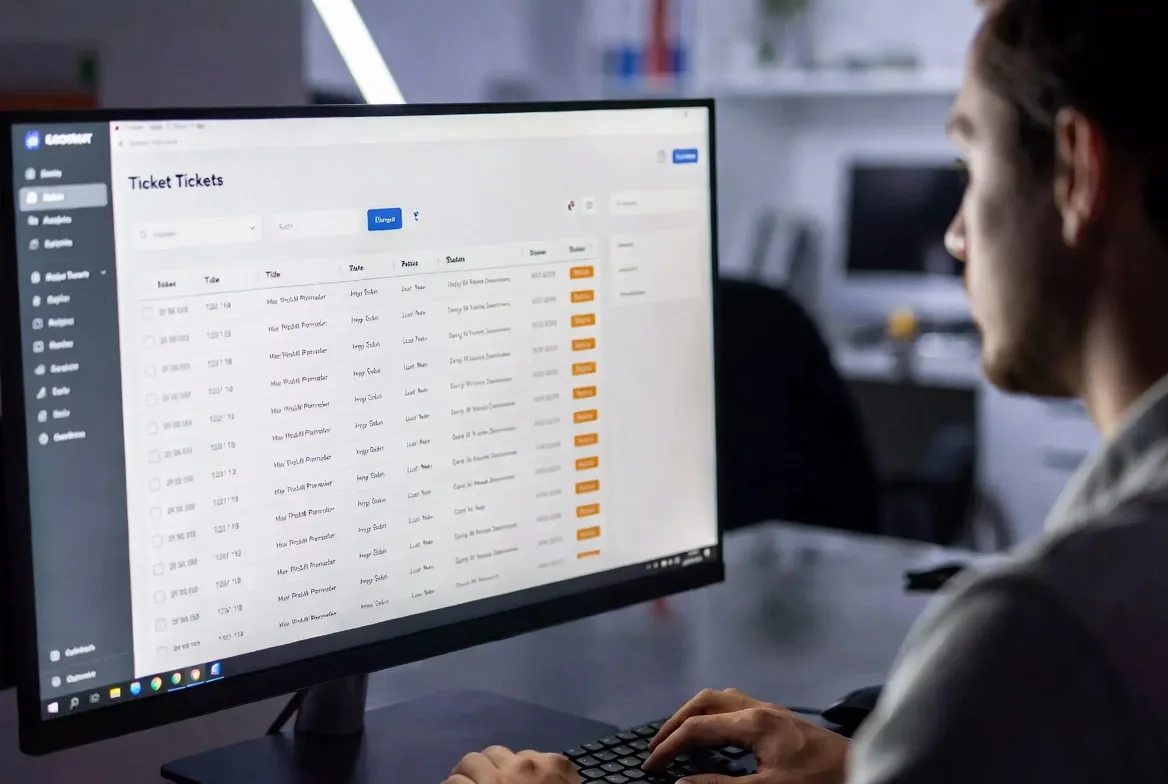
Think of it as a conveyor belt for problems. Someone submits a request. The system catches it, slaps a unique ID on it (something like #TKT-8472), and routes it to whoever needs to fix it. From that moment until someone marks it solved, every email, phone call, and internal note gets attached to that single record.
The ticket management system acts as mission control. Support staff see what they’re assigned to. Managers spot bottlenecks. Customers track their request’s status instead of wondering if their email disappeared into the void.
Here’s what’s interesting: these tools started in IT departments around 1995 when computer problems became too numerous for sticky notes and phone logs. A help desk analyst at IBM or Dell would get 50 calls a shift—there was no other way to track who said what about which broken server.
Now? Customer service teams use them for refund requests. HR tracks new hire equipment orders. Property managers coordinate plumbing repairs. Marketing departments handle design requests from sales. If people ask you for stuff repeatedly, you need a system to track who asked for what and whether you actually did it.
The mechanics haven’t changed much since the ’90s: capture the request, assign it to someone qualified, document everything that happens, close it when finished. But the scope has exploded far beyond “my computer won’t turn on.”
How Does a Ticketing System Work?
The support ticketing workflow follows a path that’s predictable enough to automate but flexible enough to handle weird edge cases. Let’s walk through what actually happens when someone needs help.
Ticket Creation and Submission
Requests flood in from everywhere. Your customer emails help@yourcompany.com at 2 AM describing why their invoice looks wrong. Someone else fills out the “Report a Bug” form on your website. A third person rage-tweets at your company account about a broken feature.
Each channel feeds into the same system. That 2 AM email? Becomes ticket INC-9847. The web form? HELP-3301. The angry tweet? SOC-4429 if you’ve connected social monitoring.
The system immediately sends back an auto-reply: “We received your request (ticket #INC-9847) and will respond within 4 business hours.” That simple confirmation prevents half the follow-up “did you get my email?” messages that usually clog support channels.
Better systems don’t just create a record—they parse it. An email saying “can’t log into the client portal, keeps saying invalid password” might automatically get tagged as “Authentication Issue,” categorized under “Medium Priority,” and routed to your identity management team. All before a human reads it.
Ticket Assignment and Prioritization
Someone needs to own this thing. IT ticket management platforms use routing rules that consider expertise, workload, location, and issue type. Your junior support person gets the password resets. Your senior database admin gets the “queries timing out on prod server” tickets.
Priority determines the order of attack. Most teams use four levels:
Critical = revenue-stopping problems. “Payment processing is down” or “entire sales team locked out of CRM 20 minutes before quarter-end.” Drop everything else.
High = major impact, narrow scope. “VP can’t access files for board meeting in 2 hours” or “shipping label printer offline during holiday rush.”
Medium = annoying but not business-threatening. “Email signature looks weird in Outlook” or “can we add a field to this report?”
Low = nice-to-haves. “Is there a keyboard shortcut for this?” or “Can you change the default font?”
Service Level Agreements attach clocks to these priorities. Critical tickets might demand a 15-minute response and 2-hour resolution. Low priority allows 2 business days to respond, one week to fix. The system counts down and screams at supervisors when deadlines approach.
Some shops assign manually—a team lead reviews the queue each morning and distributes work. Others use round-robin auto-assignment. Depends on whether your team has specialists (database issues only go to database people) or generalists (everyone handles everything).
Resolution and Closure Process
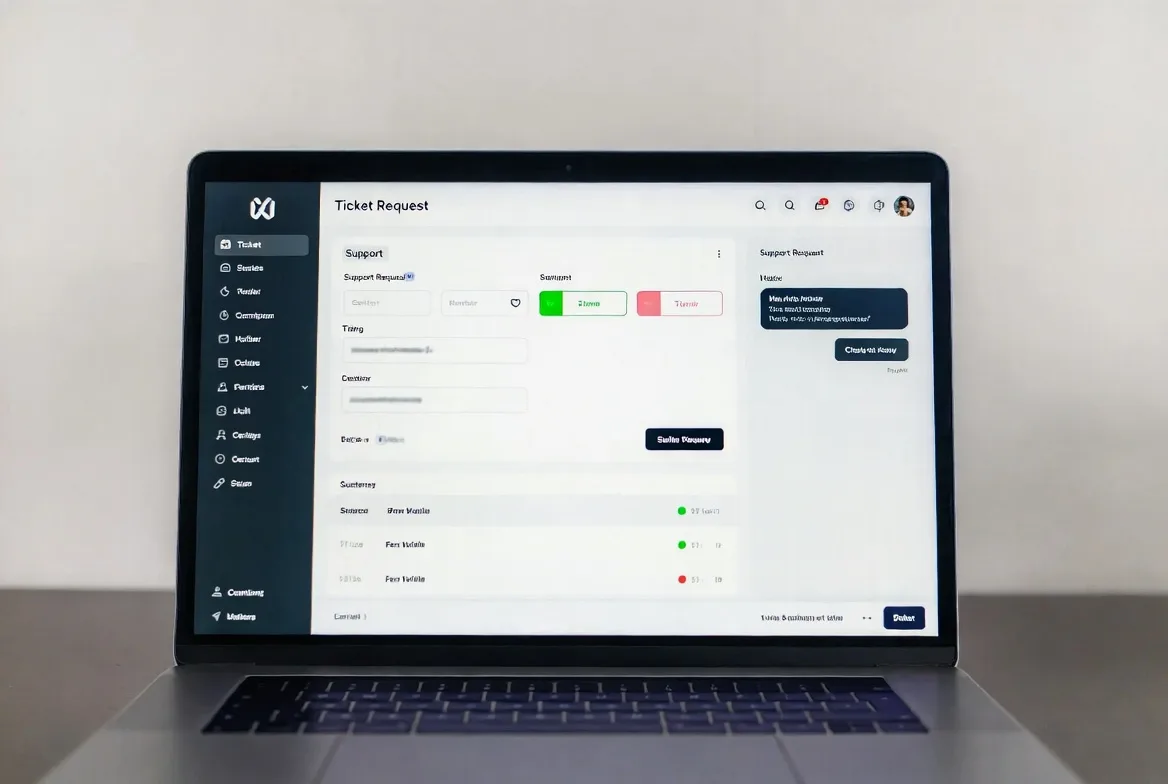
The assigned agent digs in. They might ping the customer: “Can you send a screenshot of the error?” They’ll add internal notes invisible to the requester: “Checked logs, seeing SSL cert expiration warnings.” They update the customer with public comments: “Found the issue—certificate expired last night. Renewed it, should work now. Try logging in again?”
The ticket becomes a conversation thread. Everything lands in one place instead of scattered across email, Slack, and sticky notes on someone’s monitor.
Resolution doesn’t always mean fixed. Sometimes it means “here’s a workaround until the vendor patches this” or “we’re not changing that because it breaks three other features” or “escalated to engineering, ETA two weeks.” The goal is addressing the immediate need, not necessarily solving the cosmic root cause.
Many help desk ticket systems require confirmation before closing. Agent marks it “Resolved,” system emails the customer: “We think this is fixed—reply if it’s not.” No response within 72 hours? Auto-closes. Customer replies “still broken”? Reopens and returns to queue.
Closed tickets don’t vanish. They sit in searchable archives. Six months later when someone reports the exact same weird error, agents can pull up ticket #INC-9847 and see how you fixed it last time. Saves hours of re-investigation.
Types of Ticketing Systems
Not every platform serves the same purpose. What works for internal tech support looks different from customer-facing help desks.
IT ticketing systems focus on keeping infrastructure running. They integrate with asset management databases (so when someone reports “my laptop is slow,” you see it’s a 2015 MacBook with 4GB RAM—no mystery there). They track change management workflows requiring approval before anyone modifies production systems. They speak ITIL—the framework IT departments use to categorize incidents vs. problems vs. changes.
These systems often connect to monitoring tools. Your server monitoring detects disk space at 95% capacity at 3 AM, automatically creates a ticket, and pages the on-call engineer. No human involved until someone needs to delete files.
Help desk ticket systems prioritize customer experience over technical complexity. They emphasize omnichannel support—email, chat, phone, social media all creating tickets in one queue. They include customer portals where people check ticket status without emailing “any update?” every six hours. They send satisfaction surveys after closure: “How did we do?”
Features like sentiment analysis flag tickets containing words like “furious” or “attorney” so supervisors can intervene before angry customers escalate. AI suggests responses based on similar past tickets, helping new agents answer faster.
General ticket management systems offer flexibility for departments that don’t fit standard molds. HR uses them to track onboarding checklists—tickets for “order laptop,” “schedule benefits orientation,” “create building access badge.” Facilities teams manage maintenance: “conference room projector bulb burned out” or “third floor bathroom sink leaking.”
Some companies run separate systems—one for IT, another for customers. Others prefer unified platforms where different departments maintain isolated queues. Unified reporting is easier (“how many tickets did we handle company-wide last quarter?”) but requires careful permission controls so IT staff don’t accidentally see confidential HR tickets.
Key Features of a Ticket Management System
Effective helpdesk ticketing platforms share capabilities that separate them from glorified email folders.
Automation rules eliminate repetitive grunt work. When a ticket arrives tagged “password reset,” the system assigns it to tier-1 support, sets priority to medium, and adds a templated response: “We’ll reset your password within 2 hours. Please have your employee ID ready.” Zero human intervention required.
Escalation automation kicks in when tickets languish. A high-priority ticket untouched for 90 minutes? System notifies the supervisor. Still untouched after 2 hours? Reassigns to whoever’s available. Prevents tickets from dying in one person’s queue because they’re out sick.
SLA management tools track whether you’re meeting your promises. Visual indicators show which tickets need immediate attention—red means you’ve got 15 minutes before breaching the response deadline. Dashboards display compliance rates: “Tier-1 team met SLA on 94% of tickets last month” or “database team is averaging 6 hours past resolution SLA.”
Reporting and analytics transform ticket history into insights. Standard reports show volume trends (Mondays spike 40% above other days), resolution times (network issues average 3.2 hours, email problems average 45 minutes), common categories (password resets represent 28% of all tickets).
Advanced analytics reveal patterns you’d never spot manually. Tickets from the Denver office take twice as long to resolve—turns out they’re three time zones away from your support team’s headquarters. Printer issues spike every Monday at 9 AM—people return from the weekend, print 50 queued documents, and jam every machine simultaneously.

Integration capabilities connect your ticket system for it with the rest of your software ecosystem. Calendar sync lets agents create follow-up tasks: “check if server migration completed” scheduled for next Tuesday. CRM integration displays customer lifetime value when agents open tickets—VIP customers get different handling than free trial users. Slack integration notifies teams when critical tickets arrive.
APIs enable custom connections. One company integrated their ticketing system with their conference room booking platform—AV equipment problems automatically create tickets tagged with the room number and meeting organizer.
Multi-channel support consolidates chaos. A customer emails Monday, calls Tuesday, tweets Wednesday—all about the same order issue. Without channel integration, three agents work three separate tickets, each asking the customer to re-explain the problem. With it, one ticket captures all three touchpoints. Any agent sees the complete conversation regardless of channel.
Knowledge base integration lets agents attach documentation to responses. Instead of typing “here’s how to configure your VPN” for the 47th time, they link to article KB-229 that explains it with screenshots. Systems track which articles get attached most frequently—that’s your high-value documentation. They also track which categories generate tickets but lack articles—that’s where you need new documentation.
Benefits of Using a Helpdesk Ticketing System
Organizations implementing these systems see improvements you can measure, not just feel.
Accountability becomes enforceable because every request has an audit trail. When someone asks “what happened to my facilities request from March?” you pull up ticket FAC-8821 and see: submitted March 12, assigned to James on March 13, James added a note “waiting for vendor quote” on March 15, vendor quoted $1,200 on March 18, requester approved March 19, work completed March 22, ticket closed March 23. No ambiguity, no finger-pointing.
Response consistency improves dramatically. Before ticketing systems, your best agent wrote detailed helpful responses while your worst agent sent dismissive one-liners. Now new agents reference how experienced colleagues handled similar situations. Templates ensure everyone communicates key information. Quality variance shrinks.
Efficiency compounds through eliminated duplicate effort. Five people report “website is down” within ten minutes. Without tickets, five agents might each investigate independently. With ticket linking, the first agent investigates, marks the other four as duplicates of the master ticket, and everyone gets updated when the problem’s fixed. One investigation instead of five.
Data-driven decisions replace gut feelings. Your team complains they’re overwhelmed. Okay—with what? Tickets reveal that 40% of volume is password resets (maybe implement single sign-on?), 25% is “how do I export data to Excel” (better documentation needed), and 20% is VPN connection problems (infrastructure investment justified). You can’t prioritize improvements without knowing what’s actually consuming resources.
Customer satisfaction typically rises 15-30% post-implementation according to support benchmarks. Why? Fewer lost requests. Status transparency (customers check portals instead of emailing “any update?” repeatedly). Faster resolution (agents aren’t reinventing solutions to common problems). Consistent quality (templates and documented procedures reduce bad responses).
Team collaboration works when multiple specialists need to weigh in. A ticket starts with tier-1 support, who escalates to network engineering, who loops in the security team, who requests input from the vendor. Everyone sees the full context without forwarding email chains or explaining the situation repeatedly in Slack threads.

Common Ticketing System Use Cases
Real organizations use these tools in surprisingly diverse ways.
IT support at a 500-person software company receives about 180 tickets weekly. Password resets account for 30. VPN issues add another 25. Software installation requests, hardware problems, and “my email’s acting weird” make up the rest. Their ticket system for IT integrates with Active Directory (instant user lookups), asset management (shows which laptop model you’re using), and network monitoring (auto-creates tickets when backup jobs fail at 2 AM).
E-commerce customer service for a mid-sized retailer handles 800 tickets weekly during normal periods, 2,500+ during Black Friday week. Order status questions dominate. Return requests need processing. Damaged shipment complaints require investigation and replacement coordination. Their help desk ticket system pulls order history from Shopify, displays customer lifetime value (10-year customer who’s spent $8,000 gets prioritized over first-time buyer), and routes high-value orders to senior agents.
University IT departments juggle support for 15,000 students, 800 faculty, and 400 staff with vastly different needs. Students get basic help connecting to campus Wi-Fi and accessing course materials. Faculty need support for learning management systems, research computing clusters, and specialized software. Staff receive full desktop support including privileged system access. The ticketing system enforces service tiers—students don’t get desktop support, faculty can’t request server access—and routes appropriately.
Property management companies running 20+ apartment buildings track maintenance across locations. Tenants submit tickets through a resident portal: “garbage disposal jammed,” “AC not cooling,” “parking gate stuck open.” System auto-assigns based on location (Denver building requests go to Denver maintenance staff) and specialty (plumbing issues route to licensed plumbers, electrical to electricians). Tenants receive notifications when work orders are created, scheduled, and completed.
HR departments use ticketing for requests that don’t need face-to-face time. Benefits questions during open enrollment. Policy clarifications (“how many personal days do I have?”). Equipment requests from remote workers (“need a second monitor”). IT access for new hires (“create accounts for our three Monday starts”). Creating tickets documents everything for compliance audits and prevents forgotten requests when HR staff are out.
Internal service desks at Fortune 500 companies handle non-IT requests that would otherwise clog email. Office supplies orders. Building access badge replacements. Travel booking help. Vendor payment status questions. Conference room AV troubleshooting. Centralizing through tickets prevents the “I emailed Susan three weeks ago but she’s on vacation and I don’t know if anyone else saw it” problem.
IT Ticketing System vs. Help Desk Ticket System
| Aspect | IT Ticketing System | Help Desk Ticket System |
|---|---|---|
| Primary Purpose | Keep internal infrastructure operational and support employee technology needs | Resolve customer inquiries across products, billing, and service issues |
| Primary Users | Company employees, IT operations teams, system administrators, infrastructure engineers | Customers, clients, end-users, customer support agents, account managers |
| Typical Features | Asset tracking, change approval workflows, ITIL categorization, automated monitoring alerts, patch management integration | Omnichannel intake, self-service portals, CSAT surveys, CRM data display, social media monitoring |
| Common Integrations | Active Directory, network monitors (Nagios, Datadog), asset databases, SIEM tools, patch systems | Shopify/e-commerce, payment processors (Stripe), CRMs (Salesforce), chat platforms (Intercom), social tools (Hootsuite) |
| Ideal Use Cases | Internal tech support, infrastructure incidents, software deployments, security events, system changes | Product support, billing questions, order issues, feature requests, complaint resolution |
Organizations that treat support tickets as data assets rather than administrative burdens gain significant competitive advantages. The patterns hidden in ticket histories reveal product weaknesses, training gaps, and process inefficiencies that would otherwise remain invisible.
Marcus Chen
FAQs
The ticketing system is the software. The help desk is the team that uses it. Think of it like the difference between a phone and a call center—one’s the technology, the other’s the people and processes. Some vendors blur the terms (marketing “help desk software” when they mean ticketing platforms), but technically you could run a help desk using paper forms and filing cabinets. Nobody does this anymore because it scales terribly, but the distinction holds: help desk = service function, ticketing system = tool that function uses.
Expect $10-15 per agent monthly for basic cloud systems with limited automation. Mid-tier platforms with SLA management, reporting, and integrations run $30-60 per agent monthly. Enterprise systems with advanced analytics, custom workflows, and dedicated support exceed $100 per agent monthly. Self-hosted options flip the model—$5,000-$50,000 upfront licensing plus infrastructure costs and ongoing maintenance. Many vendors offer free tiers for tiny teams (2-3 agents) with feature restrictions. Freshdesk and Zendesk both have free plans that work for solopreneurs but become limiting quickly.
Absolutely—sometimes more than enterprises because they feel the pain of disorganization acutely. A three-person support team handling 100 tickets weekly benefits enormously from centralized tracking versus scattered emails. The accountant who also handles customer questions part-time? Even better candidate—tickets prevent “I forgot about that customer email because I was doing payroll” scenarios. Start with free or cheap systems (Freshdesk’s free tier, Zoho Desk at $12/agent). You’ll recoup the cost in time saved searching for “where did this request come from?” and customers not lost due to forgotten inquiries.
Technology companies dominate (obviously—they built these tools for themselves). Financial services follow closely due to regulatory requirements for documenting customer interactions. Healthcare organizations track patient service requests and equipment issues. Educational institutions manage IT support for sprawling campuses. E-commerce businesses handle order problems and product questions. But honestly? Ticketing systems have infiltrated everywhere. Manufacturing plants track maintenance requests. Hotels manage guest service issues. Government agencies handle citizen inquiries. Architecture firms track project change requests. If you repeatedly receive requests from people, you’re a candidate regardless of industry.
Start by clarifying your primary use case: internal IT support, external customer service, or general request management? List must-haves (mobile app, specific integrations, multi-language support) separately from nice-to-haves (AI response suggestions, advanced analytics). Consider your team’s technical chops—some systems require configuration expertise while others work immediately after signup. Actually test 2-3 systems using free trials with real tickets from your queue, not hypothetical scenarios. Involve the people who’ll use it daily in evaluation—management might love fancy dashboards while agents hate the clunky ticket interface. Check whether pricing models align with growth plans (per-agent gets expensive scaling from 5 to 50 agents, flat-rate might work better).
Modern platforms integrate with dozens of common tools through pre-built connectors. Email platforms (Gmail, Outlook), communication tools (Slack, Teams), CRMs (Salesforce, HubSpot, Pipedrive), project management (Jira, Asana, Monday), monitoring systems (Datadog, New Relic), and authentication (Active Directory, Okta) are standard. Most also provide REST APIs enabling custom integrations your developers can build. Before committing, verify the specific tools you need actually connect—”integrates with CRM” might mean Salesforce but not the niche CRM you’re using. Test integrations during trials because quality varies wildly. Some are seamless automated syncs, others require manual field mapping and break whenever either platform updates.
Support tickets replace chaos with structure by capturing requests, assigning owners, tracking progress, and documenting outcomes. Whether you’re managing server infrastructure, customer complaints, or facilities maintenance, these platforms provide the framework needed to deliver reliable support as volume scales.
Your ideal system depends on context. IT teams prioritize asset management and change controls. Customer service needs omnichannel support and satisfaction tracking. Internal service desks want flexibility across diverse request types.
Start by defining your primary use case clearly. List genuinely required features separately from wishlist items. Test platforms with actual tickets from your queue before committing—vendor demos showcase ideal scenarios, not your messy reality.
Support volumes don’t shrink. Customer expectations for responsiveness keep rising. Organizations that implement effective IT ticket management gain measurable advantages through faster resolutions, consistent quality, and the data insights that drive continuous improvement. The infrastructure investment pays back through efficiency gains and prevented customer defections when requests don’t disappear into email black holes.